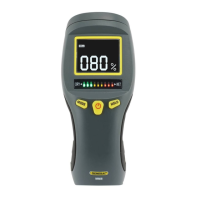
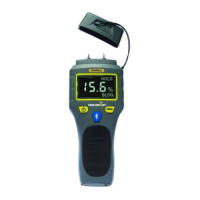
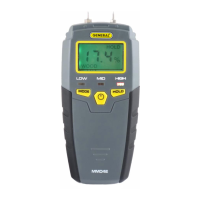
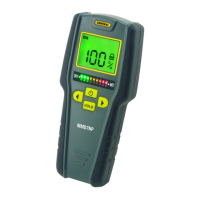
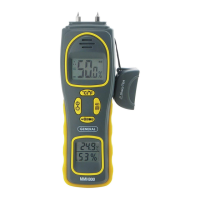
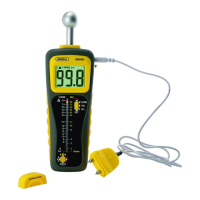
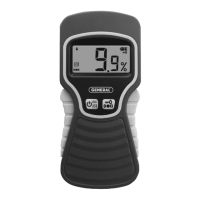
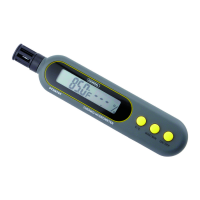
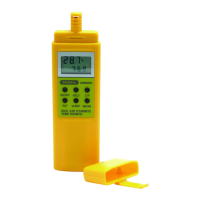
The General RHMG650 is a 9-in-1 Thermo-Hygrometer/Moisture Meter designed for professionals in water damage restoration, HVAC/R system installation and maintenance, facility maintenance, and electronics manufacturing. This handheld instrument measures and displays a comprehensive set of environmental and material moisture parameters, offering both real-time readings and data storage capabilities.
Function Description:
The RHMG650 measures nine distinct parameters:
- Ambient Temperature: The surrounding air temperature.
- Relative Humidity (RH): The amount of moisture in the air relative to the maximum amount the air can hold at that temperature.
- Absolute Humidity: The total mass of water vapor per unit volume of air, expressed in mg/L or g/m³.
- GPP (Mixing Ratio): The ratio of the mass of water vapor to the mass of dry air, expressed in grains per pound or g/kg. This is a crucial metric for water damage remediators, as it provides a more accurate assessment of moisture content than RH alone, especially in drying phases where low RH might still indicate high GPP. The meter's atmospheric pressure sensor enhances the accuracy of GPP, dew point, and vapor pressure calculations compared to units that assume standard sea-level atmospheric pressure.
- Relative Moisture Level (Pinless Sensor): A non-invasive measurement of moisture content in materials up to 3/4 inch (20mm) below the surface. This mode is ideal for detecting moisture in wallboard, masonry, hardwood, and softwood without causing damage. It operates by generating an electric field and inferring moisture from the material's capacitance and the fringing-field effect. Moisture closer to the surface has a greater impact on readings.
- Absolute Moisture Level (Pin-Type Probe): A penetrating measurement of moisture content using an included pin-type probe. This mode measures the electrical conductivity of a material, with higher conductivity indicating wetter material. Readings are displayed in %WME (Wood Moisture Equivalent). For hard materials, readings primarily reflect surface moisture, while for softer materials, they reflect the average moisture level between the surface and the pin penetration depth (up to 3/8 inch or 10mm).
- Dew Point: The temperature at which air becomes saturated with water vapor, and condensation begins to form.
- Atmospheric Pressure: The pressure exerted by the weight of the atmosphere.
- Vapor Pressure: The pressure exerted by water vapor in the air.
The meter also features settable high and low alarms for RH, relative moisture level, and absolute moisture level. These alarms provide audible alerts if measured values exceed or fall below user-defined setpoints, which is particularly useful in applications like electronics manufacturing to mitigate static discharge risks associated with low RH.
Important Technical Specifications:
- Ambient Temperature Measurement Range: -20° to 167°F (-29° to 75°C)
- Ambient Temperature Measurement Accuracy: ±3.6°F (2°C)
- RH Measurement Range: 0 to 100%
- RH Measurement Accuracy: ±2.5% from 11 to 90%RH; ±3%RH elsewhere
- Absolute Humidity Range: 0.5 to 240mg/m³ (mg/L)
- GPP Range: 0 to 999 GPP (0 to 160g/kg)
- Relative/Absolute Moisture Level Range: 0 to 99.9%
- Pinless Moisture Measurement Depth: 0.75 in. (19mm)
- Dew Point Range: -76° to 140°F (-60° to 60°C)
- Atmospheric Pressure Range: 30 to 120 kPa
- Vapor Pressure Range: 0 to 20.0 kPa
- Sampling Rate: 2X/sec
- Memory Capacity: 20 pairs of readings
- Auto Power Off Trigger: 30 minutes of inactivity (can be disabled)
- Backlight Duration: 30 seconds
- Battery Life: 6 to 8 weeks (4 hrs/day use)
- Operating Temperature: 32° to 110°F (0° to 43°C)
- Storage Temperature: -22° to 140°F (-30° to 60°C)
- Dimensions: 7.3 x 2.8 x 1.4 in. (185 × 72 × 36mm)
- Weight: 6.2 oz. (175g), without battery
- Power Source: (1) "9V” battery (included)
- Display: Backlit LCD with 3-digit primary readout and 4-digit secondary readout.
Usage Features:
- Powering On/Off: Pressing the ON/OFF HOLD button powers the meter on, defaulting to RH measurements. Pressing and holding the button for at least 2 seconds powers it off.
- Auto Power Off (APO): The meter automatically powers off after 30 minutes of inactivity to conserve battery life. This feature can be disabled by pressing and holding the ZERO button while powering on the meter.
- Parameter Selection: Users can cycle through the eight moisture-related parameters using the UP> and <DN buttons, which move a mode selector pointer on the LCD.
- Measurement Units: The UNIT button toggles between Imperial and metric units for temperature, absolute humidity, mixing ratio, barometric pressure, and vapor pressure.
- Data Hold: A brief press of the ON/OFF HOLD button freezes the primary and secondary readouts, indicated by "HOLD" on the display. Another brief press releases the hold.
- Min/Max Tracking: The MAX/MIN button allows users to view the highest ("MAX") or lowest ("MIN") reading recorded since entering a measurement mode. A third press resumes real-time measurement.
- Data Storage and Recall: The meter can store up to 20 pairs of readings (primary and secondary readouts) in its nonvolatile memory by pressing and holding the STORE/ENTER button for >2 seconds. Stored readings can be recalled using the buttons in Recall mode.
- Alarm Setting: High and low alarm setpoints for RH, MOIST INT, and MOIST EXT can be configured. The meter will sound a beeper if measurements fall outside these setpoints. Alarms can be disarmed by setting their setpoints to OFF (100.0% or 0.0%).
- Pinless Moisture Measurement (MOIST INT): This non-invasive mode requires pressing the back of the meter (where the sensor is located) against the material. A "ZERO" reset function is available to establish a 0.0% baseline reading when holding the meter in hand and not touching any material, ensuring accurate measurements.
- Pin-Type Moisture Measurement (MOIST EXT): This mode uses the included external probe. The probe's pins are inserted into the material to measure conductivity.
- Bar Graph Display: In both moisture level measurement modes, a vertical bar graph provides an analog visual representation of relative moisture changes.
Maintenance Features:
- Battery Replacement: The meter uses a "9V" battery. A low battery icon on the LCD indicates when replacement is needed. The battery compartment is secured by a single screw.
- Sensor Protection: A dust cap protects the humidity/temperature sensor. It should be removed before use and replaced after each measurement session to prevent fouling in dusty environments.
- Storage: If the meter will not be used for several months, the battery should be removed to prevent potential leaks and damage.
- Calibration Check: While the RHMG650 cannot be user-calibrated, its calibration can be checked periodically using saturated salt solutions (e.g., 33% MgCl and 75% NaCl calibration salts) to verify the accuracy of humidity-related readings. The removable hanger tab facilitates fitting the meter over calibration salt bottles.
- Durability: The humidity sensor is factory-calibrated to minimize drift for several years, extending beyond the warranty period.
- General Care: Avoid immersing the unit in water or getting it wet. Do not disassemble the unit, as this voids the warranty.

 Need help?
 General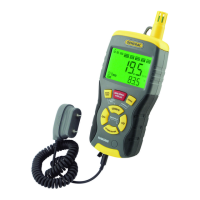

 To Next Page