10
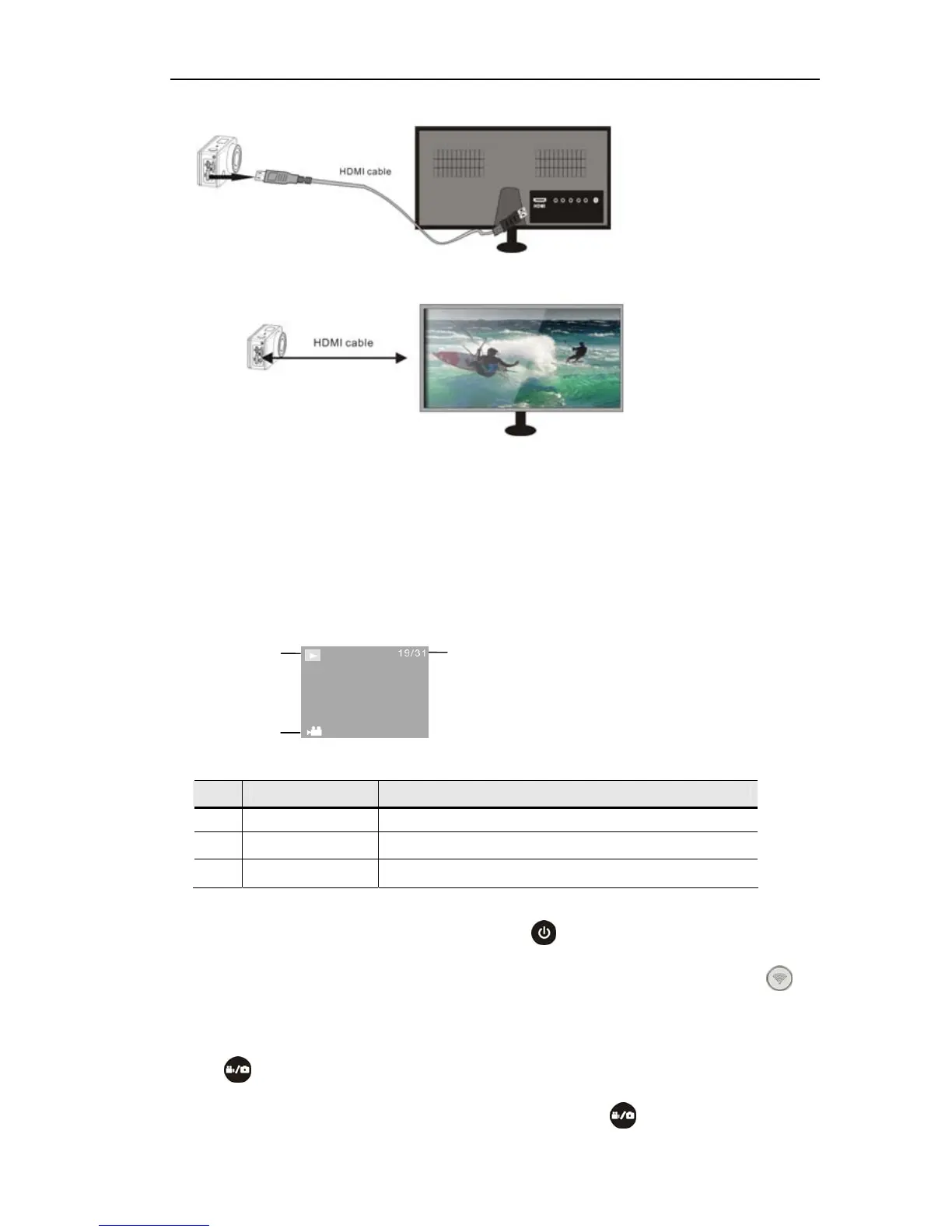
Note:Before connecting or removing the HDMI cable, please stop video
recording, playback and disconnect Wi-Fi first.
5.2 When HDTV is connected, it enters Playback mode, the LCD displays as
below:
In Playback mode, press the Power button
to switch between photos and
videos.When there are several photos or videos, press the Wi-Fi button
to
select the photo or video. When a video file is selected, press the Shutter
button
to play it, and press the Shutter button again to stop playing.
In Playback mode, press and hold the Shutter button
, a prompt of deleting
S/N Icon name Description
1 Playback mode
Under Playback mode currently.
2 File number
There are 31 files and you are viewing the 19
th
one.
3 Video icon The file is a video.
1
2
3


 To Next Page