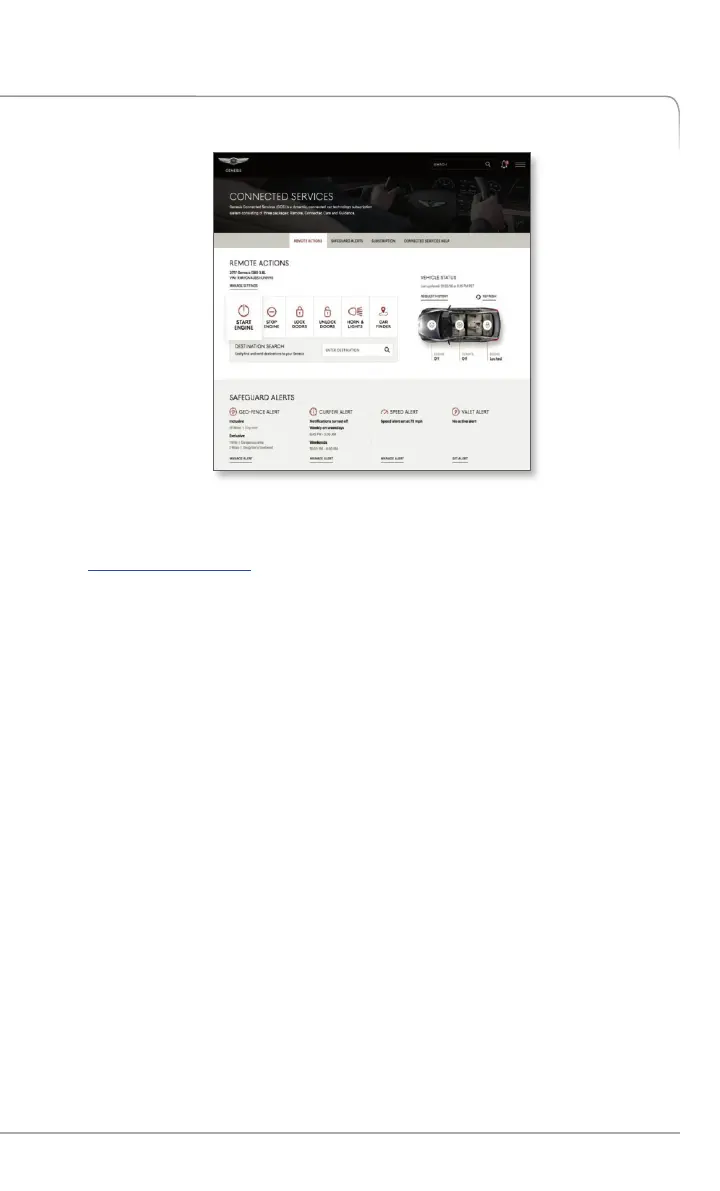
1. To get started with Genesis Connected Services, log on to
owners.genesis.com and select Connected Services in the side menu or
on the footer.
2. Selecting Preferences and Alerts
This is where the rubber hits the road – where you are able to select,
activate, adjust and control the settings for the Genesis Connected
Services system in your Genesis. Explore everything! You might be
surprised at how easy to use – and practical – many of these amazing
features are:
• Add Secondary Drivers
• Add Emergency Contacts
• Update Genesis Connected Services PIN
• Set Notifications
• View Monthly Vehicle Health Report
• Activate Remote Features
• Destination Send-to-Car *
• Geo-Fence
• Speed Alert
• Curfew Alert
Genesis Connected Services Home page
SETTING GENESIS CONNECTED SERVICES
PREFERENCES AND ALERTS
*Only available on models equipped with factory-install navigation system.
7
Genesis Connected Services User’s Manual I


 To Next Page
 Loading...