TV SETUP
CONNECTING A DVD PLAYER, GAME CONSOLE AND OTHER DEVICES
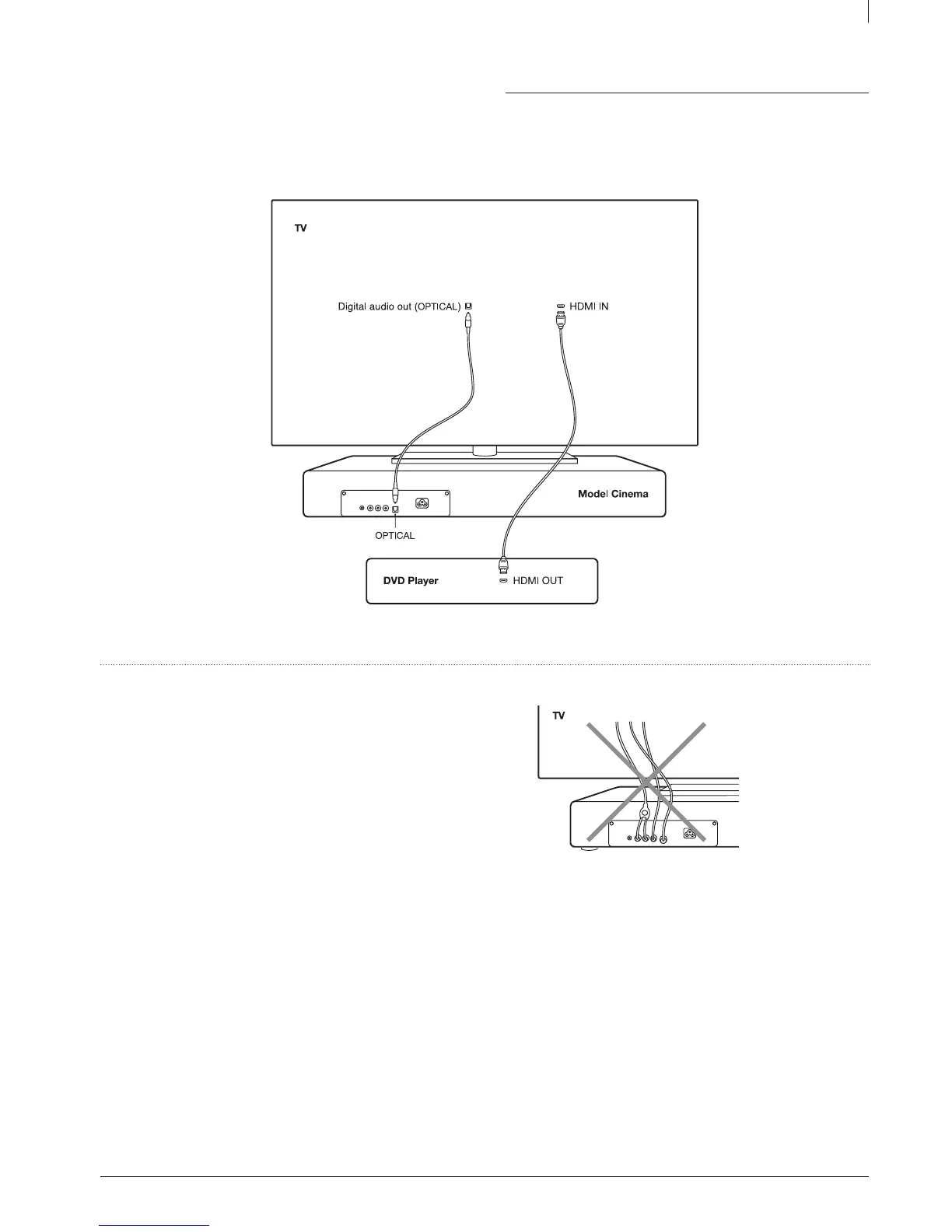
Connect any video sources such as DVD player, Bluray player, game console or set-top box to your TV. Do not connect these devices directly to
the Model Cinema.
Warning
Do not connect more than one cable to the three TV audio inputs to
prevent mixing up of the automatic input selection.



 To Next Page