30
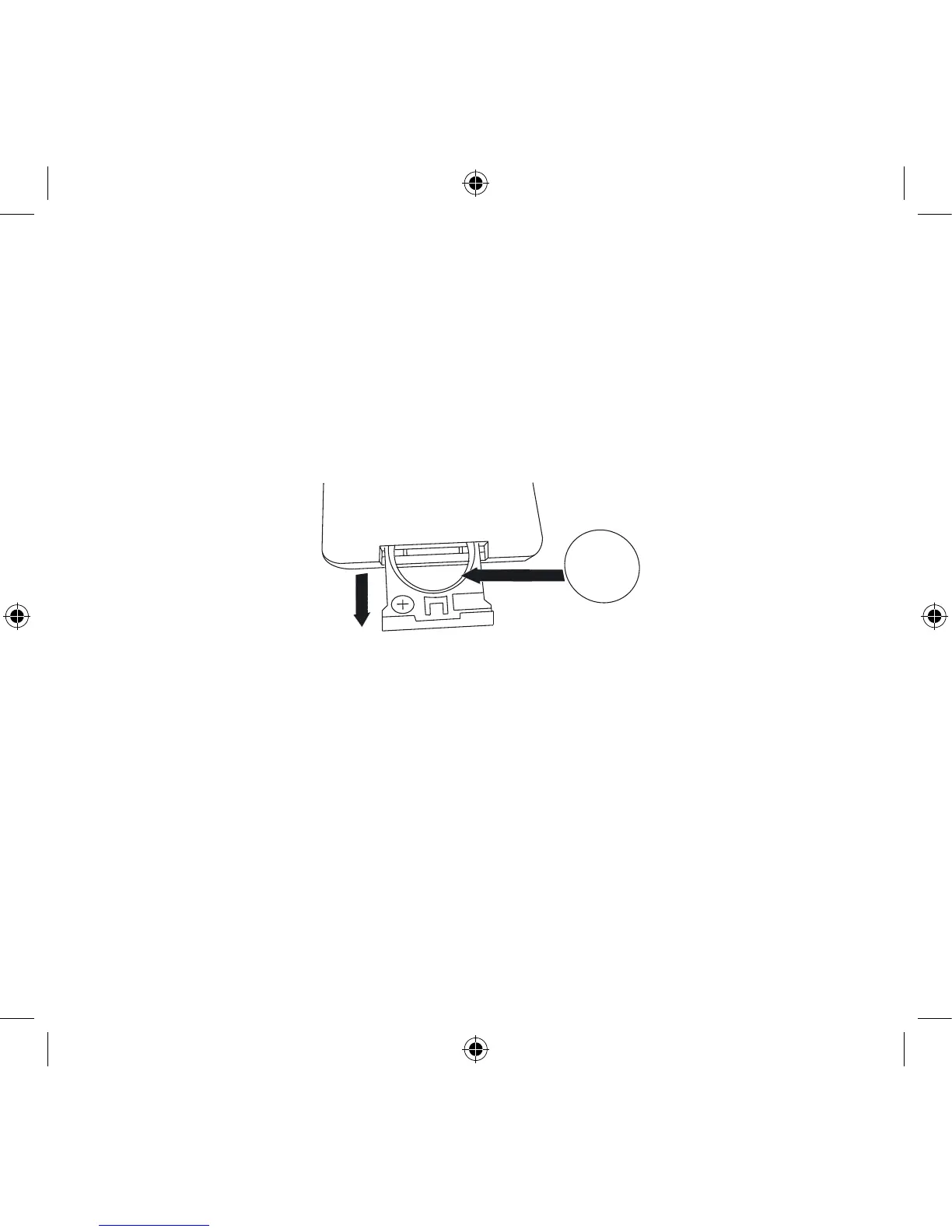
How to change battery in the remote control?
1. Open the battery lid that is on the backside of the remote control.
2. Remove the existing battery and replace it with a new lithium cell, 3 V battery
(CR2025 type).
3. Inside the battery compartment there are symbols showing in which direction the
batteries should be placed. Carefully follow these directions.
iPod:
How to select the right iPod Dock adapter for my iPod?
The Geneva Sound System supports all the iPod models that are listed in the table below.
Select the Dock Adapter with the number printed on the grey area that corresponds with
the iPod model you wish to use, as set out in the table to the right:
Step 1
Step 2 + 3


 To Next Page