Step 2: Insert the batteries into the remote control (see page 20). There are batteries
included in the package.
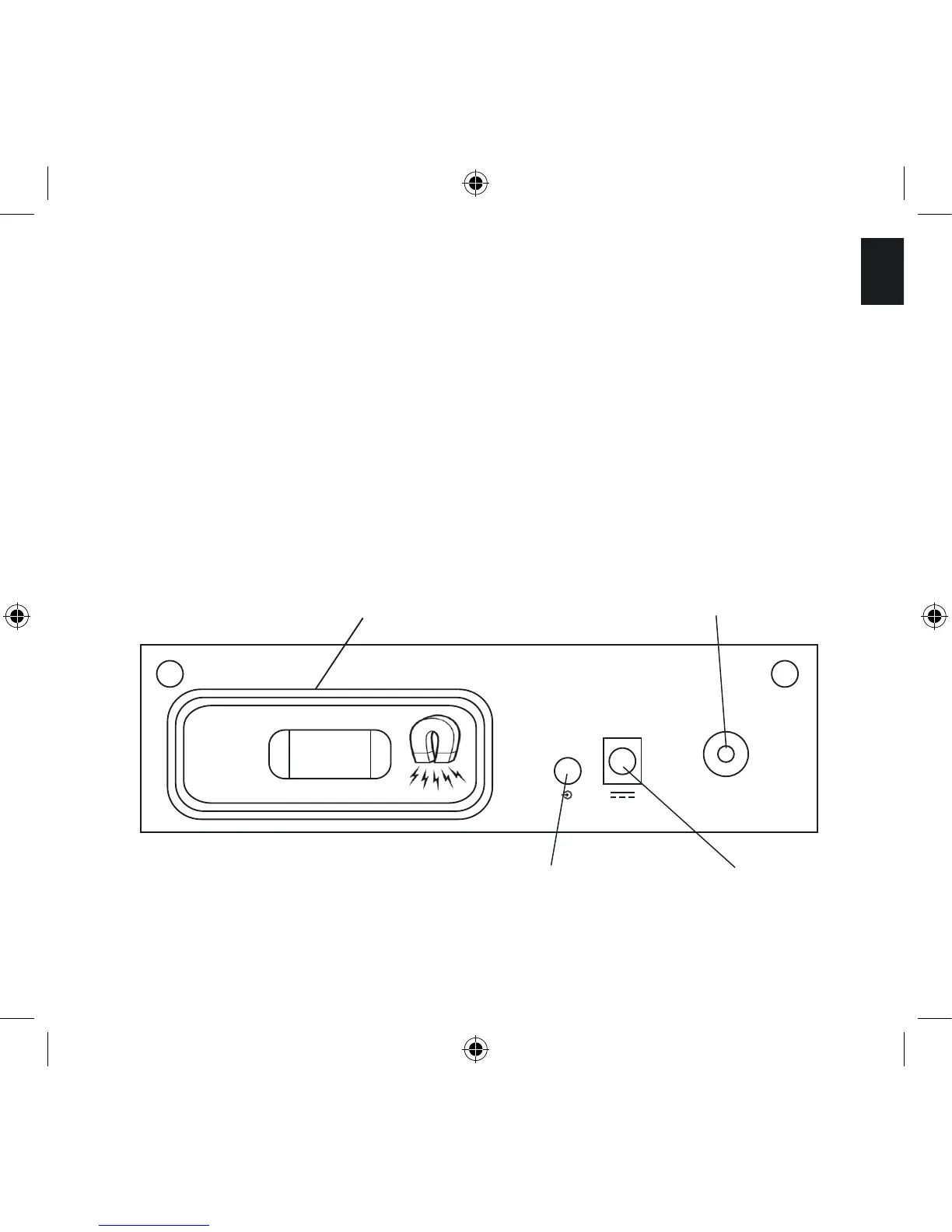
Step 3: Insert the DC Power cable (the thin cable) of the external power supply into the
DC Power Plug on the Back Panel (see picture below).
Then connect the AC Power cable of the external power supply to an AC outlet.
Back Panel:
Line in Jack DC Power Plug
while dock is used, put iPod lid here FM radio antenna plug



 To Next Page