22
iPod:
How to check the software version of your iPod?
On the iPod select “Settings”, “About”, “Version”. Always use the latest software version.
How to upgrade your iPod?
On the Apple iPod website you will find instructions on how to upgrade the software of
your iPod: www.apple.com/ipod/download/
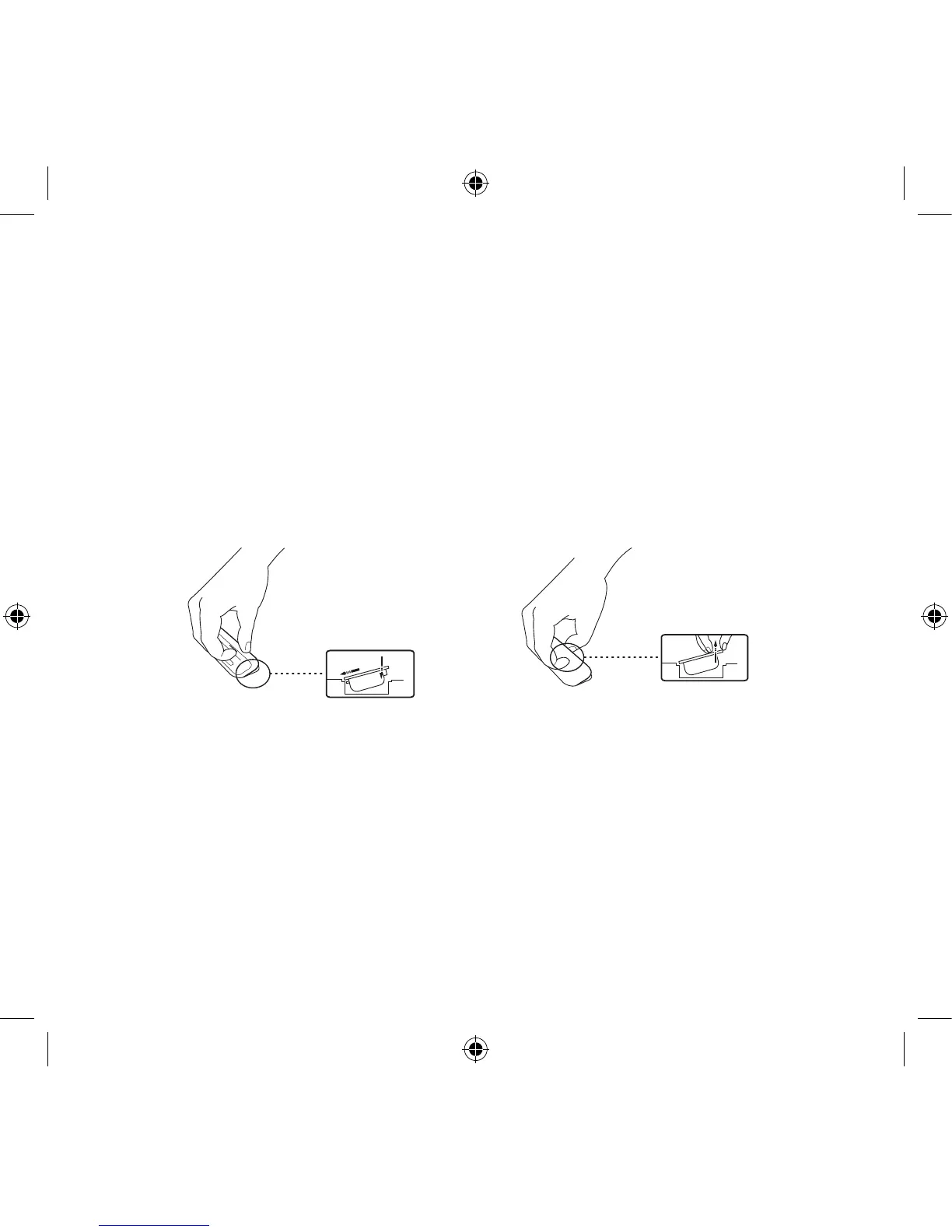
How to insert or remove a Dock
Adapter?
How to control the iPod using the Geneva Sound System’s remote control?
If you have connected an iPod to the speaker and turned the Geneva Sound System into
iPod mode, you can control the iPod using the remote control supplied with the Geneva
Sound System.
The figure on page 15 will give you an overview of the control functions.



 To Next Page