Linking
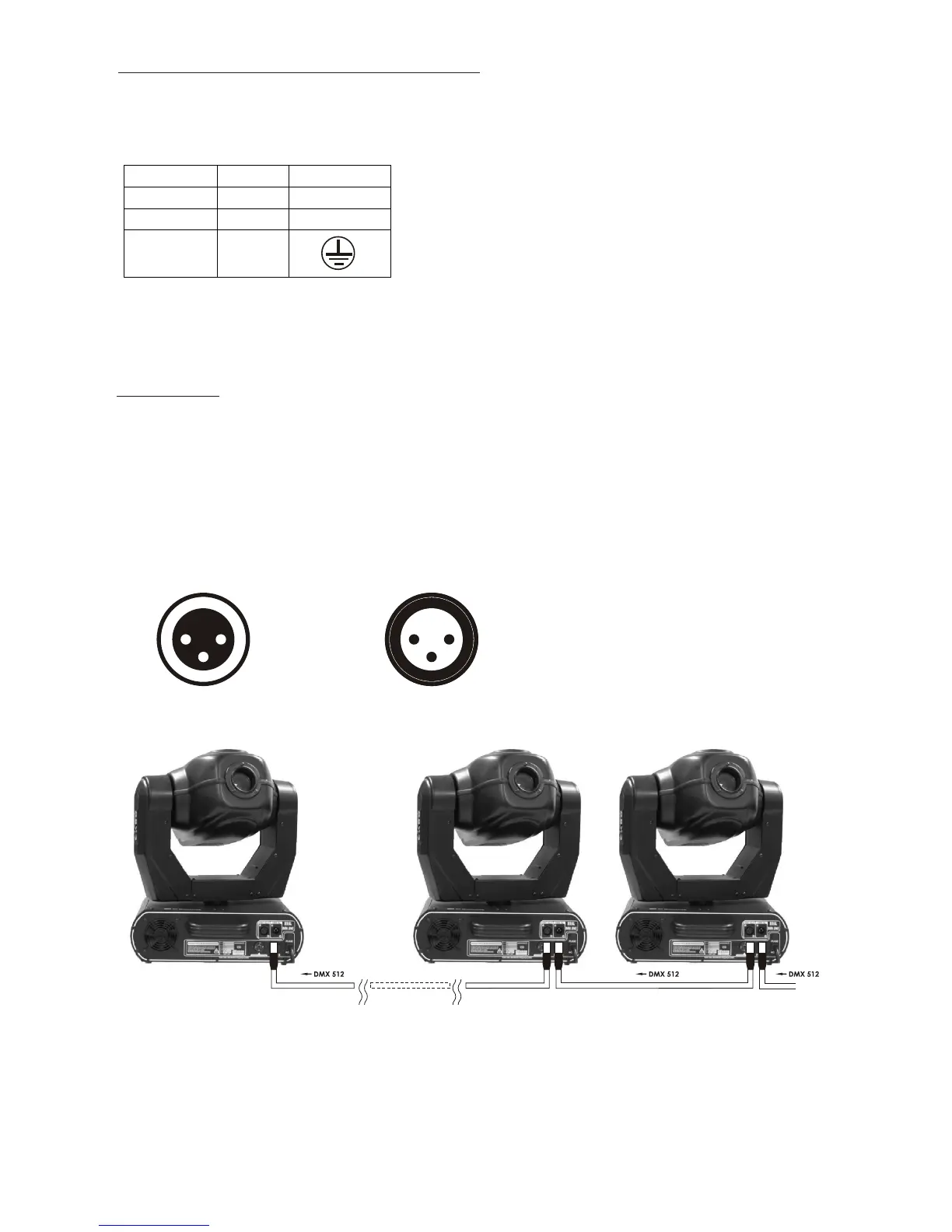
Use 3-pin XLR data cables to link the controller to DMX lighting
equipment.
3-pin XLR connectors are follows:
Building a serial DMX-chain:
Connect the DMX output of the first fixture with the DMX input of the
next fixture. And execute all the setups following the above-
mentioned instruction.
Flip the DIP SWITCH #3 of last fixture to ON position for terminal
confirmation.
12
3
1 2
3
1:Ground
2:Signal(-)
3.Signal(+)
1:Ground
2:Signal(-)
3.Signal(+)
DMX-output
XLR mounting-socket:
DMX-input
XLR mounting-plug:
7
Connection with the mains
Connect the device to the mains with the power-plug.
The occupation of the connection-cables is as follows:
The earth has to be connected! In general, lighting effects should not
be connected to dimming-packs.


 To Next Page