English
-23-
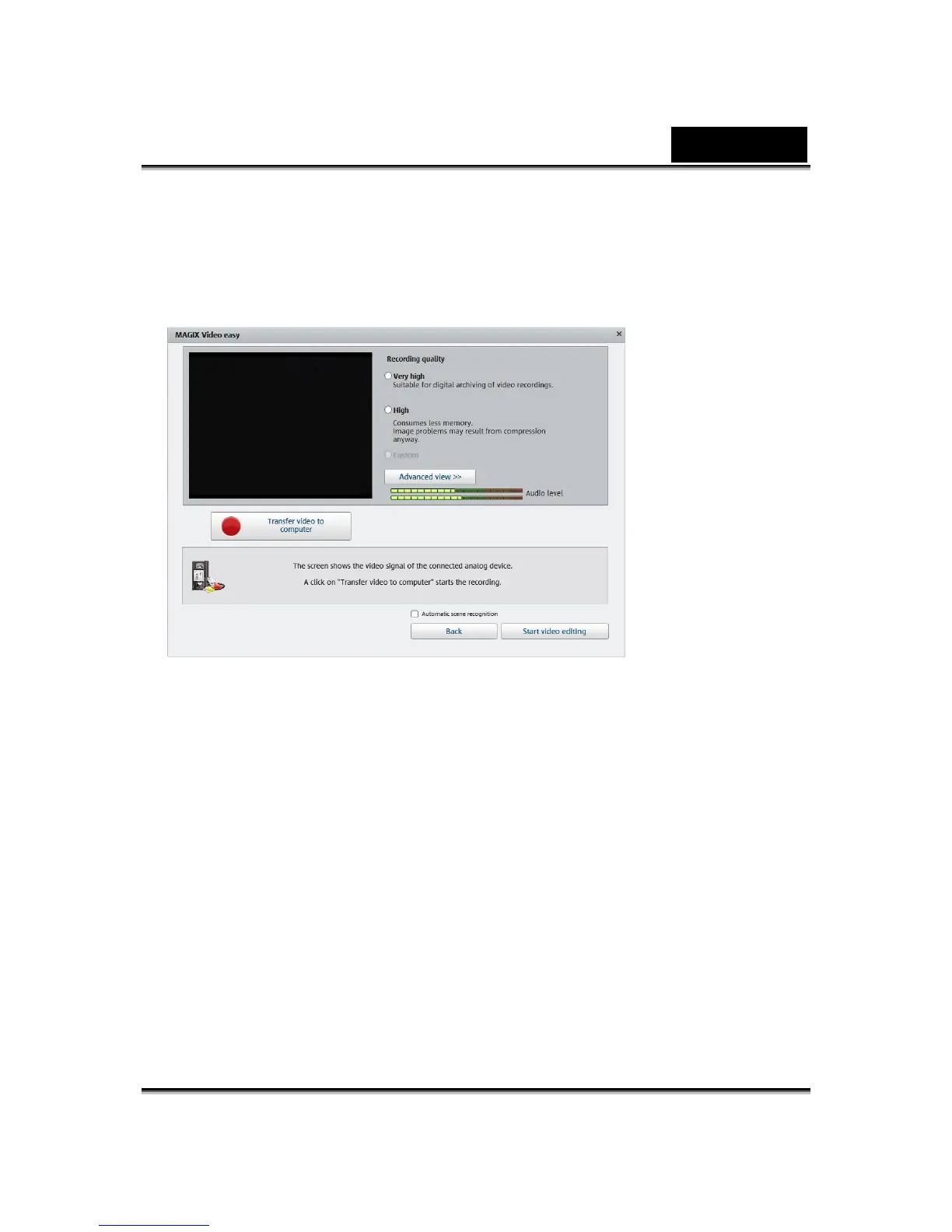
The webcam will be automatically activated, provided it is connected
correctly. A video preview should be visible in the recording dialog's video
window. If this doesn't happen, select your webcam as the driver.
Then select the recording quality using the presets “High” and Very high”.
The advanced settings are only recommended for experienced users.
Click "Transfer video to computer".
Start playback on the camcorder.
Repeat the procedure until you have captured all clips.
Edit your film
When you complete the recording, press “Start Video editing” to edit your
film. You can insert video, text, audio, and photos as shown below.













 To Next Page