English
-24-
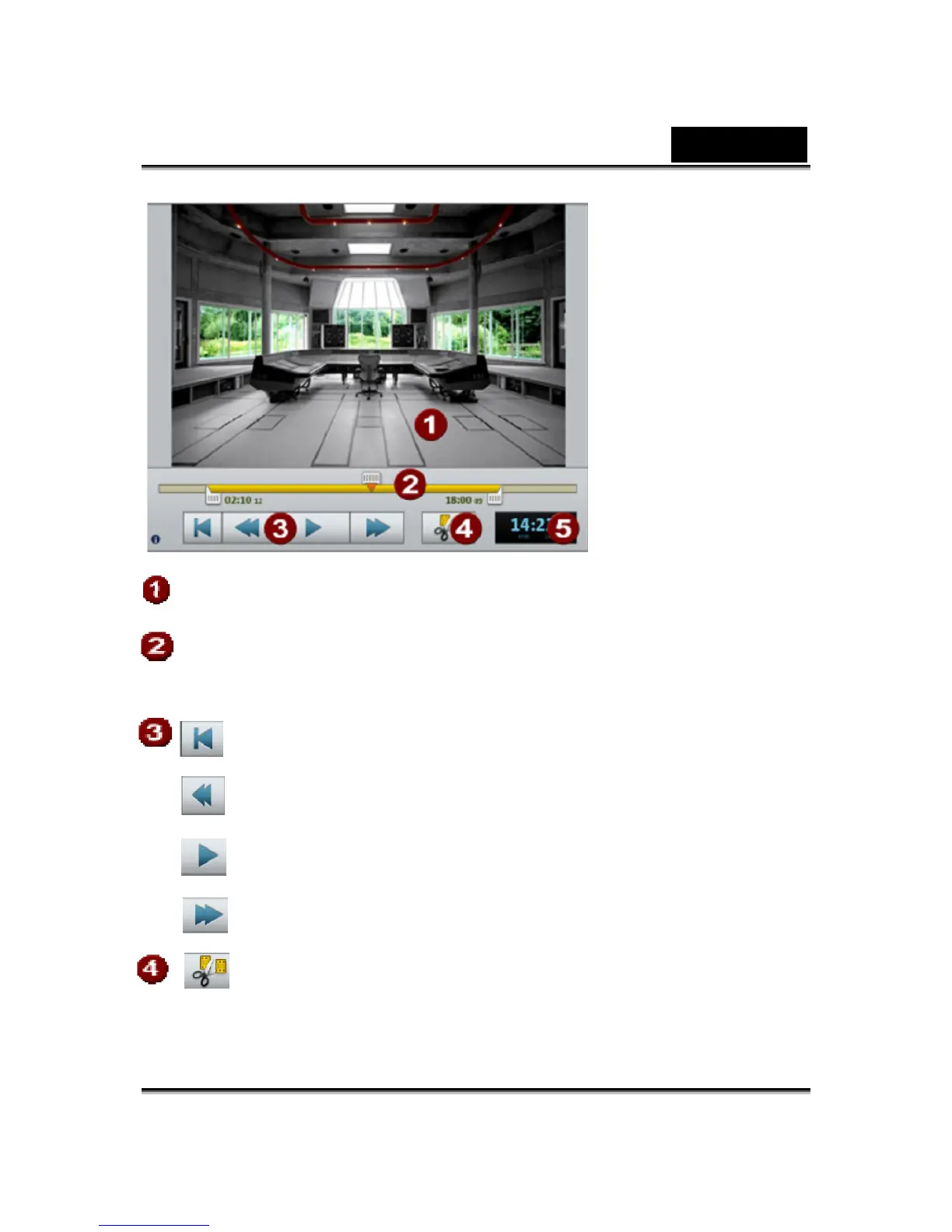
The preview monitor displays a preview of the movie that you are
working on at the moment.
If a clip is selected, the left and right handles allow the start and end
points to be moved. During playback, the start and end points cannot
be seen and only the playback position is displayed
To the beginning: The playback marker jumps to the beginning
of the movie.
Back: The playback marker movies toward the beginning.
Playback/pause: Starts playback. Another click stops playback,
and the playback marker remains at the current position.
Forward: The playback marker moves toward the end.
Edit: The clip is split at the position of the playback marker is
displayed here in [Min]:[Sec]:[Frames].













 To Next Page