English
-25-
Position display: The current position of the playback marker is
displayed here in [Min]:[Sec]:[Frames]
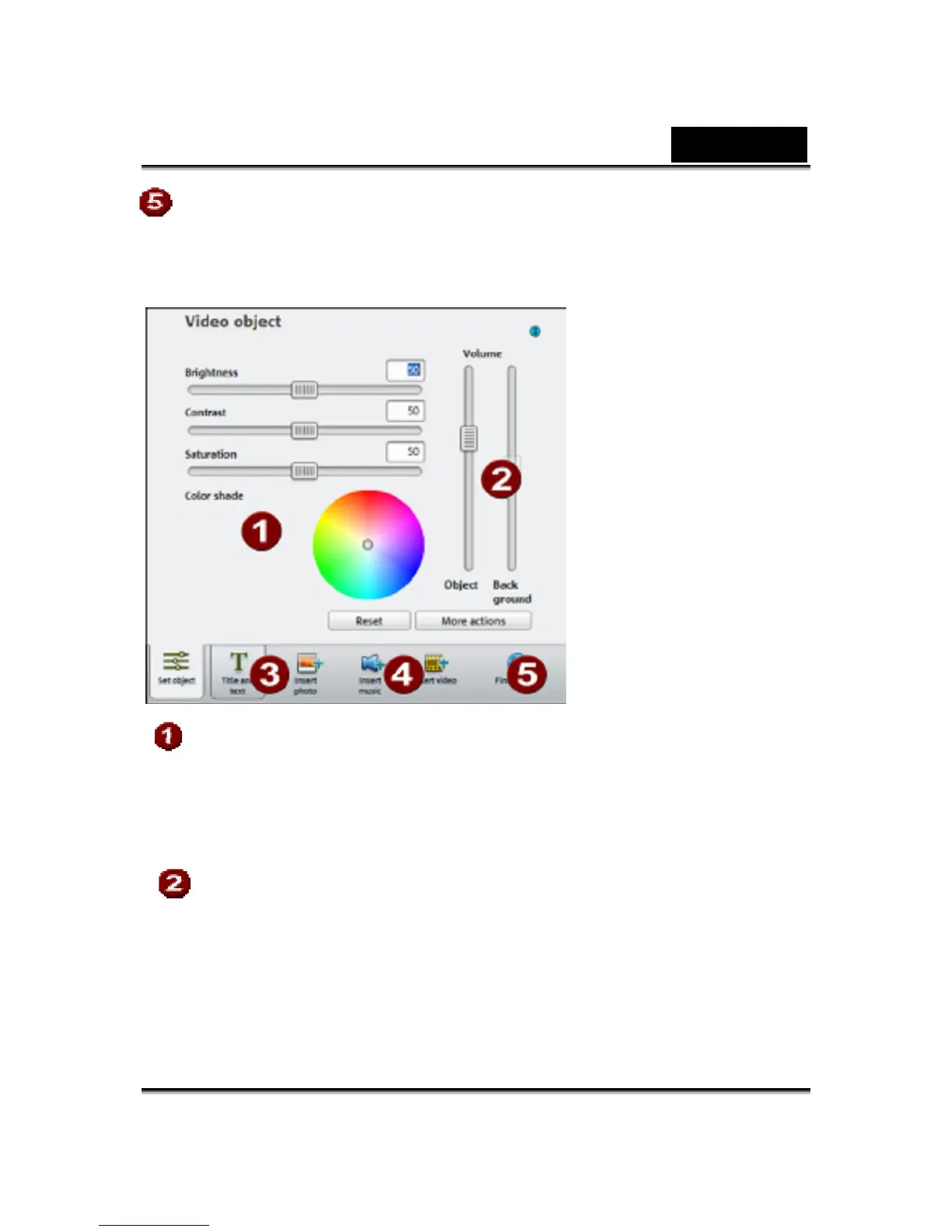
Video object:
The properties for display of the image can be adjusted here.
- Brightness
- Contrast
- Saturation
- Tone
Enter the volume of the original sound and background music.
- Object: This controls the volume of the original sound.
- Background: This controller influences the volume of the
background music for the duration of the selected clip.













 To Next Page