English
-26-
Title and text: Select this tab to add a title or other text to the object.
This can be used to add additional videos, photos, and music files.
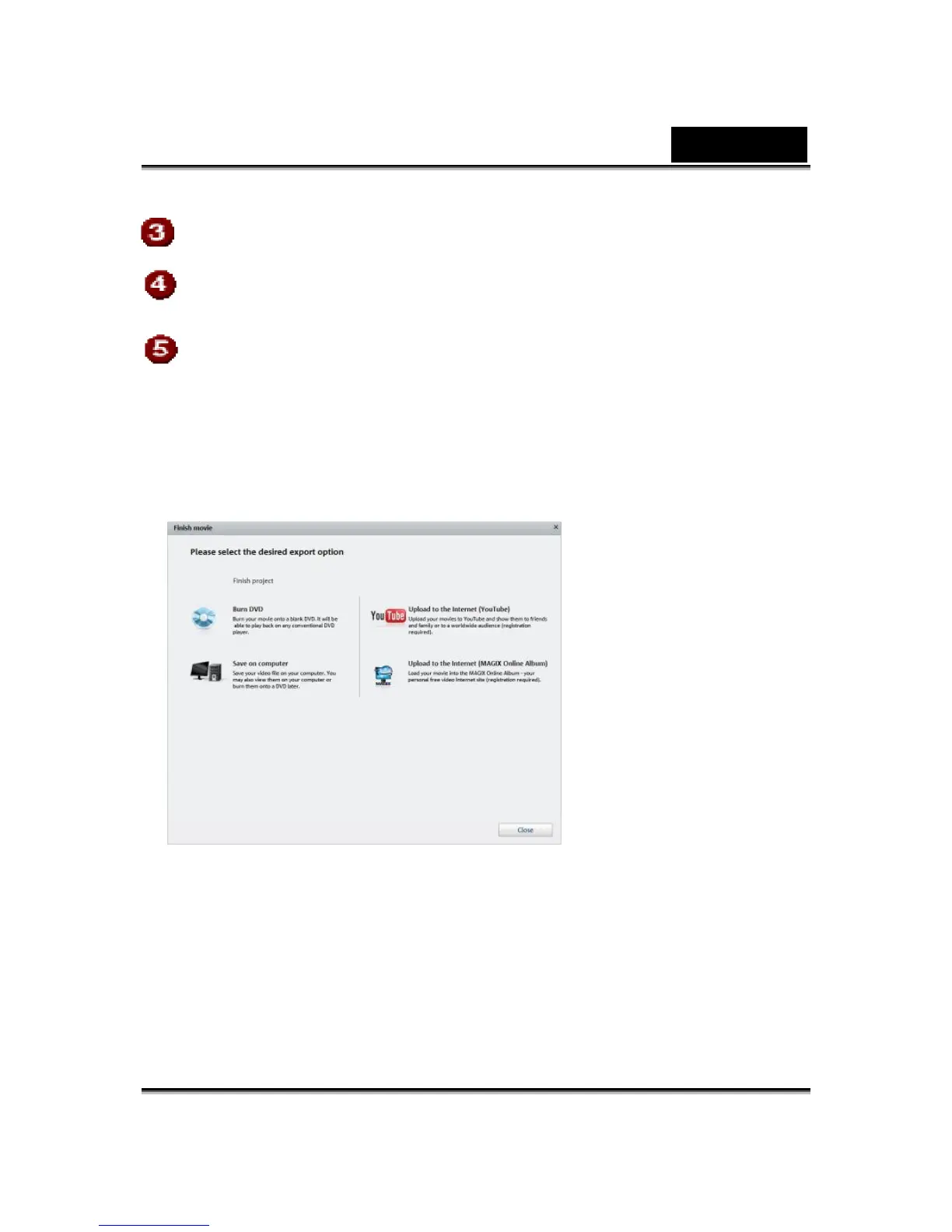
Finish movie: The wizard for finishing the project opens to help you
export the video in the desired format.
Upload to YouTube™
You may also present your project online on YouTube™.
Click "Upload to Internet (YouTube)" in the export dialog.
In the dialog that follows, you may setup your video for presentation on
YouTube™.
Under "Title", enter a descriptive title for the video as it will appear on
YouTube™.
A suitable "Description" will help your YouTube™ audience orient itself.













 To Next Page