Sound recording mode
00:00:00
00:00:43
1
2
3
1
2
3
4
5
6
7
00:00:43
00:00:00
1 2
3
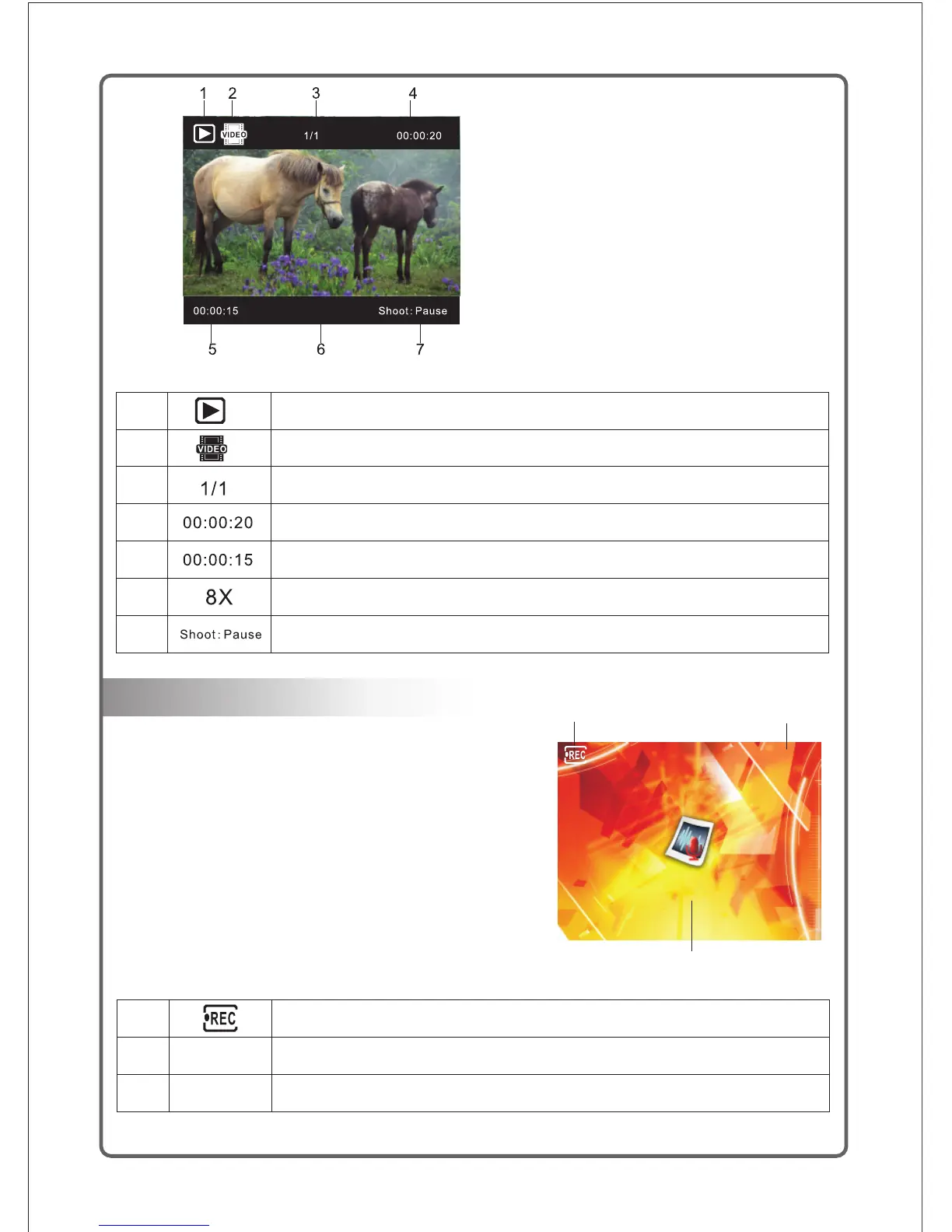
Indicator for playback mode;
Indicator for type of video file playback;
Total number of file;
Total time period of file;
File playback progress bar;
Indicator for fast forward and fast rewind of file
Indicator for file pause or playback;
Indicator for recording status
Total time period for recording
Time period for recording
1) Switch on the power supply of the camcorder,
and turn the Mode knob to switch to the Recording Mode;
2) Press the Shooting Start / Stop button to start sound
recording;
3) Press the Shooting Start / Stop button again to stop
the sound recording;
4) The audio clip is automatically saved with a unique
file name.
4
Shoot video playback mode



 To Next Page