Photo playback
Playing MP3 (optional)
Music player
Stereo
6.36MB
ABC
01:07 04:37
Shoot:Pause
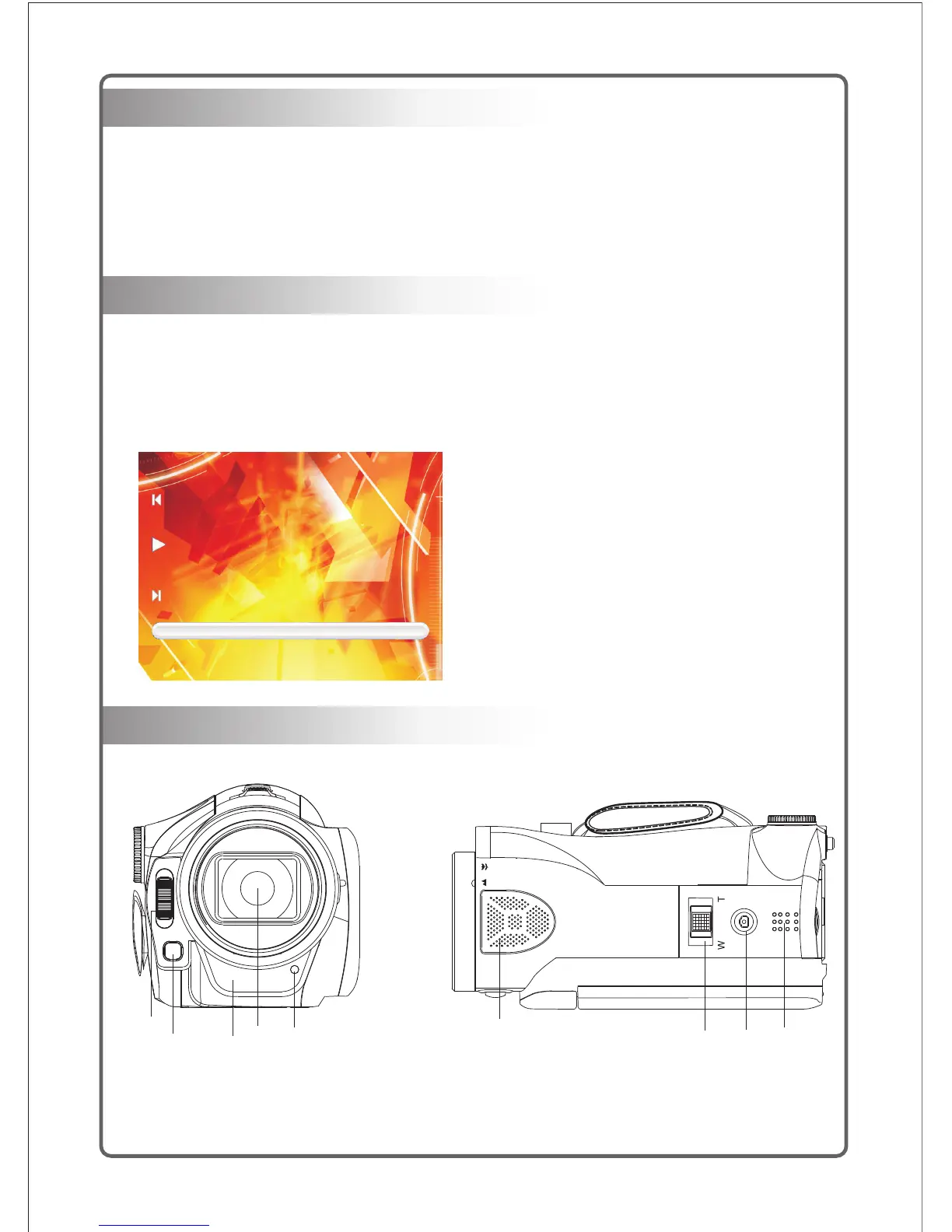
Characteristics of digital camera
Please refer to the following illustrations and tables to get familiar with control functions of each
button on this camcorder.
1
2
3
4
5
6
7
8 9
1) Turn the Mode knob to switch to the Photo playback mode, and the latest files will be
displayed on the LCD screen;
2) Press the Up button to enter the Nine-picture mode, and press the Up/Down button and Left/
Right button to select required files.
3) Press the Enter button to view the photo in the full screen;
4) Press the Zoom push button to enlarge or reduce the photo;
5) Press the Up/Down button and Left/Right button to view the local photo enlarged;
6) Press the Enter button to return to the full Screen status.
Note: The files of MP3 shall be put into the folder of MP3 in the SD card.
1. Flash;
2. LED fill light;
3. Self-timer;
4. Lens;
5. Remote-control receiver;
6. Microphone;
7. Zooming push button (zooming button);
8. Shooting button (shutter button);
9. Speaker;
1) Turn the Mode knob to switch to the MP3 Play mode.
2) Press the Up/Down buton to select playing songs, and press the Enter button to confirm .
3) Press the Left/Right button to select playing the previous song or the next song;
4) Press the Start/Stop button to pause the playing, and press the button again to resume the
playing;
5) Press the Zoom button to increase or reduce the volume;
6) Press the Menu button to return to songs list.
6



 To Next Page