English
-66-
Tip: As for the target for tracking, please refer to Setting.
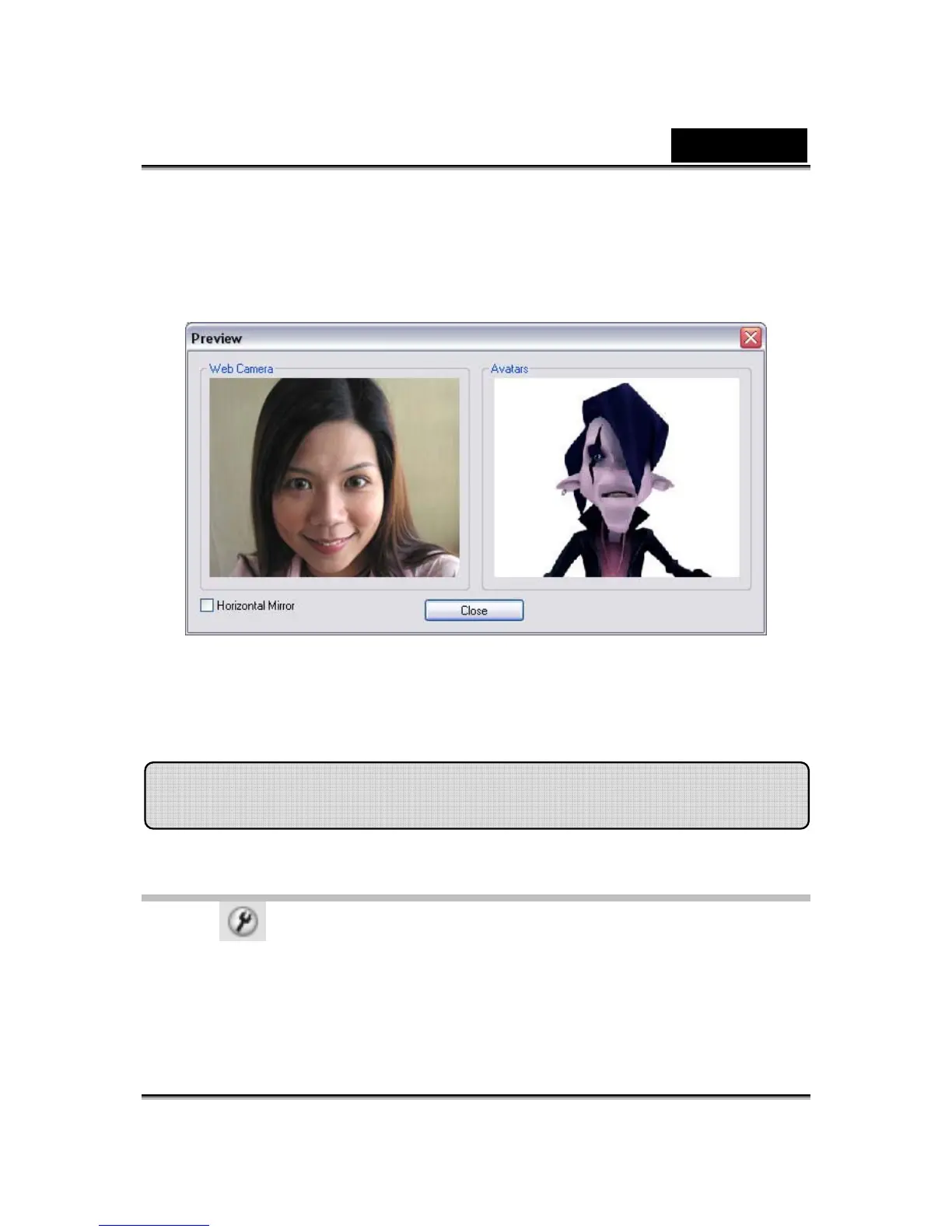
Click Preview button to invoke preview dialog box. You will see the Web
Camera and Avatars window panes simultaneously.
Check the Horizontal Mirror box on so the window pane flips horizontally.
Thus you see yourself move toward the same direction as you move.
CrazyTalk Cam Suite allows you set the default status:
• Click Settings to show the Setting window. You can change the
general settings in this dialog box.
Settings














 To Next Page