English
-1-
Symbol for Separate Collection in European Countries
This symbol indicates that this product is to be
collected separately.
The following apply only to users in European
countries:
z This product is designated for separate collection
at an appropriate collection point. Do not dispose
of as household waste.
z For more information, contact the retailer or the local authorities in
charge of waste management.
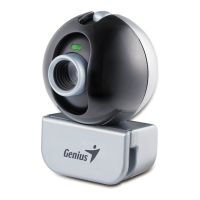
1.
SnapShot Button
You can press the snapshot button to
take the images.
2.
LED Indicator
When the Look 316 connects to the PC
successfull
.
3.
Lens
Adjust the focus by twisting the lens.
4.
Swivel and Clipping Base
The flexible base design allows the
Look 316 to stand easily. The adjustable
clipping base can be up to 14 mm.
Look 316 Features

 Need help?












 To Next Page
 General