English
-5-
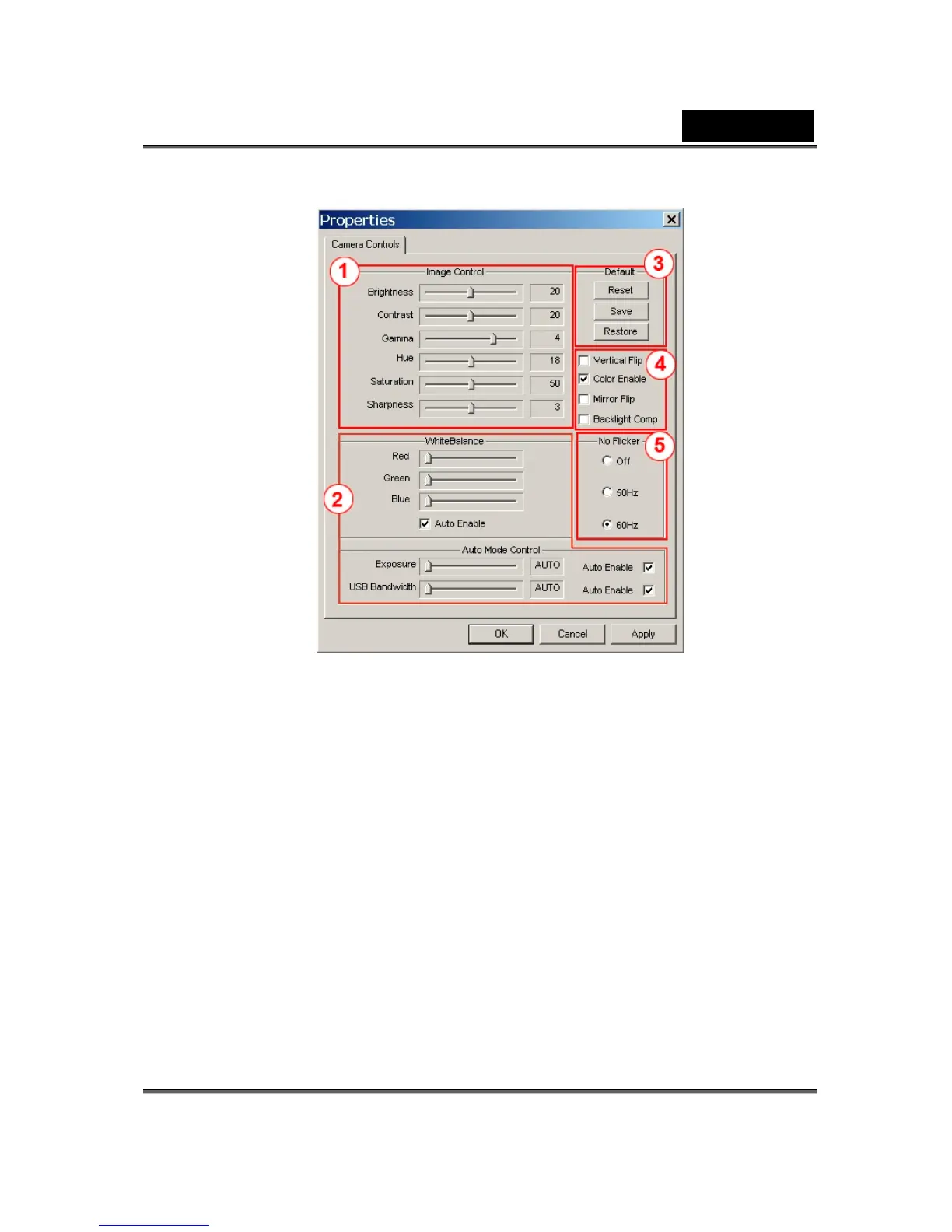
1 You can adjust different values for different circumstances and environment
2
You may adjust values toward image appearance. Before adjusting values, you
have to unclick “Auto” to unlock.
3
-Press “Reset” to return to the manufacturer’s settings.
-Press “Restore” to return to the previous settings.
-Press “Save” to save the values you set up.
4
- You can flip the image horizontally or vertically by choosing “Mirror Flip” or
“Vertical Flip”.
- -If your web camera is located in backlight position, you may click
“Backlight Comp” to get a sharper image.
5
Select the correct frequency according to the country where you are using the
web camera.














 To Next Page