English
1
Introduction
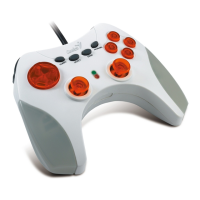
The MaxFire Blaze Series is designed for PlayStation2/ PlayStation
one systems. The dual motor vibration emulates reality; so you get
more enjoyment when you play a game. This multi-functional game
controller will bring you into another new realm of game playing.
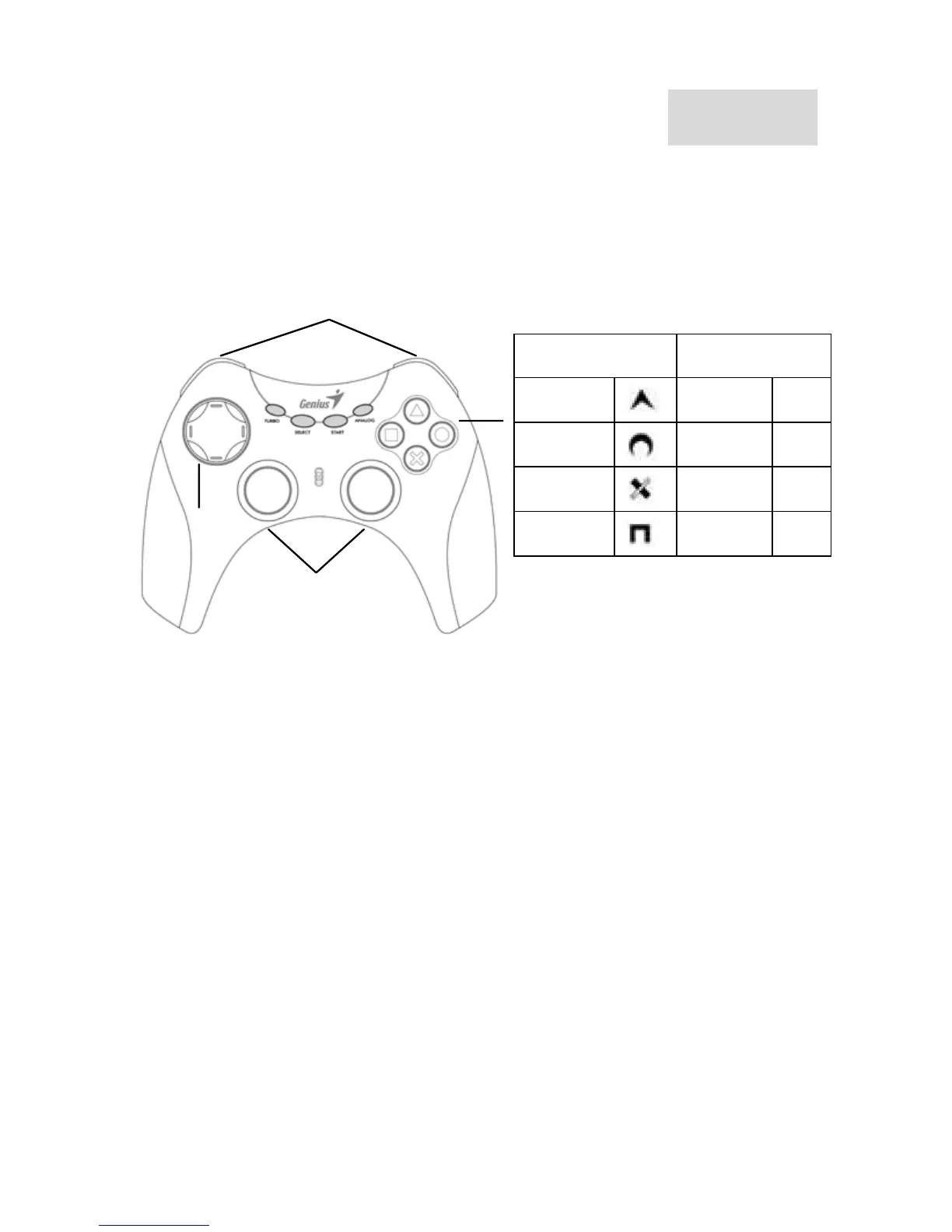
nalog stick
& L3, R3 Button
L1, L2, R1, R2 Button
8 Way D-Pad
PS2 PC
Button Button
4
Button Button
3
Button Button
1
Button Button
2
A) For use on PlayStation 2 (for “MaxFire Blaze2” &
“MaxFire Blaze”)
MAXFIRE Blaze 2 series has Digital and Analog modes when using
PlayStation2: The first LED below the game pad is the Turbo/Auto
indication light. The second LED is the Mode light. It is in Digital Mode
when the second LED is off; and it is in Analog Mode when the LED is
on (red).
Connect to PlayStation 2/ PlayStation One
1. Plug the PS2 standard connector of MaxFire Blaze into the PS
2/PS one.
2. According to the game request, press the Mode button and choose
the suitable Mode (Digital or Analog Mode).
3. You can now play your game.
Note: It is normal that some games will be locked automatically in
Analog Mode (because some games must be played under Analog
Mode).





 To Next Page