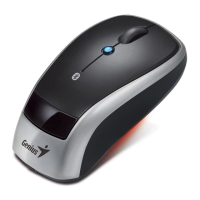
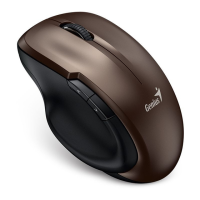
Navigator 900
Bluetooth mini optical mouse
No dongle receiver required
Navigator 900 is the latest Bluetooth
optical mouse from Genius that
features Bluetooth 2.0 technology in a
stylish design.
No receiver needed! Instantly connect the Navigator 900
Bluetooth mini optical mouse to your Bluetooth enabled
notebook. This device eliminates cord tangles and gives you
ultimate freedom.
The Genius Navigator 900 utilizes a powerful 800dpi optical
sensor, so you’re more efficient than ever when pointing,
clicking, and navigating. Together with the smart power
management and indicator, it can extend battery life and it’s
easy to know when the batteries are low.
With Navigator900, no matter for business or travel, you will
be more productive and have more convenience. Please
contact your sales representative for further information.
▼Key features
z Bluetooth 2.0 EDR technology with fully integrated
Human Input Device(HID) profile
z No dongle! Works perfectly with Bluetooth systems
z Distance up to 10 meters
z Power saving switch extends battery life
z Power management with low battery indicator light
▼System Requirements
z IBM PC Pentium 233 compatible or higher
z Windows X64/2003/XP/Me/2000/98SE
z Mac OS X 10.2.8 or above
z Available USB port
▼Package Contents
z Navigator 900 mouse
z Two AA batteries
z User ‘s guide

 Need help?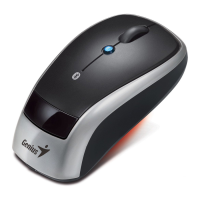



 To Next Page
 General