EasyManua.ls Logo

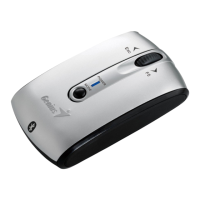
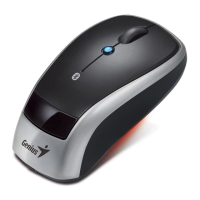
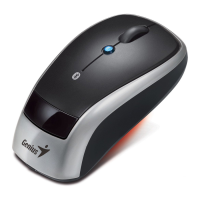
Genius 905BT - User Manual

Genius 905BT
3 pages
Print Icon
To Next Page IconTo Next Page
Loading...
1. Install Batteries
-
+
+
-
Press button
Install AA
batteries x 2
Tenon from
Front to End
Question and Answer IconNeed help?

Do you have a question about the Genius 905BT and is the answer not in the manual?

Summary

Install Batteries

Install AA Batteries

Insert two AA batteries into the mouse compartment. Ensure correct polarity.

Bluetooth Connection

Activate Mouse and Initiate Pairing

Turn on the mouse switch and press the red button with a pen for 1-2 seconds.

Connect Mouse via Bluetooth Software

Open Bluetooth app, search for devices, select the mouse, and proceed.

Passkey Configuration

Select Passkey Option

Choose 'Don't use a passkey' in the wizard for device addition.
Summary

Install Batteries

Install AA Batteries

Insert two AA batteries into the mouse compartment. Ensure correct polarity.

Bluetooth Connection

Activate Mouse and Initiate Pairing

Turn on the mouse switch and press the red button with a pen for 1-2 seconds.

Connect Mouse via Bluetooth Software

Open Bluetooth app, search for devices, select the mouse, and proceed.

Passkey Configuration

Select Passkey Option

Choose 'Don't use a passkey' in the wizard for device addition.

Genius 905BT Specifications

General IconGeneral
BrandGenius
Model905BT
CategoryMouse
LanguageEnglish

Related product manuals