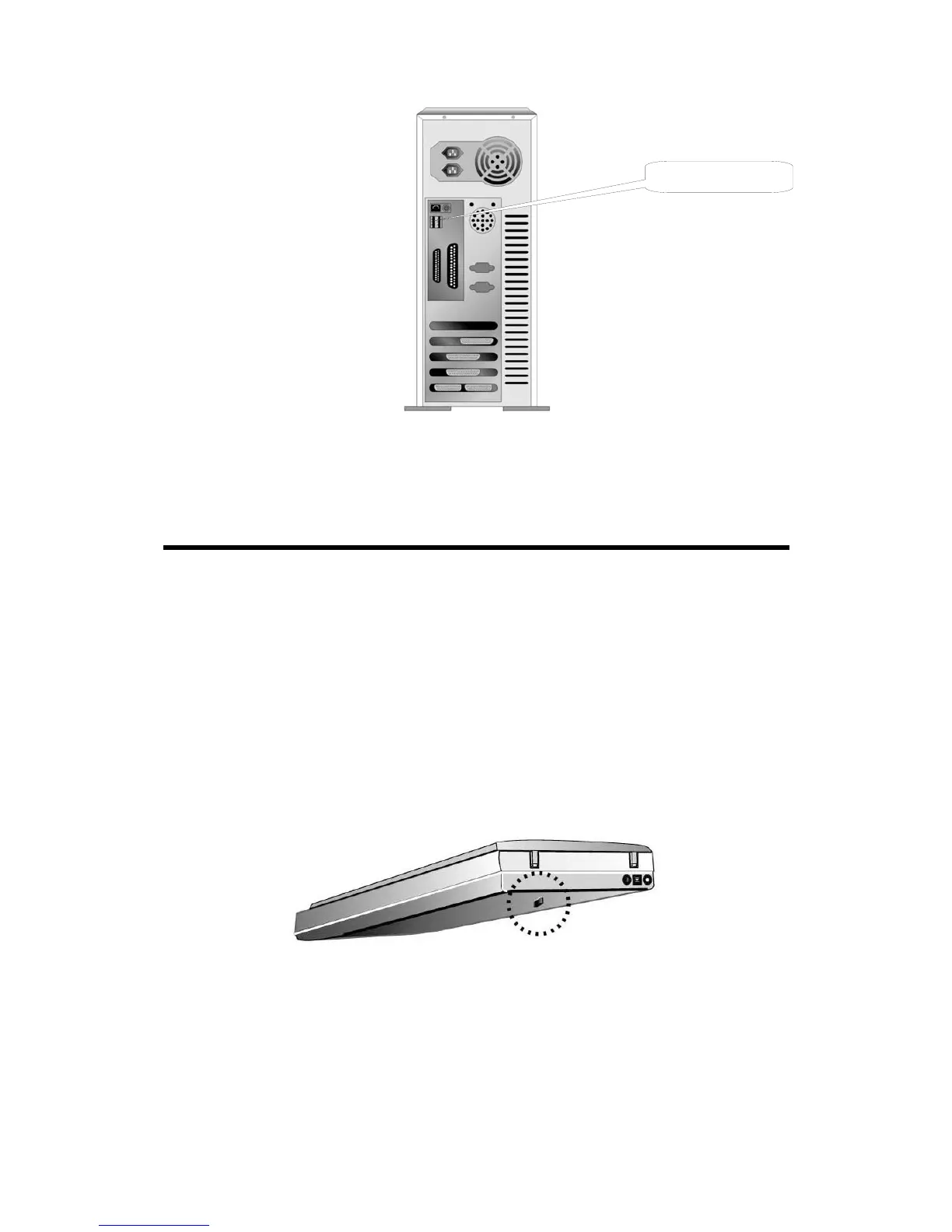
USB Connector(s)
If you don’t find such USB ports on your computer, then you need to purchase a
certified USB interface card to add USB capabilities to your computer.
Installing and Setting up the Scanner
S
S
t
t
e
e
p
p
1
1
.
.
H
H
a
a
s
s
s
s
l
l
e
e
-
-
F
F
r
r
e
e
e
e
L
L
o
o
c
c
k
k
M
M
e
e
c
c
h
h
a
a
n
n
i
i
s
s
m
m
This scanner has an automatic locking mechanism to hold the scanning head in
place during transportation. When the locking switch (located on the scanner’s
underside) is pressed, it automatically unlocks the scanning head; when not pressed, it
automatically locks up the scanning head again.
Always place your scanner on a flat and smooth surface before proceeding the
scanner setup or any scanning task.
Note: When you need to move the scanner, do keep the locking switch NOT
PRESSED to ensure accurate and problem-free use of your scanner.
Genius Scanner
5



 To Next Page