10
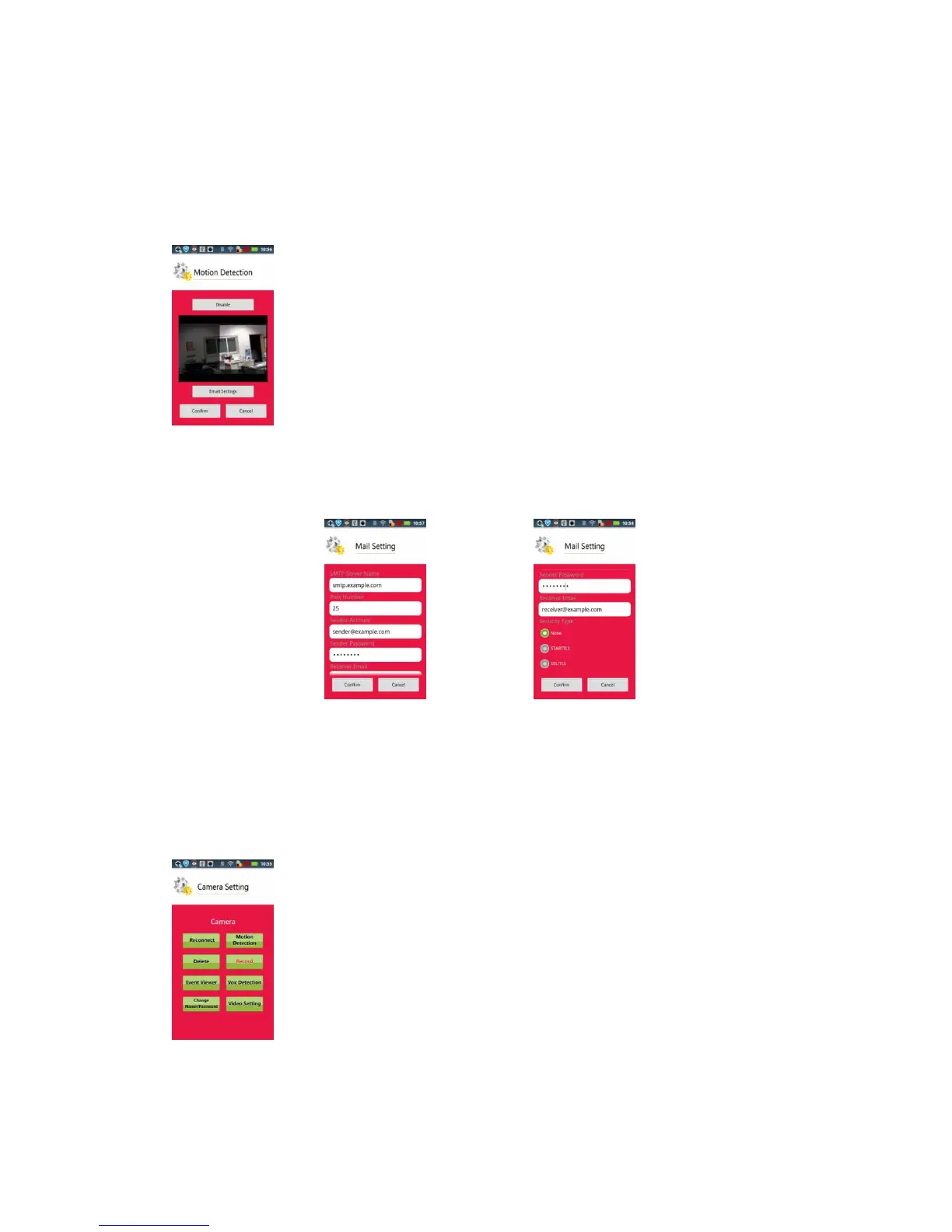
Use the finger to get the range of the motion detection area, then click the "Confirm"
button to confirm the setting of motion detection. After confirm, if Camera has
microSD inside, camera will do motion record feature automatically.
※※
Important : When motion detection is enable, make sure : disable motion detection,
then take out microSD card to protect your video file.
Setup the Email setting if the Email alarm is needed.
Fill into all the required data, then click the "Confirm" button.
Note: the port number will be different when using different Email server. Please check the
Internet for details if you are not sure which one to use.
Record
RecordRecord
Record: The setting will take effect when the camera has MicroSD Card.
When press ‘Record’ button, the camera will enable 24 hours video recording only and


 To Next Page
 Loading...