

EasyManua.ls Logo

Genki KL-RM88 - User Manual

Genki KL-RM88
20 pages
Print Icon
To Next Page IconTo Next Page
Loading...
Wood Water Rowing Machine
R
Question and Answer IconNeed help?

Do you have a question about the Genki KL-RM88 and is the answer not in the manual?

Summary

General Information

Quality

Details the design and manufacturing standards of the exercise product.

Questions

Provides guidance on seeking help for assembly, operation, or missing parts.

Guarantee

Outlines the product's guarantee terms, coverage, and limitations.

Tools

Recommends basic tools that may be helpful for assembly.

Prepare the Work Area

Emphasizes the importance of a clean, clear assembly area for safety.

Work with a Friend

Suggests assembling the product with a partner for ease and safety.

Open the Carton

Provides instructions on carefully opening the product carton.

Unpack the Components

Instructs users to unpack and check all components against the parts list.

Safety

Storage and Use

Details recommended conditions for product use and storage.

Weight Limit

Specifies the maximum user weight the product is designed for.

Workout area

Defines the required free space around the equipment for safe operation.

Warning

Advises against using damaged or worn parts and to replace them.

Exercising Information

Beginning

Guides new or inactive users on how to start exercising slowly and safely.

Aerobic Fitness

Explains aerobic exercise, its benefits, and how to gauge intensity.

Warm Up

Details the importance and duration of warm-up exercises before training.

Aerobic Exercise Session

Provides recommendations for exercise frequency based on fitness level.

Exercising in your Target Zone

Explains how to monitor heart rate to stay within the target exercise zone.

Target Zone

Guides users to determine their target heart rate zone based on fitness level.

Note

A general note cautioning against incorrect training and advising to read information.

Exercise Stretches and Cool Down

Cool Down

Explains the purpose and method of cooling down after exercise.

Warm Up and Cool Down Exercises

Provides specific stretches for warm-up and cool-down routines.

Head Roll

Describes a neck stretching exercise for warm-up or cool-down.

Shoulder Lift

Describes a shoulder stretching exercise for warm-up or cool-down.

Calf; Achilles Stretch

Details a stretch for the calf and Achilles tendon for warm-up/cool-down.

Side Stretch

Describes a stretch for the torso and lower back.

Inner Thigh Stretch

Details a stretch for the inner thigh muscles.

Toe Touch

Describes a forward bending stretch for the hamstrings and back.

Hamstring Stretch

Details a stretch for the hamstring muscles.

Aerobic Training Programme

Basic Aerobic Training Programme

Suggests a progressive aerobic training routine for users.

Rowing Machine Exercises

Training with your rowing machine

Highlights the benefits of using the rowing machine for fitness and weight loss.

EXERCISE No. 1 THE COMPLETE ROWING ACTION

Details the full rowing motion exercise for legs, arms, and core.

EXERCISE No. 2 ARMS ONLY ROWING

Explains an exercise focusing on arm, shoulder, back, and stomach muscles.

EXERCISE No. 3 LEGS ONLY ROWING

Describes an exercise to tone leg and back muscles.

Assembly

Components - Fixings

Lists and illustrates all parts and fixings required for product assembly.

Assembly Step 1

Step 1

Details the first step of assembly, focusing on securing screws.

Assembly Step 2

Step 2

Explains how to slide the seat onto the tracks during assembly.

Assembly Step 3

Step 3

Details the third step of assembly, involving attaching the water tank holder.

Assembly Steps 4 & 5

Step 4

Describes installing the main frame of the rowing machine.

Step 5

Outlines the process of threading and tightening the elastic rope.

Assembly Step 6

Step 6

Details the final step of installing the computer and its sensor wire.

Resistance Levels

Exploded Drawing

Parts List

Computer Instruction

FUNCTIONAL BUTTON

Describes the functions of the MODE, SET, and RESET buttons on the computer.

FUNCTIONS AND OPERATIONS

Explains how to use the SCAN, TIME, COUNT, DISTANCE, CALORIES, and SPM functions.

TARGET TRAINING SETTINGS

Details how to set target goals for time, count, distance, and calories.

Computer Instruction Details

CALORIE target training mode

Explains setting calorie-based training targets and resuming after completion.

NOTE

Provides important notes regarding battery, auto-shutoff, and display behavior.

SPECIFICATIONS

Lists the technical specifications of the computer, including functions and operating conditions.

Overview

This document describes the Genki Wood Water Rowing Machine, an exercise product designed to provide a comprehensive workout.

Function Description

The Genki Wood Water Rowing Machine is designed to increase fitness levels, strengthen cardiovascular function, and train major muscle groups. It also aids in weight loss when combined with a structured diet. The machine offers various exercise modes, including complete rowing action, arms-only rowing, and legs-only rowing, targeting different muscle groups.

The rowing machine features a computer monitor that tracks several metrics to help users monitor their progress. These metrics include:

  • Time: Displays the duration of the exercise session.
  • Count: Shows the number of strokes performed.
  • Distance: Measures the distance covered during the workout (in miles or meters).
  • Calories: Estimates the calories burned.
  • SPM (Strokes Per Minute): Displays the current stroke rate.

The computer also supports target training settings for time, count, distance, and calories, allowing users to set specific goals for their workouts. When a target is reached, the corresponding function flashes to indicate completion. If the user continues to exercise after reaching a target, the computer automatically starts counting up from zero.

Resistance levels on the rowing machine are adjusted by adding or draining water from the tank. Adding water increases resistance, while draining water reduces it. Users are cautioned not to exceed the maximum water level limit.

Important Technical Specifications

  • Weight Limit: Suitable for users weighing 100 KG or less.
  • Workout Area: Requires a free area of at least 0.6m greater than the training area in all directions from which the equipment is accessed. This free area also includes space for emergency dismount.
  • Computer Battery Type: 2pcs of SIZE –AA or UM –3.
  • Operating Temperature: 0°C to +40°C.
  • Storage Temperature: -10°C to +60°C.
  • Computer Display Ranges:
    • Time: 0:00 to 99:59
    • Count: 0 to 9999 TIMES
    • Distance: 0.00 to 99.99 MILES or 0 to 9999 METERS
    • Calories: 0 to 9999 CAL
    • SPM: 0 to 999 TIMES/MIN

Usage Features

Assembly: The product is supplied with basic tools for assembly. It is recommended to assemble the product in a clean, clear, uncluttered area and, if possible, with the help of a friend due to the size and weight of some components. Users should carefully unpack all components and check them against the parts list, noting that some smaller parts may be pre-fitted to major components.

The assembly process involves several steps:

  1. Step 1: Securely lock all screws to prevent abnormal sounds from wood friction and prolong product life.
  2. Step 2: Gently pull out the tracks and slide the seat onto the track, ensuring it fits properly.
  3. Step 3: Attach the water tank holder plate to the main frame.
  4. Step 4: Install the main frame, connecting it to the lower plates.
  5. Step 5: Route the elastic rope through the ring, wind it three times, pass it through the first circle, and then tighten it on both sides.
  6. Step 6: Install the computer by locking it to the computer bracket with screws, securing the bracket with additional screws, and plugging the spring sensor wire into the computer.

Exercise Information: Users are advised to consult a doctor before starting any exercise program, especially if they have been inactive or are overweight. A successful exercise program includes a Warm-Up, Aerobic Exercise, and Cool Down.

  • Warm-Up: Perform 5-10 minutes of stretching before each workout to prevent muscle strains.
  • Aerobic Exercise Session: Beginners should exercise every other day, gradually increasing to 2 out of 3 days, and eventually 6 days per week with one day off.
  • Exercising in Target Zone: To ensure effective cardiovascular training, users should monitor their pulse. The manual provides a chart for "Unconditioned Target Zone - A" and "Conditioned Target Zone - B" based on age, with target heart rates in beats per minute.
  • Cool Down: After exercise, cool down by walking at a slow, relaxed pace for a minute or so to allow the heart rate to return to normal.
  • Warm-Up and Cool Down Exercises: The manual details specific stretches for the head, shoulders, calves/Achilles, sides, inner thighs, and hamstrings, recommending holding each stretch for at least ten seconds and repeating two or three times before and after each session.

Rowing Techniques: The manual illustrates three main exercises:

  1. The Complete Rowing Action: Tones and strengthens legs, arms, shoulders, back, and stomach. Start with knees bent, grasping the grip, then extend legs and pull the grip towards the chest, keeping the back straight.
  2. Arms Only Rowing: Isolates arm, shoulder, back, and stomach muscles. Start with straight legs, lean forward, grasp the grip, and then pull the grip towards the chest until fully extended, using either an overhand grip (triceps) or underhand grip (biceps).
  3. Legs Only Rowing: Tones and strengthens leg and back muscles. Start with a straight back and outstretched arms, knees bent, grasping the grip. Push back by extending legs only, keeping arms and back straight.

Computer Operation:

  • MODE Button: Used to select functions (Time, Count, Distance, Calories, SPM). Press and hold for 2 seconds to reset time, count, distance, and calories.
  • SET Button: Used to set target values for time, count, distance, and calories when not in scan mode. Press and hold to speed up setting.
  • RESET Button: Clears all settings and allows for a new reset according to previous descriptions.
  • SCAN Mode: When "SCAN" flashes, the monitor cycles through all 5 functions, displaying each for 6 seconds. Press MODE once to exit scan mode and display a specific function. Press MODE again to return to scan mode.
  • Automatic Shut-off: The monitor automatically shuts off after 2 minutes of no signal.
  • Automatic Power-on: The monitor powers on automatically when exercise begins.
  • STOP Display: If exercise stops for 4 seconds, "STOP" appears on the screen. It disappears when exercise resumes.

Maintenance Features

General Maintenance:

  • Regularly check all nuts, bolts, and fittings to ensure they are securely tightened.
  • Periodically inspect all moving parts for signs of wear or damage.
  • Clean the product with a damp cloth only; do not use solvent cleaners.
  • If any part is damaged, broken, or badly worn, do not use the equipment until defective parts have been replaced.

Storage:

  • Store the product in clean, dry conditions. Avoid excessively cold or damp places to prevent corrosion.
  • If the rowing machine will not be used for a long time, drain the water from the tank and remove the battery from the computer.

Troubleshooting:

  • If the battery symbol lights up on the display, replace the battery.
  • For any assembly, operation, or missing parts issues, users are advised to contact customer support directly rather than returning the product to the retailer.

Guarantee: The product comes with a 1-year guarantee for domestic use only from the original certified date of purchase. The guarantee covers parts for repair, product repair (at purchaser's cost), or product replacement if deemed economical. It does not cover wear and tear on upholstery or consumables, abuse, or defects caused by improper storage or use. Proof of purchase is required for any claims. The guarantee is non-transferable and valid only in the United Kingdom and Eire, without affecting statutory consumer rights.
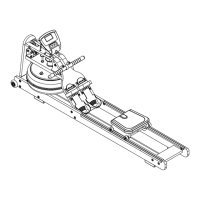
Genki KL-RM88 Specifications

General IconGeneral
BrandGenki
ModelKL-RM88
CategoryHome Gym
LanguageEnglish