EasyManua.ls Logo

GenMark Dx ePlex - Page 15

GenMark Dx ePlex
46 pages
Print Icon
To Next Page IconTo Next Page
To Previous Page IconTo Previous Page
Loading...
GNMK-IMC-6072-A
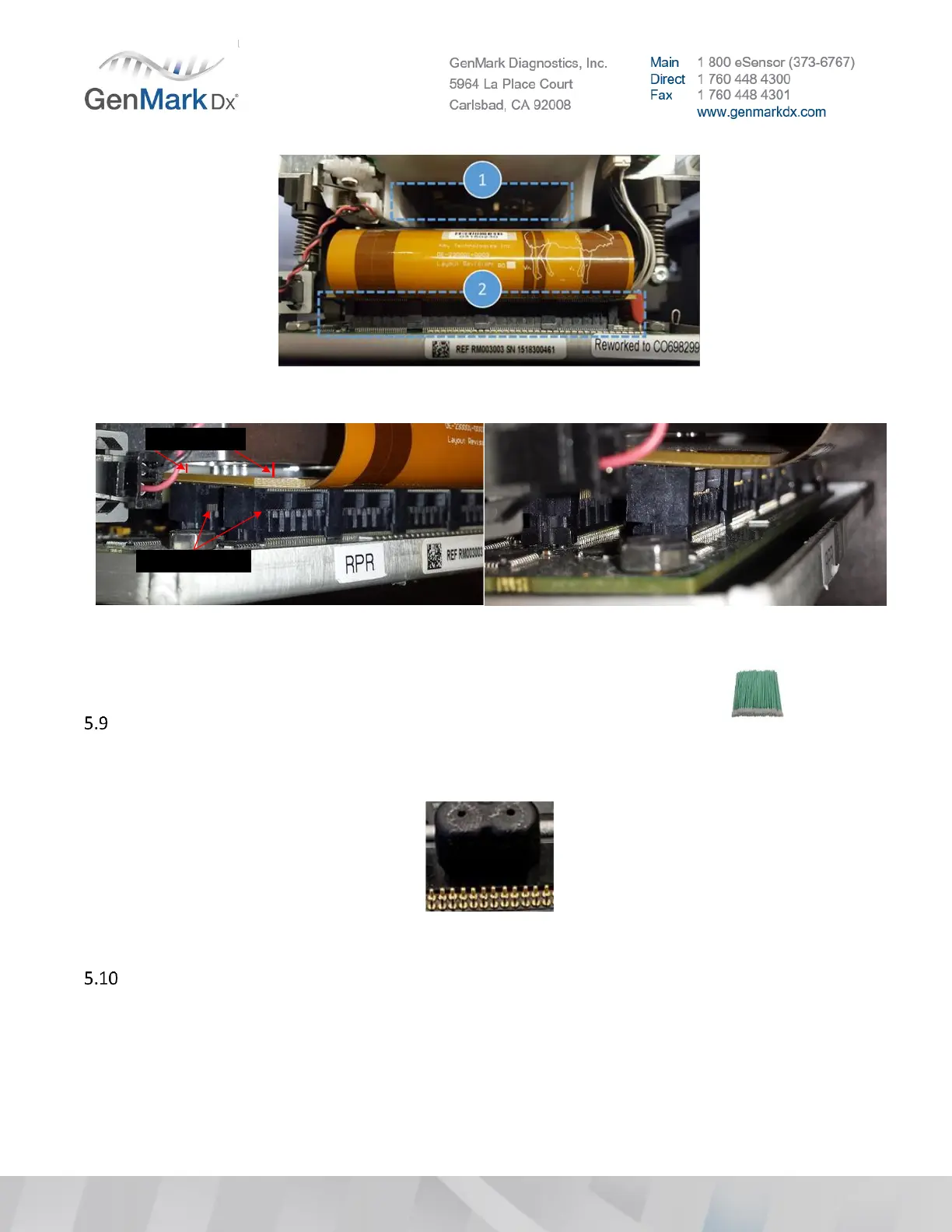
Figure 19 Clean Bay (1) and Check High Density Connector (2)
Notice the spacing
difference
Ensure the rear HD
connector is fully seated
Notice the spacing
difference
Ensure the rear HD
connector is fully seated
Figure 20 Tilted and disconnected HD connector board
Inspect gaskets for debris and clean the rubber gaskets, use a long swab and Isopropyl
alcohol or Ethanol to carefully clean the top surface of the black rubber gasket
Note: Take caution to NOT move the gasket out of place when cleaning.
Figure 21 Debris on rubber gasket
Inspect the tubing connection points on the solenoid valve.


Other manuals for GenMark Dx ePlex