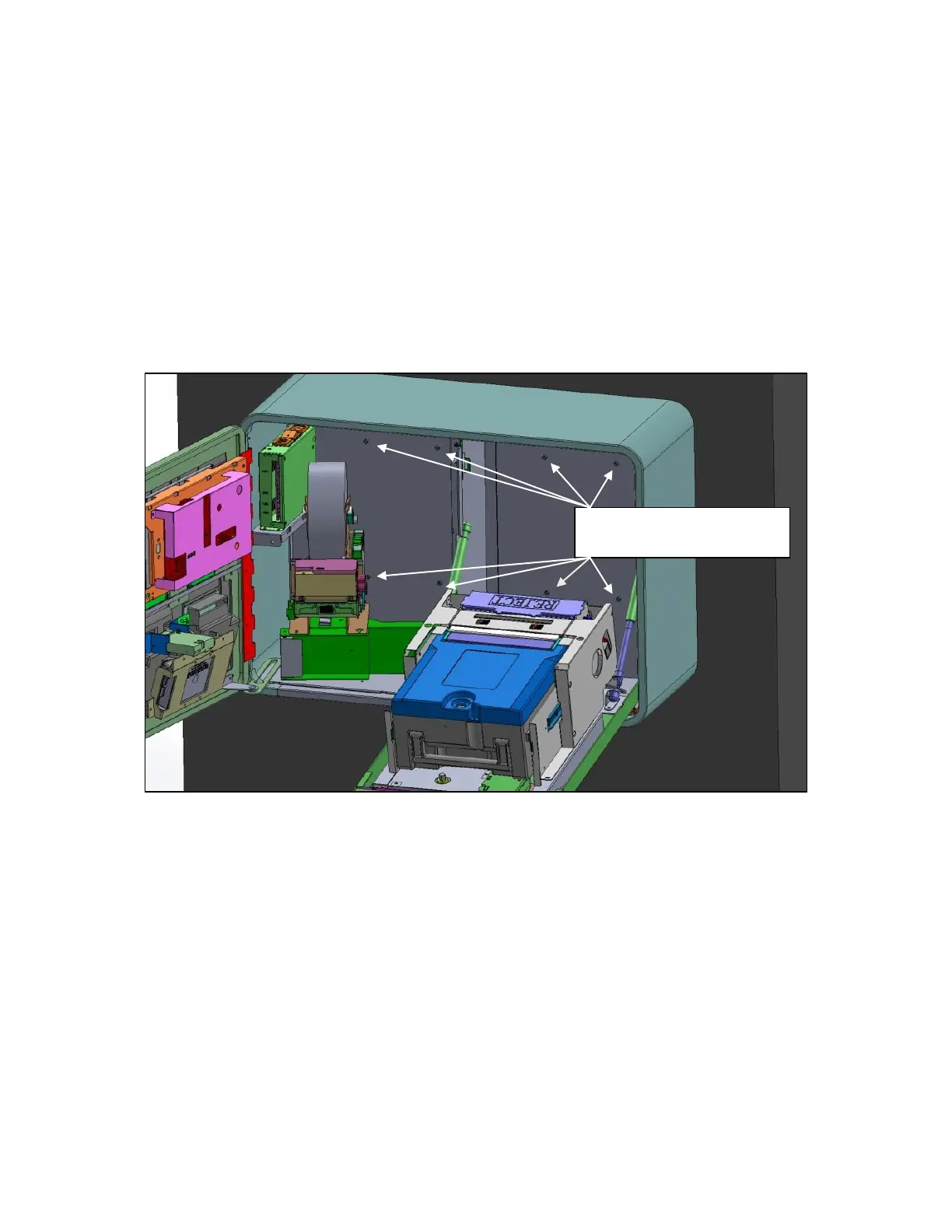
With the machine installed on the mounting bracket, you can now
open the front of the machine to access the 8 screws that will be
used to secure the machine to the bracket.
Open the front door and then rotate the printer assembly out of
the way with the green lever. Also drop the ‘vault’ door to access
the screw points behind the cassette.
There are 8 screw points in the back of the chassis. It may be
necessary to wiggle the machine to get some started. We
recommend leaving the screws loose until they are all started and
then tighten.


 To Next Page