26
Software Setup
2. To Determine your Machines’ COM port:
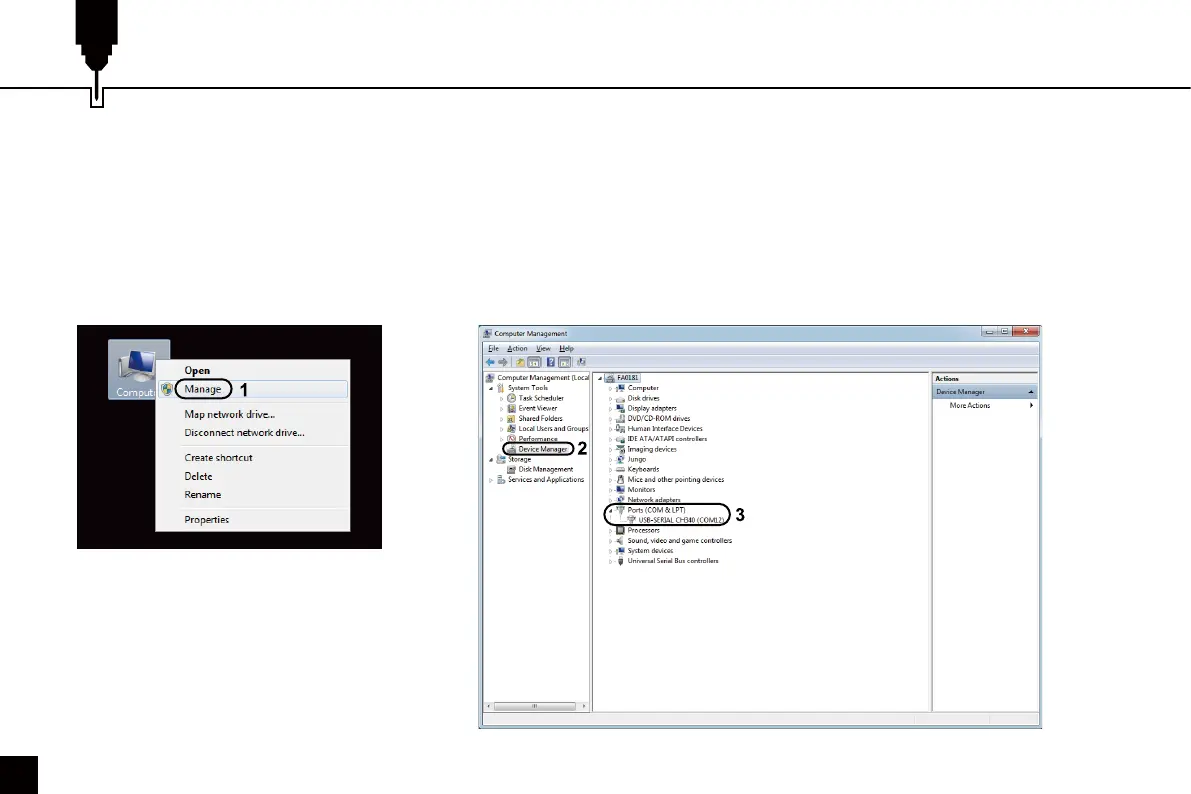
• Windows XP: Right click on "My Computer”, select "Manage", select "Device Manager".
• Windows 7: Click "Start" → Right click "Computer” → Select "Manage" → Select "Device Manager" from the left pane.
• In the tree, expand "Ports (COM & LPT)"
• Your machine will be the USB Serial Port (COMX), where the "X" represents the COM number, for example COM12.
• If there are multiple USB serial ports, right click each one and check the manufacturer, the machine will be "CH340".


 To Next Page