67
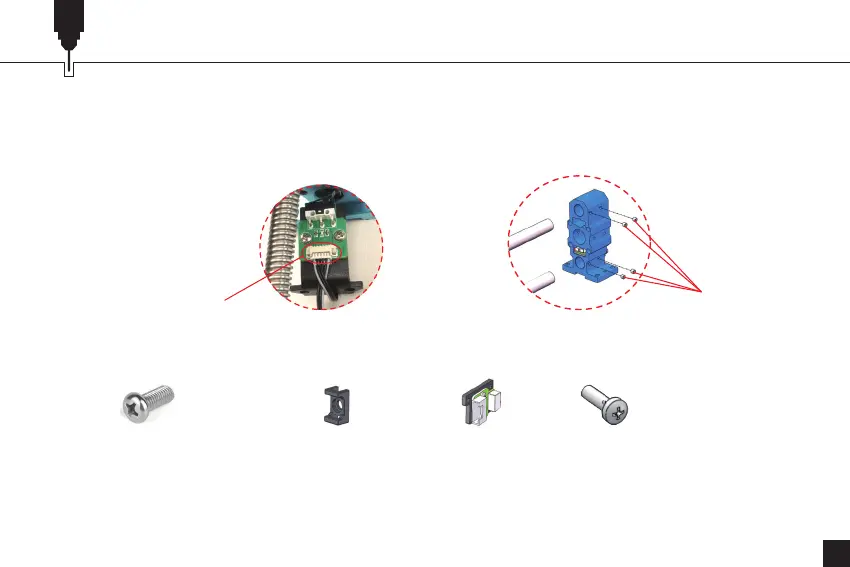
Unplug (4)Mount Screw
Step 5: Remove the Y-axis Right Module
10. Carefully remove the sheet metal and unplug the Y-axis cable.
11. Unscrew the 4 mount screws on the motor end polished rod mount(YL) with an Allen wrench
and remove the polished rod mount(YL).
12. Use a Phillips wrench to unscrew the 2 set screws of the cable holder and remove the
cable holders.
What to keep in this step of removal:
(2) Set Screw of Cable Holder (2) Cable Holder Limit Assembly (2) Set Screw


 To Next Page