Need help?
Do you have a question about the Genmitsu Jinsoku LC-40 and is the answer not in the manual?
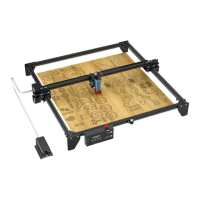
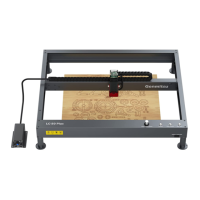
Detailed view of the front of the laser engraver and its components.
Detailed view of the top of the laser engraver and its components.
Detailed view of the rear of the laser engraver and its components.
Detailed view of the right side of the laser engraver and its components.
Information on the left and right structural modules of the engraver.
Details on the front and rear structural modules of the engraver.
Specifics about the laser head and its associated parts.
Information regarding the X-axis movement module.
Listing of various accessories included with the system.
Comprehensive list and description of all included accessories.
Physical dimensions of the laser engraver machine.
Details on optional accessories for enhanced functionality.
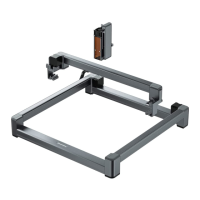
Connecting Y-axis arms and assembling the main frame modules.
Connecting the X-axis module and its limit switch cable.
Securing the X-axis module to the frame using screws.
Attaching the laser head module to the X-axis module.
Wiring the modules using spiral cables and cable clips.
Guide for installing necessary drivers for the engraver on Windows OS.
Instructions for installing the engraving software on Windows.
Steps to connect the laser engraver to a Windows PC via USB.
Guide for installing necessary drivers for the engraver on macOS.
Instructions for installing the engraving software on macOS.
Steps to connect the laser engraver to a Mac PC via USB.
Explanation of the custom PC engraving software's user interface elements.
Detailed explanation of various engraving parameter settings available.
Options for converting images for engraving (B&W, Grayscale, Outline, Sketch).
Tools for image manipulation like reversal, centering, preview, start, and stop.
Guidance on positioning, rotating, and zooming artwork within the software.
Introduction to the LaserGRBL software and its capabilities.
Detailed breakdown of the LaserGRBL user interface elements and functions.
Explanation of GRBL controls, framing, focusing, and override features.
Tutorial on importing and preparing raster images for LaserGRBL.
Overview of the LightBurn software and its official website.
Steps for installing and setting up the LightBurn engraving software.
Guide on connecting the laser engraver using the LightBurn Device Discovery Wizard.
Configuring crucial device settings like working size and S-value max in LightBurn.
Steps to set the origin and prepare for engraving a test file in LightBurn.
Adjusting laser intensity (S value) and travel speed for engraving in LightBurn.
Instructions for downloading and installing the mobile application.
Steps to connect the laser engraver to the mobile app via Bluetooth.
Explanation of the mobile app's main interface, menu, and settings.
Configuration options for standby laser power and roller mode.
Tools for editing images within the mobile app, including crop, text, and eraser.
Adjusting contrast, color modes, rotation, and flip for carving images.
Customizing image width, height, aspect ratio, and smart positioning.
Monitoring engraving progress, pausing, stopping, and saving the job.
Answers to common questions regarding power, USB connection, and driver issues.
Addresses issues with image quality, workpiece positioning, and laser focus.
 General
| Working Area | 400 x 400 mm |
|---|---|
| Laser Power | 40W |
| Connectivity | USB |
| Software Compatibility | LaserGRBL, LightBurn |
| Positioning Accuracy | 0.01 mm |
| Repeat Positioning Accuracy | 0.01 mm |
| Supported File Formats | BMP, JPG, PNG, DXF |

 To Next Page