Need help?
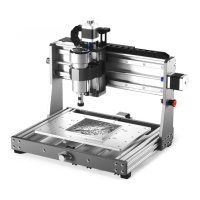
Do you have a question about the Genmitsu 3020-PRO MAX CNC and is the answer not in the manual?
Lists the mechanical components included in the package for assembly.
Details the electrical components provided with the CNC machine.
Enumerate tools and accessories that accompany the CNC router for setup and operation.
Lists the different types and quantities of screws and nuts included for assembly.
Presents optional accessories that are not part of the standard package.
Guides the user through attaching the X-axis/Z-axis gantry to the base assembly.
Instructs on how to mount and connect the limit switches to the machine axes.
Details the process of installing the emergency stop button onto the machine's frame.
Explains how to mount the main control board onto the machine structure.
Guides the user on securely installing the spindle motor into its holder.
Illustrates the correct installation of clamps for securing workpieces.
Provides a visual overview of all electrical connections for the CNC machine.
Details the procedure for connecting the limit switch cables to the control board ports.
Explains how to connect the stepper motor cables to the corresponding ports on the control board.
Guides the user to connect the spindle motor cables, including an extension cable.
Instructs on connecting the emergency stop switch cable to the control board.
Details how to connect the power supply cables to the machine's power input.
Describes how to use the cable protector to manage and secure wiring.
Provides instructions for installing the necessary USB driver for the machine.
Guides users on identifying the correct COM port assigned to the machine in Device Manager.
Explains how to launch and configure the Grblcontrol software to connect to the machine.
Details how to use the Grblcontrol software interface, including spindle speed and jogging.
Explains how to set up tools and zero the XY axes for machining operations.

 To Next Page
 General