15
04 Product Functions and Introduction
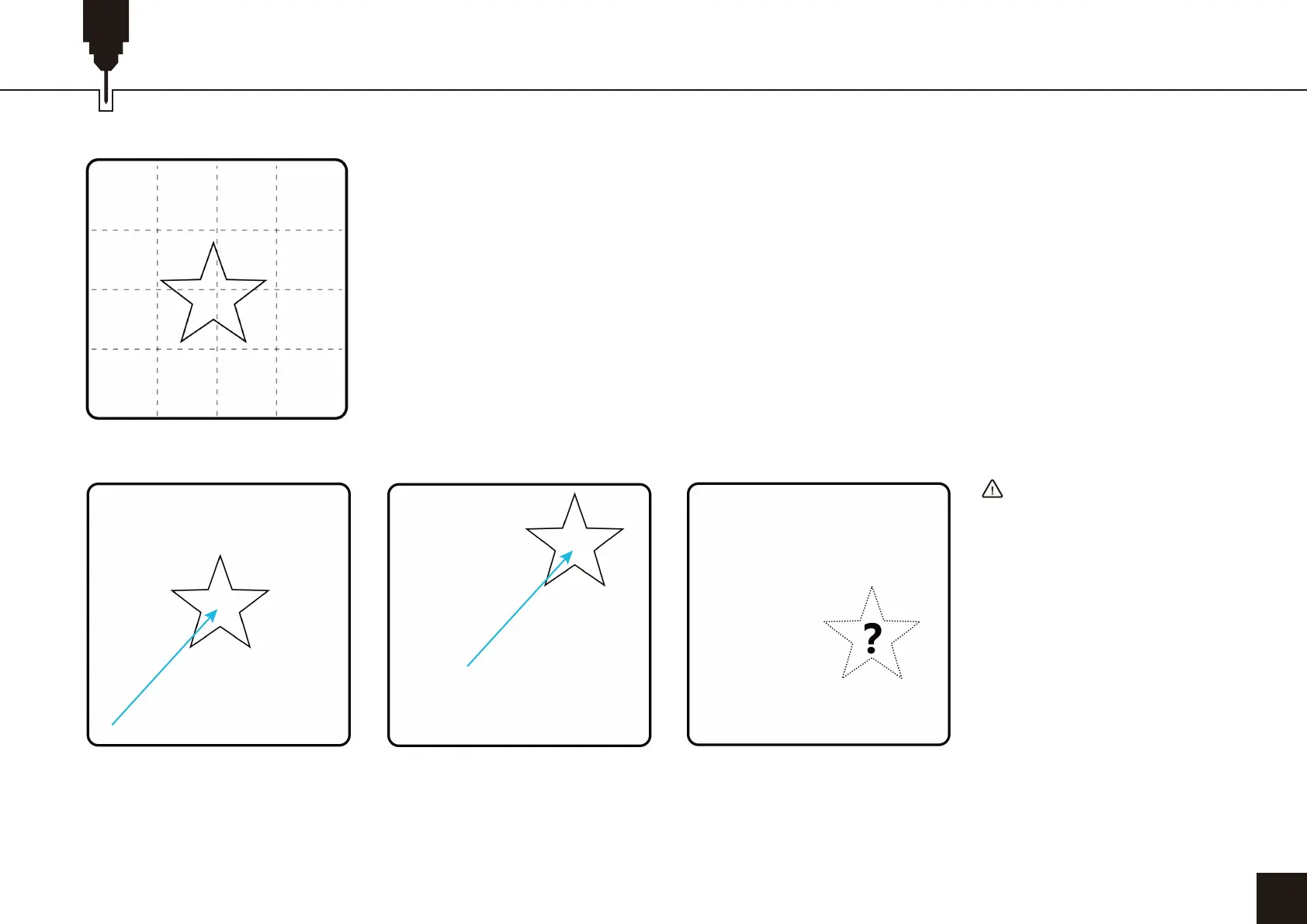
As an example, suppose we are to engrave a star, and it is located at the center of the lightBurn
workspace as shown on the computer screen, at (200.200). Below diagrams show how the
machine will behave in each of the three start from modes.
Problems can arise when moving the laser module by hand while working in Absolute Coordinater
or User Origin mode. This is because the machine doesn’t know it has been moved. It has no way
of knowing its real time position other than homing which re-establishes the (0.0) position.
Consider the following sequence of actions while working in Absolute Coordinates:
1. Machine is home to (0,0)
2. User physically drags the laser to somewhere around(300,300). The machine still thinks it's at
(0,0);
3. User runs the star program. The machine starts moving up and to the right in order to reach the
"center" and crashes into the top right corner.
A) Absolute Coordinates:
The machine will move to the
center, The finished star will be
located at (200,200)
B) User Origin:
Suppose the user origin was set
at (100,100); then the finished
star will be located at (300,300)
C) Current Position:
The star will be wherever the
laser module was at the moment
the program starts.
IMPORTANT
If the machine has crashed,
be sure to pull the laser back
toward the center a bit before
homing.
There are two limit switches
on the X and Y-axis. If either
of the two limit switches on
an axis is pressed down, the
machine will not move that
axis while homing.
(0, 400) (400, 400)
(0, 0x)
(0, 0)
(+200, +200)
(+200, +200)
(100, 100)
(400, 0)


 To Next Page
 Loading...