Resources Download and Software Setup
15
1. Driver Installation on Windows:
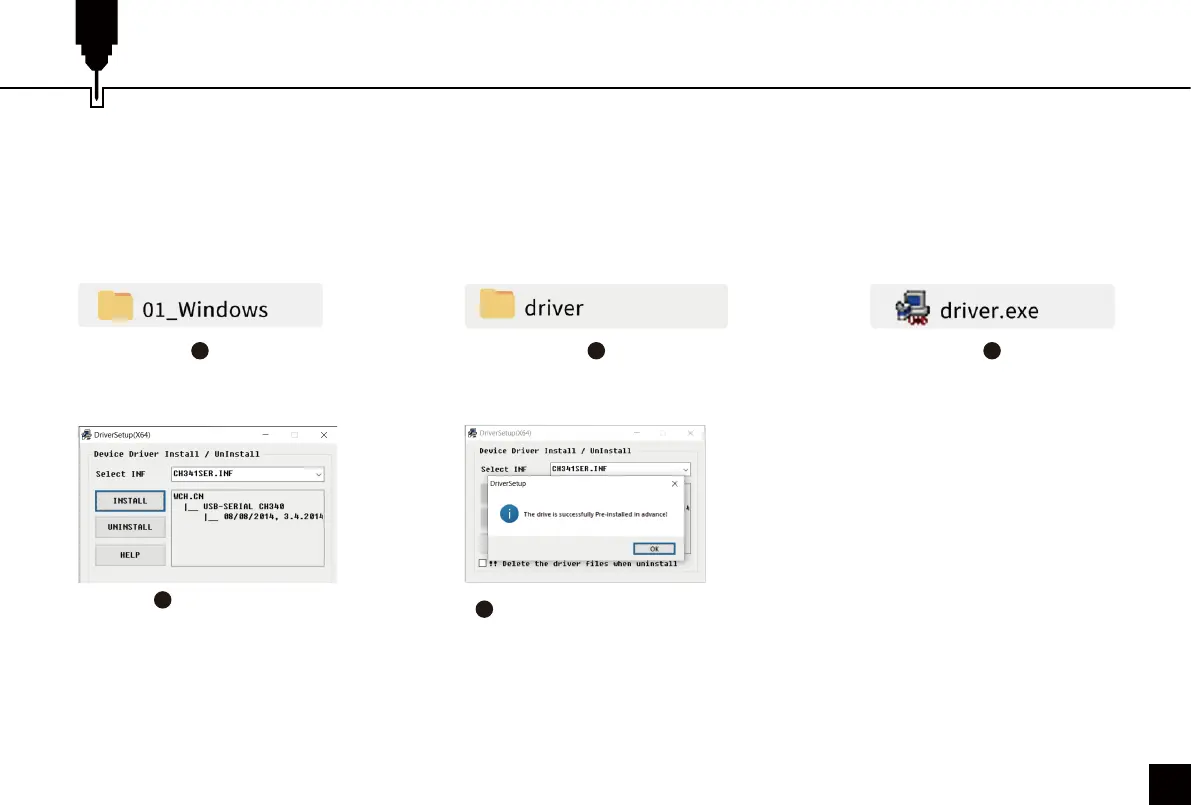
File Location: 01_ windows / driver / driver.exe ./
Locate and double-click the .exe file to start the installation program, click "install" to install the driver. When you see a
dialogue box that reads "Driver preinstallation successful! ", Click "OK" to finish the installation.
Click “Install”
1
4
2 3
Click “OK” to complete
the installation
5



 To Next Page