Resources Download and Software Setup
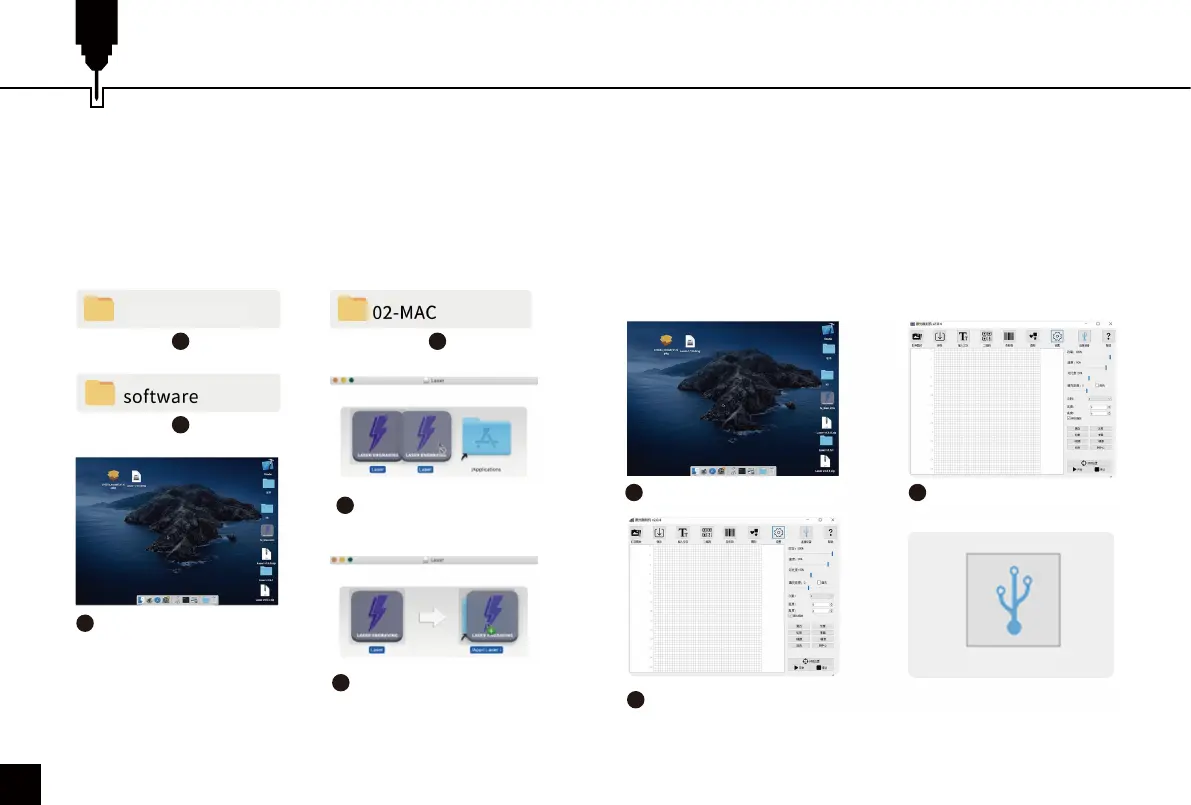
5. Software Installation on Mac OS: 6. Machine Connection:
1
3
4
6
5
2
Double click the .dmg file
Drag and drop the software
to the Application folder
Complete installation
Connect the machine to the computer with the Type-C
cable.
Open the engraving software — click the "connect device"
icon — the machine is successfully connected to your
computer when the icon turns blue.
Double click the software icon
1 2
The machine is connected
when the icon turns blue
3
Connect the Machine
Click the “connect device”
icon
18
File Location: 02-MAC / software / Engraver /
Installation and open the disk image (.dmg file), drag
and drop the software to the Application folder, the
software is successfully installed.
Z3 (USB flash disk)



 To Next Page