Custom PC Engraving Software Introduction
Engraving Settings
20
1
2
3
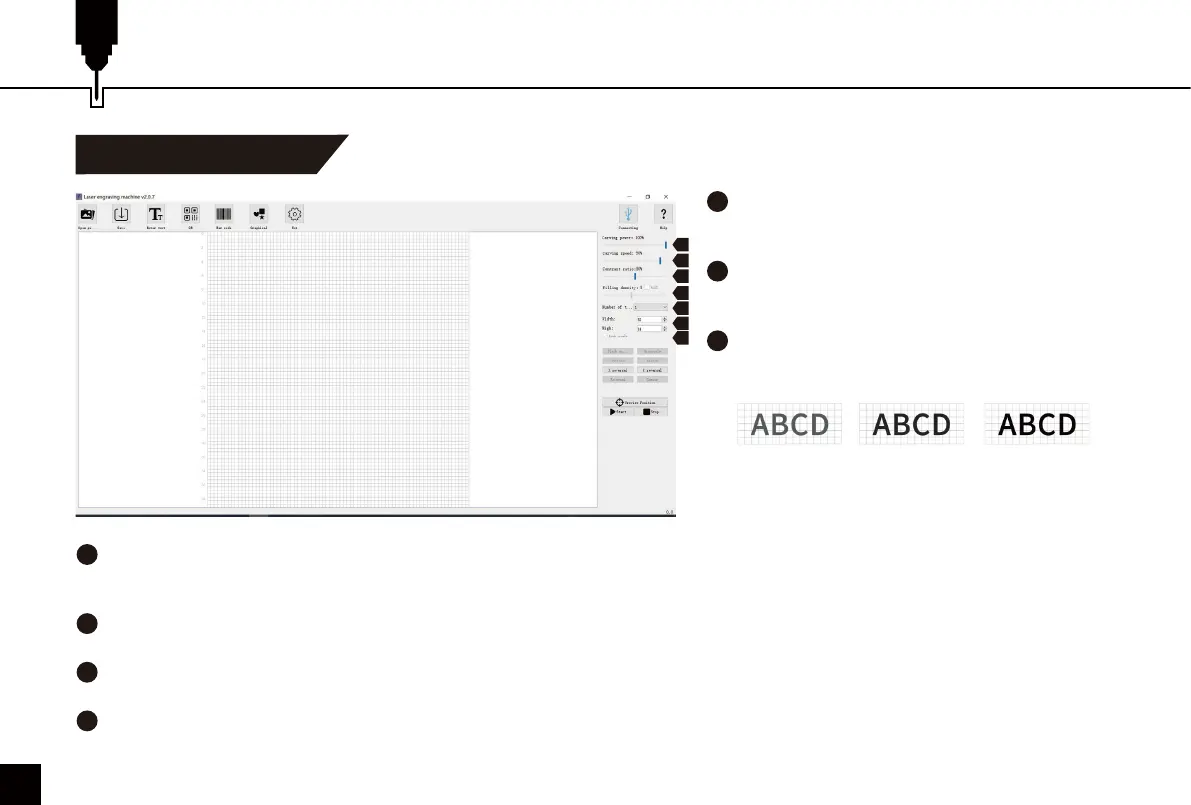
Engraving Power
Adjust the power level to engrave different
materials.
Engraving Speed
Set the engraving speed. The engraving speed
determines the engraving depth.
Contrast
Adjust the Contrast slider to increase or decrease
the text/photo contrast.
4
5
6
7
Filling Density; Filling
The filling effect can only be effective for vector graphics, select vectorization; Click “Fill” to apply the effect, drag the fill slider to
adjust the filling density.
Engraving Times
Sets how many times the laser runs with this engraving job.
Width; Height
Customize the width and height of the text/photo.
Lock Aspect Ratio
Preserve the relative width and height when you resize the image or text.
Contrast 16 Contrast 50 Contrast 80
1
2
3
4
5
6
7



 To Next Page