☞
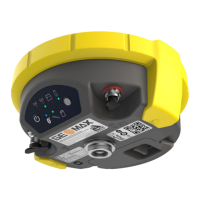
The battery is inserted in the bottom part of the instrument.
1. Push the slide fastener of the battery compartment in the direc-
tion of the arrow with the open-lock symbol.
2. Remove the cover from the battery compartment.
3. With the battery contacts facing upwards, slide the battery into
the cover of the battery compartment.
4. Push the battery downwards so that it locks into position.
5. Insert the cover of the battery compartment into the compart-
ment and push the slide fastener in the direction of the arrow
with the close-lock symbol.
6. To remove a battery, push the slide fastener of the battery com-
partment in the direction of the arrow with the open-lock symbol
and remove the cover.
7. Push the battery slightly upwards and at the same time pull out
the bottom part of the battery. This releases the battery from its
fixed position.
8. Remove the battery.
Operation 18
en



 To Next Page