EasyManua.ls Logo

GEONAUTE ONwalk 500 - User Manual

GEONAUTE ONwalk 500
6 pages
Print Icon
To Next Page IconTo Next Page
Loading...
EN
ONwalk 500
1/6
Screen
Confirmation / Reset to zero
Battery compartmentBelt clip
1,5 sec.
2 sec.
Right / +Left / -
INTRODUCTION
1
2.1 Switching on
FIRST SET-UP
2
Question and Answer IconNeed help?

Do you have a question about the GEONAUTE ONwalk 500 and is the answer not in the manual?

Summary

Introduction

First Set-Up

Switching On

Step-by-step guide on how to power on the pedometer.

First Settings

Initial configuration of time, weight, and stride length after switching on.

Settings

Time Settings

Instructions for setting the time and its format (24h/12h).

Users Weight Settings

Guide on setting weight in Kg or Lb for calorie calculation.

Height Settings

Instructions for setting the user's height in meters or feet.

Stride Length Settings

How to customize stride length based on height or manual calculation.

Use

Positioning the Product

Guidance on how to wear or attach the pedometer.

Viewing Information

How to navigate and view different data like steps, distance, and calories.

Starting Measurement

Explanation of how the pedometer automatically begins tracking activity.

Resetting to Zero

Procedure to manually reset pedometer measurements to zero.
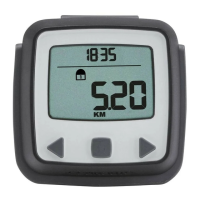
10,000 Steps Per Day Notification

Changing the Battery

Contact Us

Precautions for Use and Warranty

GEONAUTE ONwalk 500 Specifications

General IconGeneral
BrandGEONAUTE
ModelONwalk 500
CategoryPedometer
LanguageEnglish

Related product manuals