Need help?
Do you have a question about the GEONAUTE PEDOMETER DISTA T500 and is the answer not in the manual?
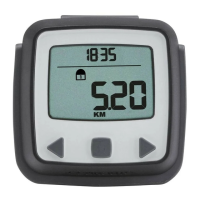
Identifies the product as the Geonaute Dista T500 pedometer and its brand.
States a 2-year warranty under normal conditions of use for the device.
Illustrates the side, top, and bottom views of the Dista T500 pedometer.
Congratulates the user and provides essential advice for accurate use and longevity.
Outlines the terms and conditions of the limited warranty for the device.
Provides guidance on proper use, care, and restrictions to ensure optimal performance.
Details the available functions and physical components of the pedometer.
Information on proper recycling of the product and batteries to protect the environment.
Procedure for setting the device's internal clock and date accurately.
Guide to configuring stride length for walking and running for accurate distance calculation.
Instructions for setting pedometer parameters (weight, stride) and configuring the alarm.
Guidance on correctly positioning the device and utilizing the STEP mode for tracking.
Explanation of how the stopwatch and average speed features function within the device.
Details on how to track cumulative steps and distance, and how the auto mode works.
Instructions on how to reset step and distance totals, and cumulative data.
Guide to saving, storing, and consulting training session data in memory files.
How to view and delete specific training data files stored in the device's memory.
Step-by-step instructions for replacing the device's battery.
Lists the detailed technical specifications of the pedometer, including display, range, and power.
Explains the factory mode for device checks and how to perform a full reset.
Provides contact details for customer feedback and support regarding the product.
Lists common problems experienced with the pedometer and their potential causes and solutions.


 To Next Page
 General