94
English
CURSOR
An route can also be defined only
by means of the cursor.
In the absence of a valid Fix (GPS
position not detected), both the
starting point and destination
shall be set, as described below.
Starting point and destination
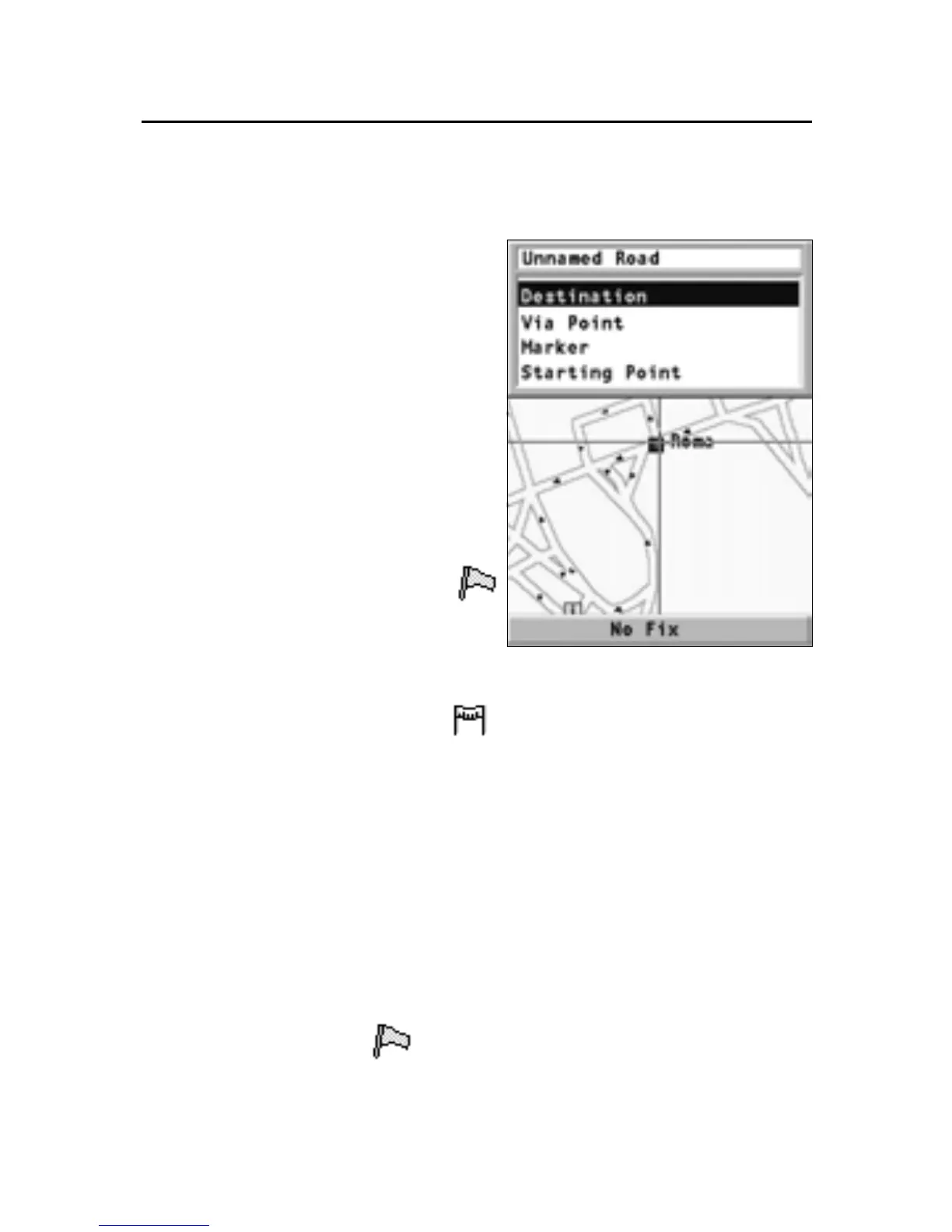
By means of the joystick, posi-
tion the cursor on a point on the
screen and press ENTER.
Define the point as a starting
point in the dialog box, then con-
firm by ENTER. A green flag
will be displayed close to the
cursor.
Position the cursor on another point and press ENTER. Select
the Destination item in the dialog box and confirm by EN-
TER. The symbol for finish will show close to the cur-
sor. The route defined between the starting point and desti-
nation will be calculated and highlighted in green on the
map.
In the presence of a valid Fix (GPS position), the point se-
lected by the cursor will be automatically considered as a des-
tination and the route traced will start from the current posi-
tion.
Intermediate point (Via point )
Move the joystick to place the cursor on a point on the screen,
then press ENTER. Define the point as a Via point and press
ENTER. A yellow flag will show at the cursor position.
When entering the Via point, the instrument will prompt for
confirmation to delete the old route and a new one will be
Cursor



 To Next Page