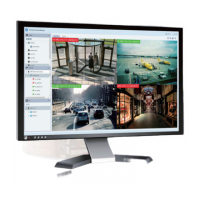
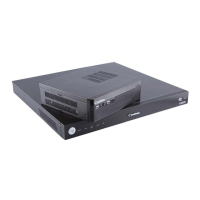
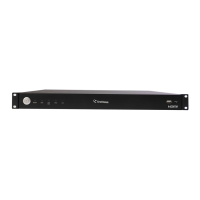
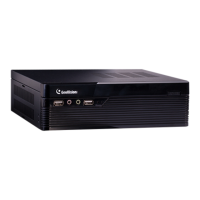
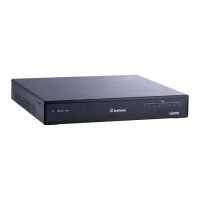
The GeoVision GV-SNVR is a Network Video Recorder system designed for security and surveillance applications, offering a range of features for recording, monitoring, and managing IP camera footage. It is available in two main models: the GV-SNVR0400F and the GV-SNVR1600, catering to different scales of surveillance needs.
Function Description
The primary function of the GV-SNVR is to record and store video data from compatible GeoVision IP cameras. It acts as a central hub for your surveillance system, allowing you to connect multiple cameras, manage their settings, and access live or recorded footage. The system supports various recording frame rates and bandwidths, ensuring efficient data capture. The GV-SNVR0400F supports a recording bandwidth of up to 50 Mbps, while the GV-SNVR1600 supports up to 100 Mbps, accommodating different camera resolutions and numbers.
The device is designed for ease of use, with a user-friendly interface accessible directly from the unit via a connected monitor, mouse, and keyboard, or remotely through a web browser. It provides a comprehensive solution for both local and remote surveillance management.
Usage Features
The GV-SNVR offers a variety of features to enhance its usability and effectiveness in a surveillance environment:
- Camera Compatibility: The GV-SNVR is compatible with a wide range of GeoVision IP cameras, including GV-Target Series IP Cameras, GV-SD220/220-S, and most other GV-IP Cameras (excluding specific models like GV-BX110, GV-BL110, GV-Fisheye IP Camera, GV-MFD110, GV-PT110, GV-PTZ010D, and GV-SD010/200/200-S). This broad compatibility allows for flexible system design and integration.
- Hard Drive Support: Both models support SATA hard drives for video storage. The GV-SNVR0400F accommodates one 3.5" SATA HDD with up to 4 TB capacity, while the GV-SNVR1600 supports up to four 3.5" SATA HDDs with a total capacity of up to 16 TB. For optimal performance and reliability, the manual recommends using enterprise-level hard disk drives.
- Local Monitoring: The GV-SNVR can be connected to an HDTV via an HDMI output for direct video display. The GV-SNVR1600 also offers a VGA monitor output for dual-monitor display, providing more viewing options. A mouse and keyboard can be connected to the USB ports for local control and navigation of the system's interface.
- Network Connectivity: The GV-SNVR connects to the network via Gigabit Ethernet ports. The GV-SNVR1600 features two Ethernet ports (LAN and WAN), allowing for flexible network configurations. When both ports are used, the LAN port is typically for connecting IP cameras, and the WAN port for Internet access. The device supports DHCP for automatic IP address assignment.
- Remote Access: Live view can be accessed remotely through a web browser (Internet Explorer 8 or later, Google Chrome 33.0 or later, Mozilla Firefox 28.0 or later). Users can log in with a default username and password (admin) to view live footage. This feature requires the installation of GeoVision's ActiveX components for proper display. The GV-SNVR0400F supports up to 10 remote network connections, and the GV-SNVR1600 supports up to 34, with each connected channel counting as one connection.
- Recording Management: The system allows users to enable and manage recording for individual cameras or all connected cameras. Instant playback of recorded video is also available without interrupting live monitoring or ongoing recordings.
- Camera Auto Search: For the GV-SNVR1600, when the LAN and WAN ports are used together, the Auto Search function for cameras is only supported by the LAN port. Cameras under the WAN port need to be added manually. The system automatically assigns unused IP addresses to connected GV-IP Cameras to prevent conflicts.
- PTZ Camera Control: The GV-SNVR can be integrated with the GV-Joystick V2, an optional device that facilitates PTZ (Pan-Tilt-Zoom) camera control, enhancing the flexibility of camera operation.
- Power over Ethernet (PoE) Support: The GV-POE Switch is an optional device that provides power and network connection for IP devices, simplifying the installation of IP cameras.
- Rack Mount Option: For the GV-SNVR1600, a Slide Rail Kit is available as an option to mount the unit in a 19" cabinet, offering a professional installation solution for larger surveillance setups.
- Front Panel Indicators: Both models feature front panel LEDs to indicate power status and hard drive status. The Power LED shows constant blue when power is supplied. The HDD Error LED shows constant red if no hard drive is installed, the hard drive is not formatted, or the hard drive fails, providing immediate visual feedback on critical system conditions. The GV-SNVR1600 also includes an HDD Status LED that glows blue when the hard drive is actively writing or reading data, and WAN/LAN LEDs to indicate network activity.
Maintenance Features
The GV-SNVR incorporates several features to facilitate maintenance and ensure system longevity:
- Hard Drive Installation and Formatting: The manual provides clear instructions for installing hard drives in both GV-SNVR0400F and GV-SNVR1600 models. After installation, the hard drive must be formatted through the system's interface before recording can begin. The system displays the hard drive status, including operating temperature and total time in use, and indicates when the drive is successfully formatted with a green tick and "Normal" message. If the hard drive status shows an abnormal value, it is recommended to replace the drive to ensure proper video recording.
- Firmware Upgrades: GeoVision periodically releases updated firmware on its website. Users can upgrade the firmware using a USB storage drive (FAT32 format) by following a straightforward process through the system's interface. This ensures the system remains up-to-date with the latest features and security enhancements. Firmware can also be upgraded remotely using the GV-IP Device Utility.
- Default Button: The GV-SNVR0400F includes a "Default Button" on the rear panel. Pressing this button for 15 seconds restores the device to its default settings, which can be useful for troubleshooting or reconfiguring the system.
- Error Indicators: The HDD Error LED on the front panel serves as a crucial maintenance indicator, alerting users to potential issues with the hard drive, such as absence, unformatted status, or failure. This allows for prompt identification and resolution of storage-related problems.
- User Manual Access: For advanced information and detailed troubleshooting, the system directs users to the GV-SNVR User's Manual, accessible through the GV-Desktop interface. This comprehensive resource provides in-depth guidance on all aspects of the device's operation and maintenance.
- Network Configuration Guidance: The manual provides important notes regarding network configuration, especially for the GV-SNVR1600's dual Ethernet ports, emphasizing the need to divide LAN and WAN networks into different subnets or segments to prevent network failure. This guidance helps users maintain a stable and efficient network environment for their surveillance system.

 Need help?
 General

 To Next Page