
 Need help?
Do you have a question about the GeoVision GV Series and is the answer not in the manual?
Introduces the GV-EBD2702/4700/4711 series of IR Eyeball IP Dome cameras.
Details the items included in the package for the GV-EBD cameras.
Lists optional accessories that can expand camera capabilities.
Provides a visual overview and component identification for GV-EBD cameras.
Guides through the installation process for GV-EBD cameras.
Details optional mounting methods for GV-EBD cameras.
Introduces the GV-ABL2701/4701/4712 series of Bullet IP Cameras.
Details the items included in the package for the GV-ABL cameras.
Lists optional accessories for the GV-ABL series cameras.
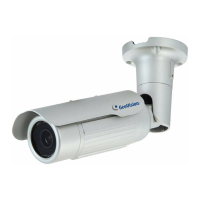
Provides a visual overview and component identification for GV-ABL cameras.
Guides through the installation process for GV-ABL cameras.
Details optional mounting methods for GV-ABL cameras.
Introduces the GV-ADR2701/4701 series of Mini Fixed Rugged IP Dome cameras.
Details the items included in the package for GV-ADR cameras.
Lists optional accessories for the GV-ADR series cameras.
Provides a visual overview and component identification for GV-ADR cameras.
Guides through the installation process for GV-ADR cameras.
Details optional mounting methods for GV-ADR cameras.
Introduces the GV-AVD4710 Vandal Proof IP Dome camera.
Details the items included in the package for the GV-AVD4710 camera.
Lists optional accessories for the GV-AVD4710 camera.
Provides a visual overview and component identification for GV-AVD4710.
Guides through the installation process for GV-AVD4710 cameras.
Details optional mounting methods for GV-AVD4710 cameras.
Specifies the system requirements for using the GV-IP Camera.
Provides instructions on how to waterproof the camera's cables.
Explains how to connect the GV-IP camera to a network.
Guides on how to view the live video feed from the camera.
Instructions for accessing and playing back recorded video footage.
Covers common settings and general camera information.
Details network configuration options like IP, DNS, and ports.
Settings for video stream parameters and audio input/output.
Configuration options for image settings, OSD, and privacy mask.
Settings for motion detection, tampering, and audio detection alarms.
Configuration for storing video recordings and snapshots.
Manages user accounts and network security settings.
System-level settings including time synchronization and maintenance.
Instructions for updating the camera's firmware.
Guides on how to reset the camera to its factory default settings.
How to configure GV-IP cameras with GeoVision DVR/NVR systems.
How to configure GV-IP cameras with GeoVision VMS.
Details on using RTSP multicast for video and audio streaming.
Information on accessing camera streams using RTSP protocol.
Instructions for obtaining live view snapshots via HTTP.
 General
| Series | GV Series |
|---|---|
| Category | Security Camera |
| IP Rating | IP66, IP67 |
| Power Supply | PoE, 12V DC |
| Video Compression | H.264, H.265 |
| Day/Night Mode | Yes |
| Network Interface | RJ45 |
| Resolution | Varies by model (e.g., 1080p, 4K) |
| Lens | Varies by model (e.g., fixed, varifocal) |
| IR Distance | Varies by model (e.g., 30m, 50m) |


 To Next Page


