P.18 P.19
Troubleshooting Troubleshooting
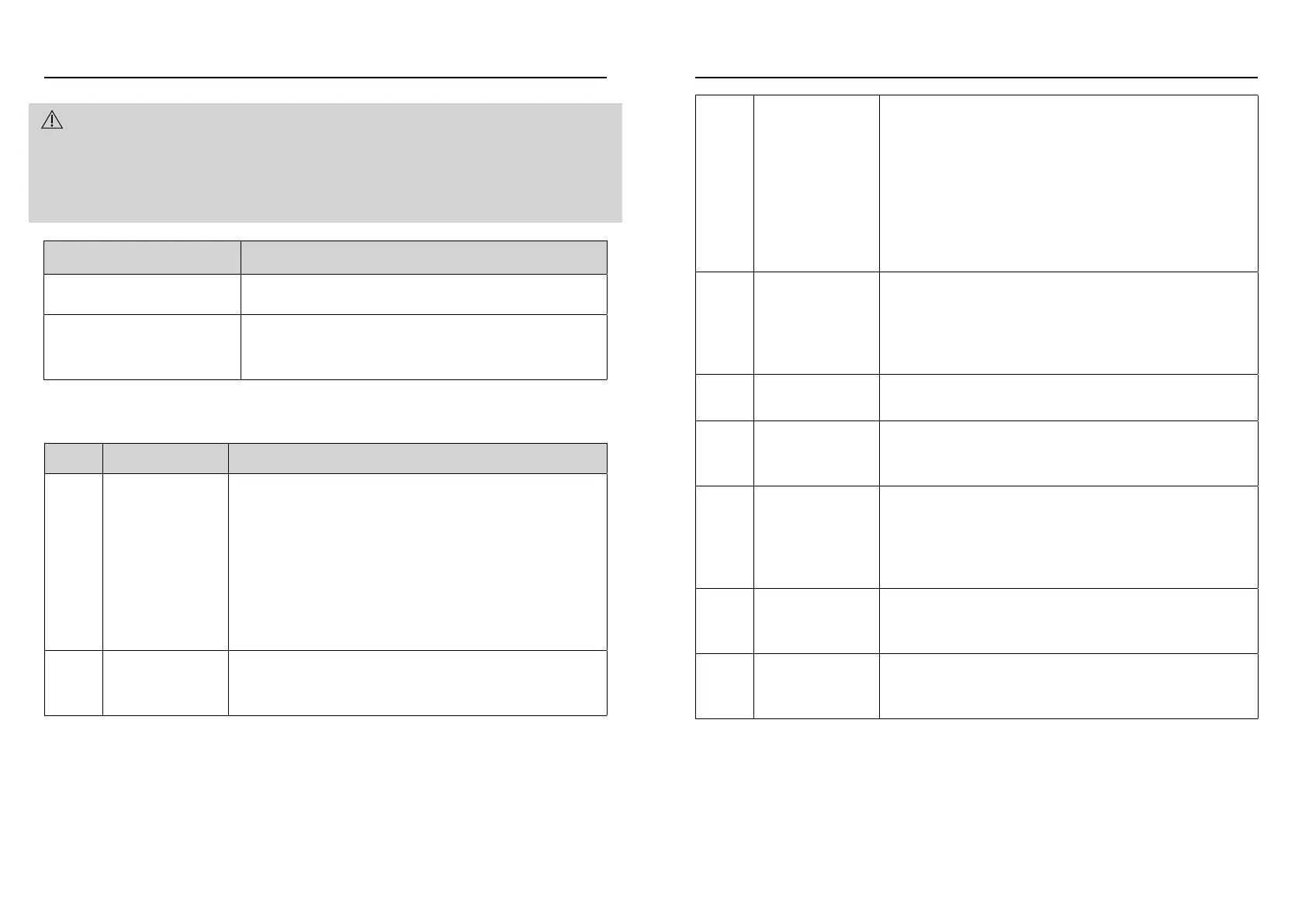
WARNING!
• Before maintenance work, turn off the product and unplug product from power source.
• This product must be installed and repaired by the manufacturer’s authorized after-sales personnel
only; if consumers entrust personnel not designated by the manufacturer, or if consumers perform
reparation work on their own, there may be a risk of personal injury or property loss.
Error Code
PROBLEM POSSIBLE REASON
Has plugged in power but the
product does not work
Is the plug properly inserted into the socket?
Remote Control does not work
Is the battery dead?
Is the battery inserted correctly?
Is the Remote Control aligned with the Signal Receiver?
CODE PROBLEM POSSIBLE REASON
E1 Under Voltage
Protection
• Induced by voltage too low
• 220V fan connected to 110V voltage
• Under bad AC terminal block connection during operation of
fan, voltage of the electronic board may go too low
• Pulling the plug when fan is operating at high speed. This is
because fan motor is still heated so electronic board takes
time to drop its electricity, inducing this problem. This is natural
occurrence. When plugged again, the fan will operate normally.
• Electronic board defect
E2 High Voltage Pro-
tection
• Induced by voltage too high
• 110V fan connected to 220V voltage
• Electronic board defect
E3 Blocked Rotor • Rotor installed incorrectly, fan blade blocked
• Poor connection between rotor terminal block and
electronic board
• Rotor defect or disconnection
• Rotor terminal block of the electronic board defect, poorly weld-
ed or terminal block pin missing
• Electronic board defect: circuit driver, power component (MOS-
FET) or other components damaged by outer forces, Electronic
board parameter error
E4 Hardware
Overcurrent
• Short circuit of fan rotor or inner rotor
• Electronic board defect: driver error or power component (MOS-
FET) error
• Incorrect rotor usage: using low voltage rotor on
high voltage driver
E5 Software
Overcurrent
Electronic board defect: current sampling circuit error
E6 Default Phase
of Rotor
• Rotor disconnection
• Poor connection between rotor and terminal block
• Electronic board defect: driving error of driver
E7 Communication
Error
• Poor communication between display board and mother board,
poor cable connection, cable terminal block installation error
• Usage of display board with non-updated programme, matching
error with new mother board
• Poor welding of electronic board terminal block
E8 Machine Tilting • Machine placed at an angle of ≥30 degrees
against the surface
• Tipping Switch defect, electronic board defect
E9 Temperature-sensor
probe not connected
• Temperature-sensor probe plug-in failure
• Electronic board defect
• Temperature-sensor probe defect


 To Next Page
 Loading...