Operation
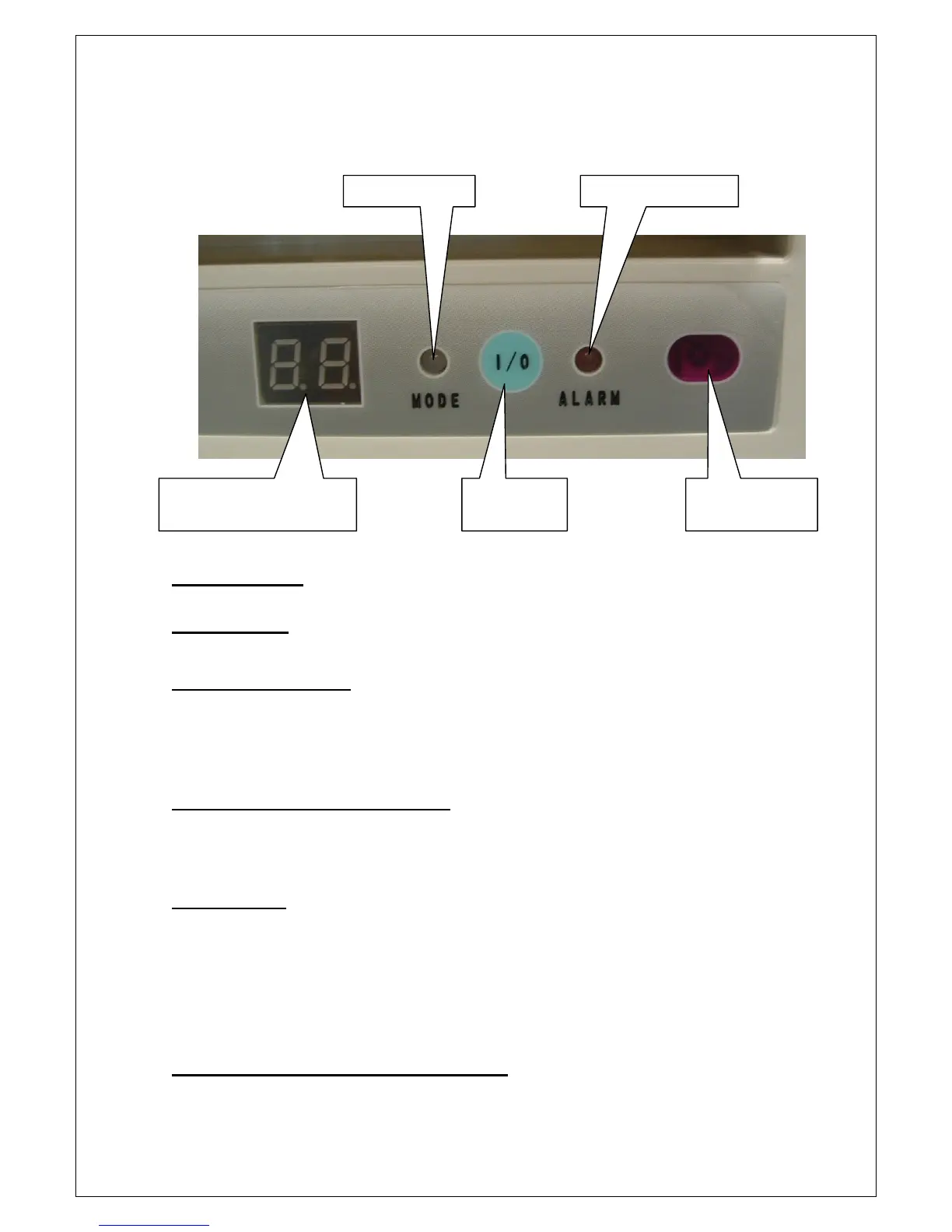
CONTROL PANEL
CONTROLS
IMPORTANT:- Ensure that the draining bung is firmly in place in the
drain port before operating the machine.
Power ON / OFF Button
This button turns the unit on and off.
When the plug is first plugged into a socket the machine will bleep and go into stand-by
mode. Pressing the “Power” button will turn the machine on. Pressing the “Power” button
again will put the machine back into stand-by mode.
Note:- After switching the unit off, wait 3 minutes before switching it on again.
Tank Full Indicator (marked ALARM)
This LED will illuminate (Red) when the water tank within the machine is full and the machine
will stop. If after draining the tank, the warning light remains on, this could indicate that there
may be a fault with the machine. If this is the case, do not attempt to operate the machine
and call the service number.
Mode Indicator
Note:- Modes are selected by means of the remote controller.
a) When COOLING MODE is selected the LED will illuminate BLUE.
b) When DEHUMIDIFYING MODE is selected the LED will illuminate ORANGE.
c) When FAN MODE is selected the LED will illuminate GREEN.
Note:- In Cooling and Fan mode, the fan speed can be set to High, Medium and Low.
When Dehumidifying mode is selected the fan speed is automatically set to Low and
cannot be altered from this setting unless the room temperature is greater than 25°C.
Temperature / Time Setting Display Window
When the machine is running normally this shows the ambient room temperature.
This indicator is also used in conjunction with the remote controller to set the desired room
temperature and also the timer.
Remote Control
Sensor
Power ON /
OFF Button
Temperature / Time
Setting Display Window
Mode Indicator Tank Full indicator


 To Next Page