EN
Smart WiFi socket
Model: GSS01
Introduction
Thank you for purchasing the smart power socket. We
are dedicated to provide our customers with high quality
products to enjoy smart life.
Package content
1x Smart power socket
1x User manual
Function diagram
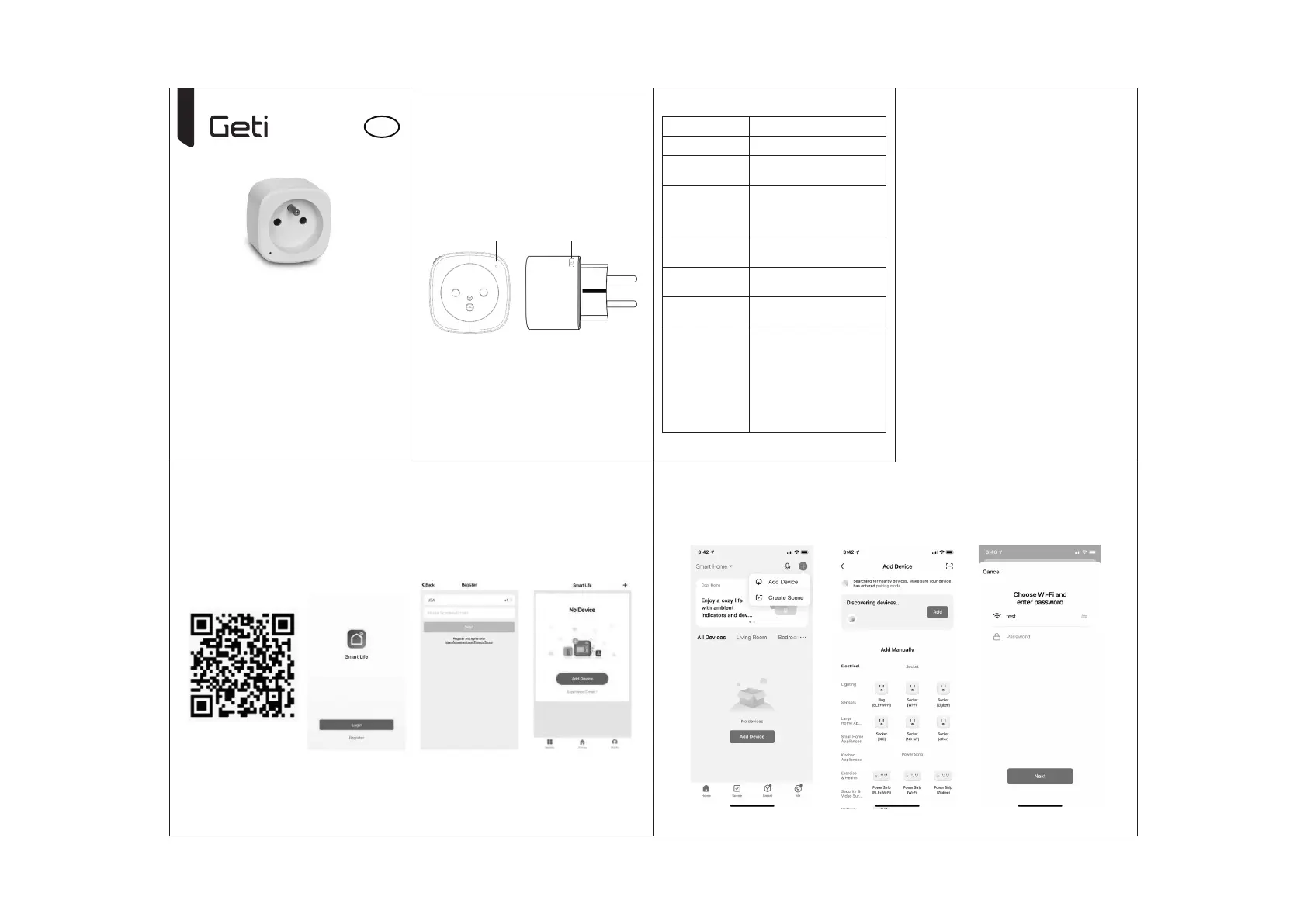
LED indicator ON/OFF switch
Specifications
Power supply AC 230V~50Hz
Max. power 3680W
Single outlet
current
16A max
WiFi standard
2.4GHz WiFi, BT
(make sure your router
is 2.4 GHz, if the router
has two line)
Operation
temperature
0 ~ 35°C
Storage
temperature
-10 ~ +40°C
Humidity
in operation
5 ~ 65%
WLAN
specification
Standard: 802.11 b / g / n
Encryption: WEP / WPA / WPA2
Frequency range:
2412 - 2472 MHz
Typical. transmitting power:
802.11b: + 18dB
802.11g: + 16dB
802.11n (20MHz): + 14dBm
Channel: 1-14
Safety information
IMPORTANT: Please read and comply with all of the in-
structions and warnings provided in this manual before
using the product. Failure to comply with the instructions
and warnings provided may result in inaccurate results
and/or damage to the product itself.
WARNING: DO NOT connect a device that exceeds the
power ratings for this power socket. Doing so may over-
heat or cause possible damage to the device or other
equipment.
DO NOT USE the power socket if the cord is damaged in
any way, shape, or form. Doing so may cause electric shock
and possible injury. Extension cords can be used with this
power socket; check to make sure that the extension cord
can handle the voltage of the power socket.
DO NOT USE the power socket if it is damaged in any way,
shape, or form.
DO NOT ATTEMPT to repair, disassemble or modify this de-
vice under any circumstances. Doing so may damage the
device or cause electric shock and possible injury.
DO NOT PLACE the power socket near any heat source or
in direct sunlight.
DO NOT PLACE or operate the power socket in high-humi-
dity environments.
DO NOT OPERATE the power socket if there is a strange
odor or heat emitting from the power socket or a connect-
ed device, contact customer support immediately.
DO NOT TOUCH any electrical appliances with wet hands
or handle appliances near liquids. Avoid using excessive
force when handling the power socket. Keep the power
socket dry and clean at all times.
DO NOT USE any solvents or cleaning solutions on the power socket. Clean only with a so, dry cloth. Never overload
electrical circuits as it may cause an electrical shock or fire.
How to connect Wifi?
Step 1: Download & Register
• Scan the QC Code to download „Smart Life” APP. Or Search „Smart Life” in Apple store or Google Play to install the
APP.
• Open the „Smart Life” APP, tap „Register”to get an account with your phone number or E-mail. Sign in the APP.
Step 2: Add Devices in Easy Mode
• Make sure your smart socket is turned on and in pairing mode with indicator beginning to flash quickly
(about 2 times/second). If not, press and hold the power button for 5 seconds until it begins to flash quickly.
• Turn on the Bluetooth on your mobile phone.
• Open your „Smart Life” APP, enable the Bluetooth and location permission, tap “+” on the top right of the APP.
• The App will start discovering devices, tap “Add”.
• Confirm the WiFi network and password. (Note: Only 2.4GHz is supported.)
• The device will be connected with „Smart Life” APP, tap “Next” and “Done”.
(Note: The device name will appear the same on Amazon Alexa and Google Home.)



 To Next Page