EasyManua.ls Logo

GEZE Slimdrive SC - User Manual

GEZE Slimdrive SC
12 pages
Print Icon
To Next Page IconTo Next Page
Loading...
Slimdrive SC/SCR
Slimdrive SLT
Slimdrive SL
EC Drive/Powerdrive
Sliding Door Drive for Automatic Doors
Operation &
Maintenance Manual
GB
GEZE UK Ltd is part of the GEZE Worldwide Group of Companies
Question and Answer IconNeed help?

Do you have a question about the GEZE Slimdrive SC and is the answer not in the manual?

Summary

Safety Instructions

General Safety Instructions

Read manual carefully and comply with safety instructions for safe operation.

System Description

Types of Door Leaves

Details glass and framed door leaves compatible with the drive system.

Drive Components and Operation

Description of the DC motor, control system, and operational features of the drive.

Occupier Safety Test

Occupier Safety Checklist

Weekly safety check list for users to ensure safe operation of powered sliding doors.

Activation Device Testing

Testing of sensors, including activation distance and closing delay.

Safety Device Testing

Testing of presence sensing devices and hold open beams for obstruction detection.

General Operational Checks

Checks for tripping hazards, glass integrity, signage, and activation controls.

BS 7036 Testing Procedures

Extracts detailing test procedures, test objects, and frequency from BS 7036.

Operational Switches and Modes

Modes of Operation

Details modes like Automatic, Hold Open, Night, and Exit Only for door operation.

Program Switch Interface

Overview of the programme switch functions and indicator lights.

Important User Notice

Important notice regarding manual locks and switching drive unit modes.

SL 1.7 to SL 1.9 Fault Codes

SL 1.7 to SL 1.9 Error Messages

List of 2-digit fault codes and their descriptions for SL 1.7 to SL 1.9 systems.

SL DCU 1 Fault Codes

SL DCU 1 Error Messages

List of 2-digit fault codes and their descriptions for SL DCU 1 systems.

Power Failure Procedures

Handling Power Outages

Procedure for power failure, battery presence, and manual operation.

Fire Alarm Activation Behavior

Behavior of doors during fire alarm activation in Automatic and Night modes.

Service Indicator Light

Explanation of the service indicator LED and its meaning.

General Cleaning & Maintenance

Drive Unit and Sensor Maintenance

Instructions for cleaning drive unit cover, activation and safety sensors.

Preventative Maintenance Program

Recommendations for preventative maintenance programs and authorized technicians.

Surface Material Cleaning Guidelines

Cleaning and care instructions for various door materials including aluminium, steel, and glass.

Service Information

Customer Service Commitment

Commitment to 24/7 service and repair for automatic and manual doors.

Warranty and Post-Warranty Support

Details on warranty period, coverage, and post-warranty service contracts.

Contacting GEZE Service

Contact information for nationwide assistance and regional GEZE service offices.

Summary

Safety Instructions

General Safety Instructions

Read manual carefully and comply with safety instructions for safe operation.

System Description

Types of Door Leaves

Details glass and framed door leaves compatible with the drive system.

Drive Components and Operation

Description of the DC motor, control system, and operational features of the drive.

Occupier Safety Test

Occupier Safety Checklist

Weekly safety check list for users to ensure safe operation of powered sliding doors.

Activation Device Testing

Testing of sensors, including activation distance and closing delay.

Safety Device Testing

Testing of presence sensing devices and hold open beams for obstruction detection.

General Operational Checks

Checks for tripping hazards, glass integrity, signage, and activation controls.

BS 7036 Testing Procedures

Extracts detailing test procedures, test objects, and frequency from BS 7036.

Operational Switches and Modes

Modes of Operation

Details modes like Automatic, Hold Open, Night, and Exit Only for door operation.

Program Switch Interface

Overview of the programme switch functions and indicator lights.

Important User Notice

Important notice regarding manual locks and switching drive unit modes.

SL 1.7 to SL 1.9 Fault Codes

SL 1.7 to SL 1.9 Error Messages

List of 2-digit fault codes and their descriptions for SL 1.7 to SL 1.9 systems.

SL DCU 1 Fault Codes

SL DCU 1 Error Messages

List of 2-digit fault codes and their descriptions for SL DCU 1 systems.

Power Failure Procedures

Handling Power Outages

Procedure for power failure, battery presence, and manual operation.

Fire Alarm Activation Behavior

Behavior of doors during fire alarm activation in Automatic and Night modes.

Service Indicator Light

Explanation of the service indicator LED and its meaning.

General Cleaning & Maintenance

Drive Unit and Sensor Maintenance

Instructions for cleaning drive unit cover, activation and safety sensors.

Preventative Maintenance Program

Recommendations for preventative maintenance programs and authorized technicians.

Surface Material Cleaning Guidelines

Cleaning and care instructions for various door materials including aluminium, steel, and glass.

Service Information

Customer Service Commitment

Commitment to 24/7 service and repair for automatic and manual doors.

Warranty and Post-Warranty Support

Details on warranty period, coverage, and post-warranty service contracts.

Contacting GEZE Service

Contact information for nationwide assistance and regional GEZE service offices.

Overview

The GEZE Slimdrive SC/SCR, Slimdrive SLT, Slimdrive SL, and EC Drive/Powerdrive are automatic sliding door operators designed for pedestrian use. This manual outlines their operation, safety, and maintenance procedures.

Function Description

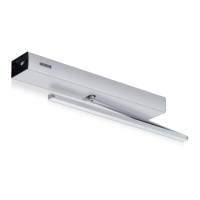
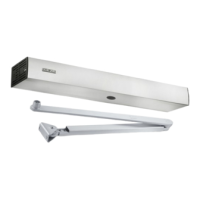
These devices are automatic sliding door drives that facilitate the opening and closing of various types of doors. They are suitable for glass doors (single or double glazed) and doors with timber, metal, or aluminum frames. The core function is to provide automated access, enhancing convenience and managing traffic flow in various environments.

The drive system incorporates a low-wear, high-capacity DC motor and an extremely quiet, enclosed running gear. Power transmission is achieved via toothed belts with precision bearings, ensuring smooth and reliable operation. A self-learning processor control system continuously monitors and adapts to the door's environment. Permanent position sensing of the door leaves is managed by a non-contact distance measuring system, which allows for precise control of door movement. The system can also determine the door leaf weight using an acceleration meter, further optimizing its performance.

Key operational features include an adjustable hold-open time, allowing the door to remain open for a specified duration (typically 1 to 5 seconds). Automatic error detection is built into the system, with error indications displayed on the program switch and an audible signal in case of a fault. Both opening and closing speeds are individually adjustable, and the system automatically adjusts the opening time based on traffic patterns.

For enhanced safety, the doors feature an automatic reversing function with adjustable reversing pressure. If the door encounters an obstacle during closure, it will automatically reopen. An emergency opening function is provided via an integrated battery backup in case of power failure, ensuring egress. An integrated mains isolator is also included for safety during maintenance. The closing force is limited to less than 150 N to prevent injury.

Optional features include a connection to a fire alarm system, allowing the doors to respond appropriately during an emergency. Electro-magnetic locking can be integrated to secure the door leaves against forced entry.

Usage Features

The door's operation is managed through a program switch, which allows users to select different modes of operation, view error messages, and perform programming and service functions.

  • Automatic Mode (Au): In this mode, the door is activated automatically by sensors (e.g., radar, push pad). The door opens, stays open for a designated time, and then closes. A "Winter Setting" can be activated by simultaneously pressing the Automatic and Hold Open buttons, which reduces the opening distance. A small red LED above the snowflake symbol indicates when Winter Setting is active. To return to the summer setting, the same buttons are pressed again.
  • Hold Open Mode (Ho): In this function, the door powers open and remains permanently open.
  • Night Mode (ni): In this mode, the drive unit is off, and all activation and safety devices are isolated once the door is fully closed. If an integrated electric lock is fitted, it engages automatically to secure the doors.
  • Exit Only (Eo): In this mode, the external activation device is isolated, but the internal activation device remains active. This allows people to exit the premises while preventing external entry.

It is crucial to ensure that any manual locks fitted to the door leaf are UNLOCKED before switching the drive unit into any operational mode. Additionally, the drive unit should be switched to NIGHT MODE before manually locking the door.

In the event of a power failure, the door's behavior depends on the presence of a battery and the selected mode. If a battery is present, the door will typically open unless in Night mode. If the battery is discharged or not present, the door must be unlocked and opened/closed manually. After power is restored, the door automatically returns to its previously selected operating state, or to "Night" mode if it was locked.

If a fire alarm is activated (and the system is fitted with this option), doors in "Automatic" setting will power open and remain fully open until the alarm is reset. Doors in "Night" position will remain closed/locked to maintain security.

Maintenance Features

Regular maintenance is essential for the continued safe and efficient operation of the GEZE automatic sliding doors. The manual strongly advises implementing a preventative maintenance program in line with BS 7036: Safety at Powered Doors for Pedestrian Use, with servicing carried out by an authorized technician.

General Cleaning & Maintenance:

  • Aluminium Cover: The drive unit cover should be wiped clean with a damp cloth. Care must be taken to prevent water from entering the drive unit.
  • Activation & Safety Sensors: Plastic lenses on sensors should be kept clean and dust-free by wiping with a dry, soft cloth.
  • Fabricated Doors / Screenwork: Atmospheric deposits, corrosive acids, and other chemicals can discolour and tarnish metalwork, leading to corrosion. Regular maintenance prevents these deposits from building up and attacking the metals.
  • Anodized Aluminium: Clean with mild soap and water or a mild detergent solution, rinse with clean water, and dry with a soft cloth or chamois leather. A liquid wax polish can be applied to protect the metal. AVOID metal polishes, abrasive cleaners, strong alkalines or acids, and ammonia-based cleaners, as these can cause staining. Recommended cleaning frequency is WEEKLY.
  • Polyester Powder Coated Aluminium: Maintain by washing at least every three months with a solution of warm water and mild detergent (e.g., 5% Teepol solution). Clean surfaces with a soft cloth or sponge; avoid harsh brushes. AVOID abrasive cleaners or cleaning solutions containing ketones, esters, or alcohols. Recommended cleaning frequency is THREE MONTHLY (depending on environment).
  • Polished or Satin Stainless Steel: Wash away grime and grit with lukewarm soapy water and a mild detergent solution using a nailbrush for crevices. Rinse with clean water and dry/polish with a soft duster or chamois leather. AVOID metal polishes, all abrasives, toxic materials, acids, strong alkalines, nylon pads, and wire wool. Recommended cleaning frequency is WEEKLY.
  • Glass: Clean as often as possible with clean water, a chamois leather, scrim, or squeegee, and dry off. Proprietary window cleaner or polish can be used if it does not contain ammonia.

Occupier Safety Tests:

The occupier is responsible for undertaking weekly safety tests, or more frequently in high-traffic areas, as per BS 7036: Part 2: 1996 (Annexes).

  • Sensor Activation: Test sensors by walking towards the door opening. The door should open smoothly when a person is approximately 1400mm (5 ft) away and stop without impact. Step out of the activation zone; the door should close smoothly after a delay (1-5 seconds). Repeat for both sides if the door has two-way operation.
  • Safety Devices: Test presence-sensing devices by placing a test object (a cardboard box of specific dimensions) within 150 mm of the door's plane of movement (without interrupting the safety light barrier). Verify the door remains open for at least 30 seconds. For hold-open beams, place the test object on the threshold and verify the door remains open.
  • General Tests: Check for tripping/slipping hazards, broken/cracked glass, correctly displayed signs, and the position/security of screens/barriers. Test manual/remote activation and emergency stop buttons. Ensure no distractions or obstructions are in the door's vicinity.

If any fault affecting safe operation is found, the door operating equipment should be switched off and made safe. Use of the door should not be reinstated until an authorized technician has completed repairs.

A service indicator LED will illuminate when an annual service is required. GEZE provides comprehensive 24-hour nationwide service and offers service contracts based on the recommendation of servicing powered doors twice per year.

GEZE Slimdrive SC Specifications

General IconGeneral
Drive TypeElectromechanical
Max Door Weight120 kg
Power Supply230 V AC, 50/60 Hz
Hold-open TimeAdjustable
Control OptionsPush buttons, Motion detectors, Access control systems
Safety DevicesSafety light barriers
DimensionsHeight: 70 mm

Related product manuals