Appendix B Accessories
VFD-E Series
B-14 Revision August 2006, 01EE, SW--PW V1.03/CTL V2.03
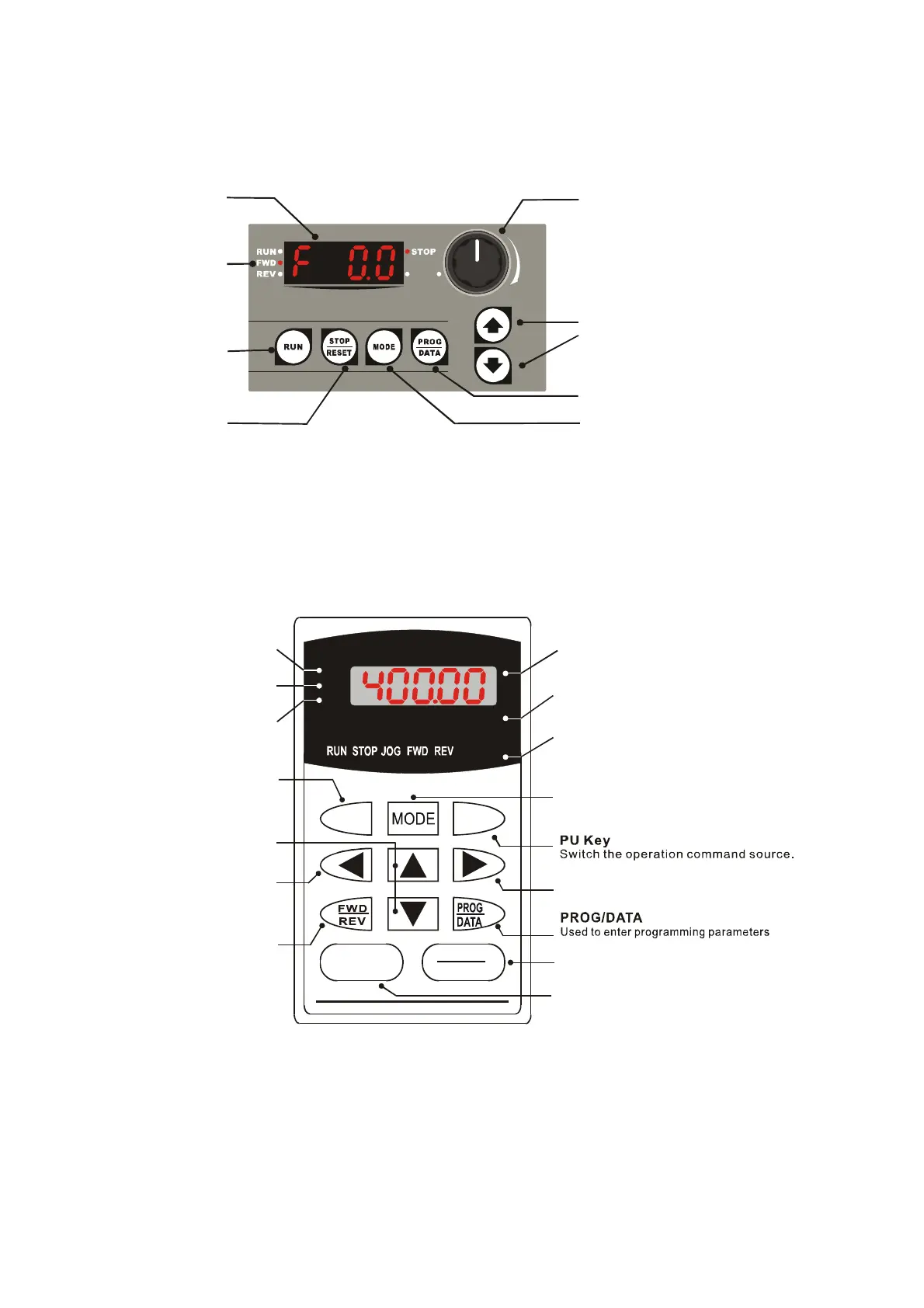
B.7 KPE-LE01
B.7.1 Description of the Digital keypad KPE-LE01
Potentiometer
For master Frequency
setting refer to Pr.02.00
and Pr.02.09
UP and DOWN Key
Sets the parameter
number and changes the
numerical data, such as
Master Frequency
PROG/DATA
Used to enter programming parameters
MODE
Display mode selector
STOP/RESET
RUN KEY
LED Display
Display frequency,
current, voltage
and error, etc.
Status Display
Display of drive status
Refer to Chapter 4 for details.
B.8 PU06
B.8.1 Description of the Digital keypad VFD-PU06
U
F
H
VFD-PU06
JOG
RUN
RESET
STOP
LED Display
Indicates frequency, voltage, current, user
defined units, read, and save, etc.
Status Display
Display the driver's current status.
Model Number
STOP/RESET
Stops AC drive operation and reset the drive
after fault occurred.
PU
EXT PU
Right key
Move the cursor to the right
RUN Key
Start AC drive operation.
Frequency Command
Status indicator
Output Frequency
Status indicator
User Defined Units
Status indicator
JOG
By pressing JOG key,
Jog frequency operation.
MODE
Change between different display mode.
Left Key
Move cursor to the left.
UP and DOWN Key
Set the parameter number
and changes the numerical
data, such as Master Frequency.
FWD/REV Key
Select FWD/REV operation.


 To Next Page
 Loading...