Appendix B Accessories
VFD-E Series
B-20 Revision August 2006, 01EE, SW--PW V1.03/CTL V2.03
1. SP: Green LED means in normal condition, Red LED means abnormal condition.
2. Module: Green blinking LED means no I/O data transmission, Green steady LED
means I/O data transmission OK.
Red LED blinking or steady LED means module communication is abnormal.
3. Network: Green LED means DeviceNet communication is normal, Red LED means
abnormal
NOTE
Refer to user manual for detail information--
Chapter 5 Troubleshooting
.
B.10.2 LonWorks Communication Module (CME-LW01)
B.10.2.1 Introduction
Device CME-LW01 is used for communication interface between Modbus and LonTalk.
CME-LW01 needs be configured via LonWorks network tool first, so that it can perform
the function on LonWorks network. No need to set CME-LW01 address.
This manual provides instructions for the installation and setup for CME-LW01 that is
used to communicate with Ghisalba VFD-E (firmware version of VFD-E should conform with
CME-LW01 according to the table below) via LonWorks Network. Refer to Chapter 4 in
user manual for nvoDriveID.
Ghisalba AC Drive CME-LW01
Series Firmware Version nvoDrive ID
VFD-E Version 2.02 or higher 6
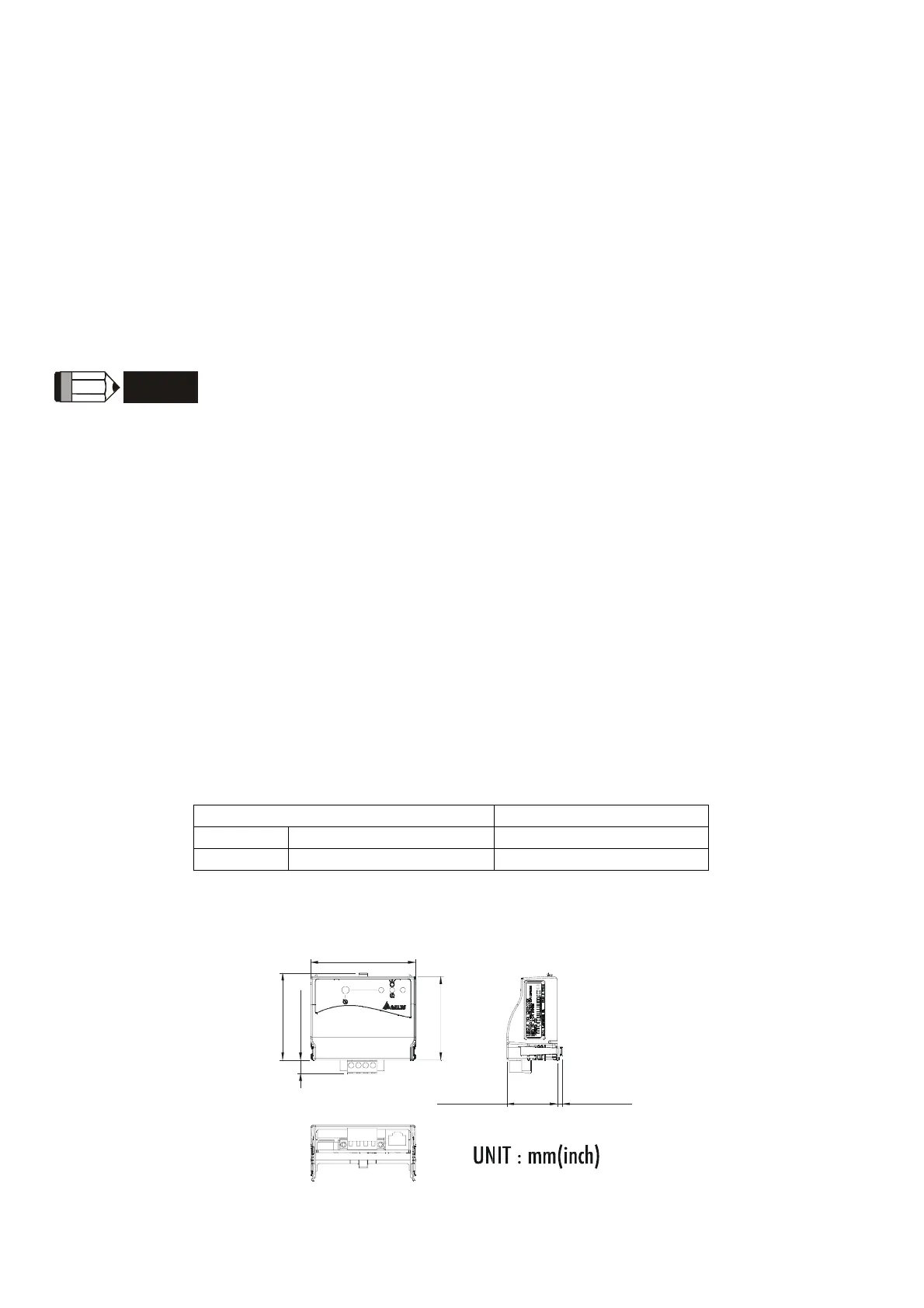
B.10.2.2 Dimensions
5
7
.
3
[
2
.
2
6
]
72.2 [2.84]
5
9
.
7
[
2
.
3
5
]
9
.
5
[
0
.
3
7
]
3.5 [0.14]34.8 [1.37]
SP
CME-LW01
B.10.2.3 Specification


 To Next Page
 Loading...