Appendix D How to Use PLC Function
VFD-E Series
Revision August 2006, 01EE, SW--PW V1.03/CTL V2.03 D-7
Ladder Diagram Structure Explanation Command Equipment
Output command of coil drive OUT Y, M, S
Basic command, Application
command
Application
command
Please refer to
basic command
and application
command
Inverse logic INV none
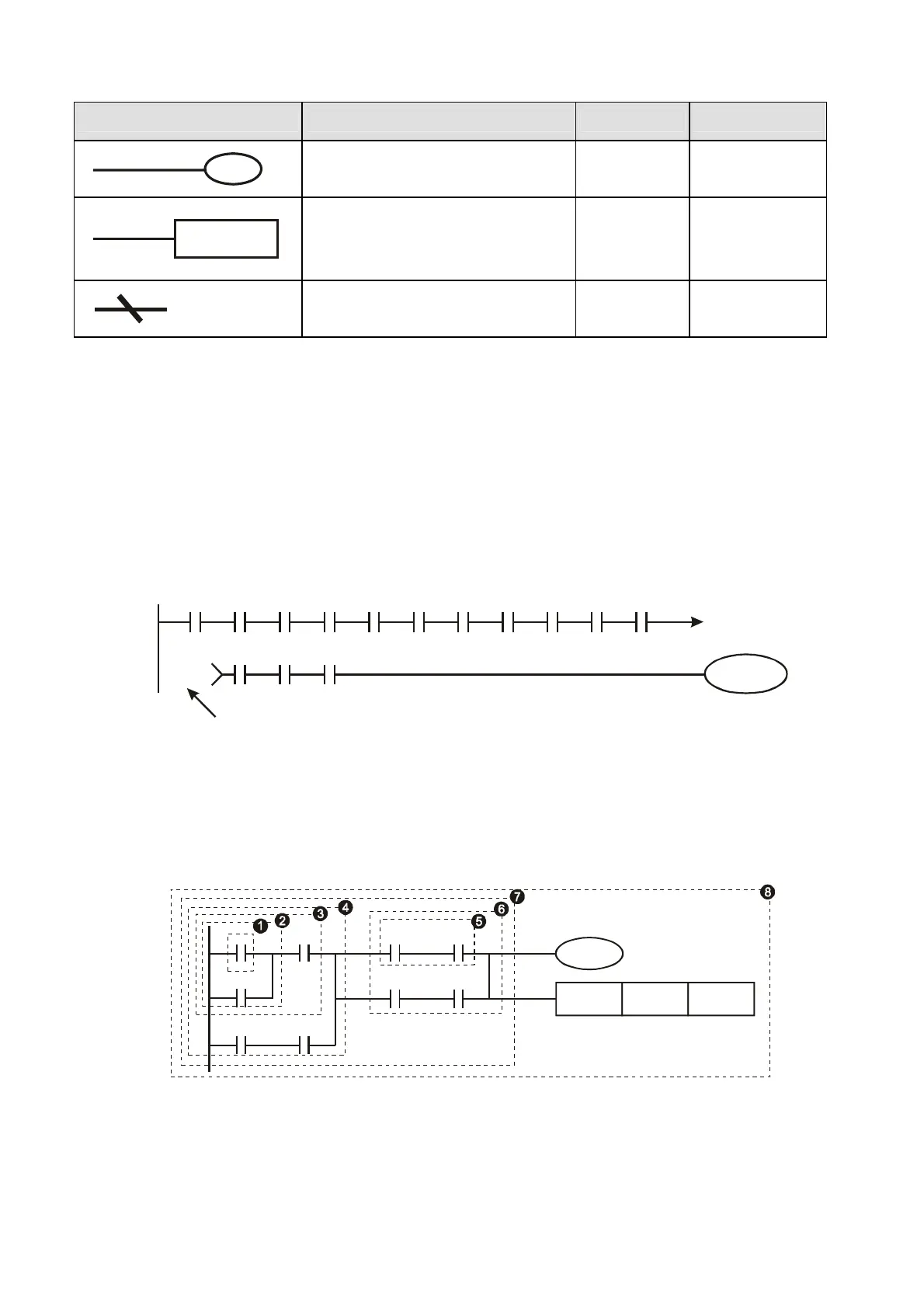
D.4 The Edition of PLC Ladder Diagram
The program edited method is from left power line to right power line. (the right power line will be
omitted during the edited of WPLSoft.) After editing a row, go to editing the next row. The maximum
contacts in a row are 11 contacts. If you need more than 11 contacts, you could have the new row
and start with continuous line to continue more input devices. The continuous number will be
produced automatically and the same input point can be used repeatedly. The drawing is shown as
follows.
X0 X1 X2 X3 X4 X5
Y0
X11 X12 X13
X6 X7 X10 C0 C1
00000
00000
5RZ1XPEHU
The operation of ladder diagram is to scan from left upper corner to right lower corner. The output
handling, including the operation frame of coil and application command, at the most right side in
ladder diagram.
Take the following diagram for example; we analyze the process step by step. The number at the
right corner is the explanation order.
X0 X1 Y1 X4
M0
X3
M1
T0
M3
Y1
TMR T0 K10
The explanation of command order:
1 LD X0
2 OR M0
3 AND X1
4 LD X3


 To Next Page
 Loading...