10
IV. Equipment expansion
1. Card Reader
The card reader of Giada mini PC can support SD, MMC, MS, MS PRO,
SDHC and other mobile memory cards(depending on different model). It also
supports PNP and hot swapping.
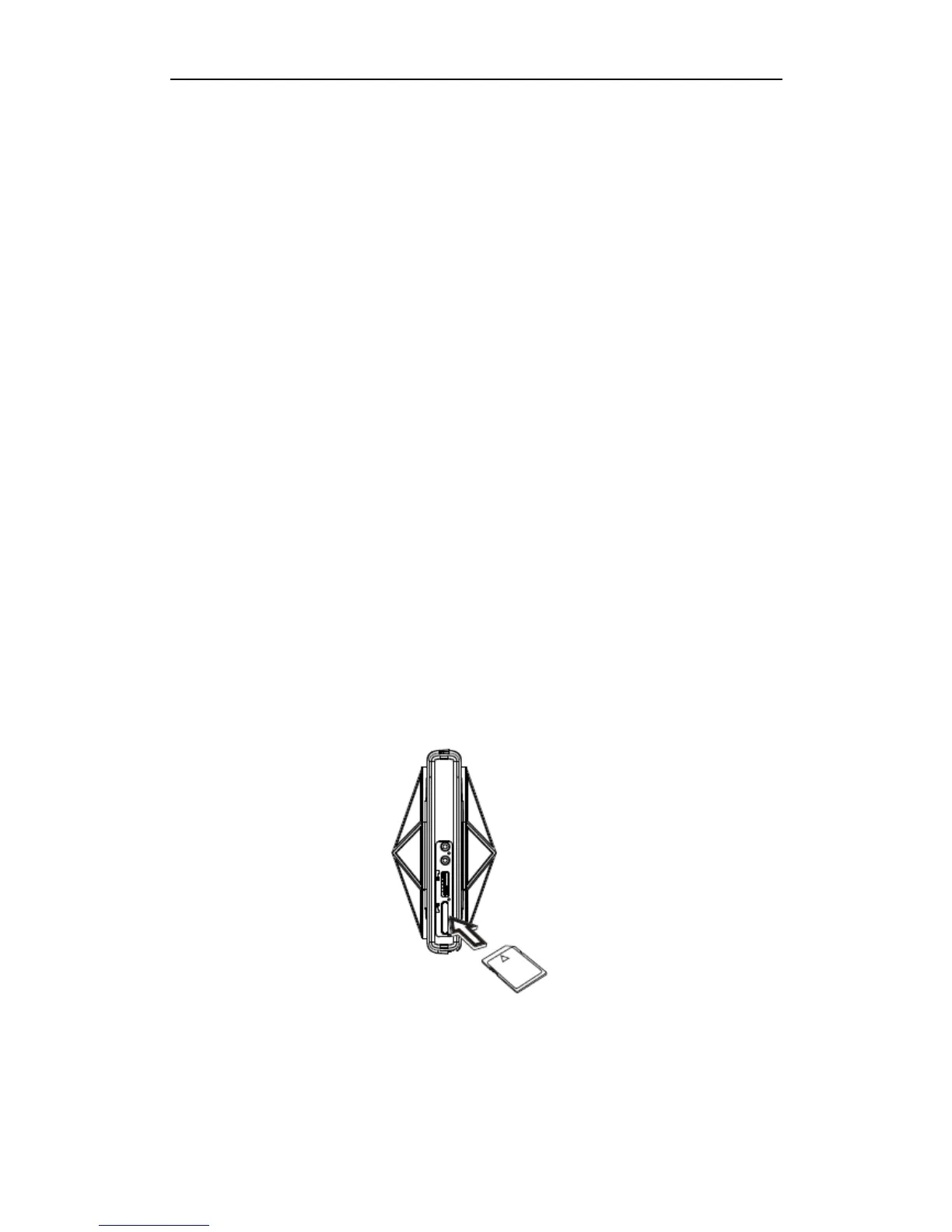
Insert the mobile memory card into PC through the card reader port on it
and pay attention to the card’s sides. Never use excessive force when
inserting the card. Otherwise the memory card or the slot may be
damaged.
Note: SD/MMC: with the omitted angle facing the right; MS/MS PRO: with
the omitted angle facing the left.
Exit of memory card: (1) Stop operation on the card; (2) “Safely remove”
the card through the operating system, (3) Take out the card gently.


 To Next Page