Need help?
Do you have a question about the Giada N21M-MV and is the answer not in the manual?
Provides essential safety instructions for electrical hazards and operational precautions.
Outlines critical precautions to take before installing or removing any component on the motherboard.
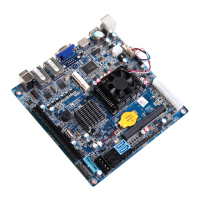
Lists detailed technical specifications of the motherboard, including size, CPU, memory, and slots.
Provides a comprehensive overview of jumpers and various interface connectors on the motherboard.
Explains the procedure for installing DDR3/DDR3L memory modules into the motherboard's DIMM slots.
Guides users on how to access the BIOS setup screens and navigate the main interface.
Presents submenu options for configuring various hardware components and system functions within the BIOS.
Provides access to advanced CPU and chipset configurations, including processor and network settings.
Allows tuning of CPU performance features like EIST, Turbo, VMX, and active core selection.
Allows setting administrator and user passwords to protect system access and BIOS configuration.
Configures system boot options, including prompt timeout, NumLock state, and boot device priority order.
Provides options to save configuration changes, discard changes, and exit the BIOS setup utility.
 General
| Form Factor | Mini-ITX |
|---|---|
| Memory Slots | 1 x SO-DIMM |
| Storage Interface | SATA 3Gb/s |
| Audio | Realtek ALC662 |
| Expansion Slots | 1 x Mini-PCIe |
| Storage | 1 x SATA |
| USB Ports | 4 x USB 2.0, 2 x USB 3.0 |
| USB | 2 x USB 3.0 |
| LAN | Realtek RTL8111E |
| Graphics | Integrated Intel HD Graphics |
| Video Output | VGA, HDMI |
| Video Outputs | HDMI, VGA |
| Memory Type | DDR3 |


 To Next Page