The Giant RideControl Plus is a compact and versatile cycling computer designed to enhance the riding experience, particularly for e-bikes, but also compatible with regular bikes when paired with a speed sensor. This quick start guide outlines its functions, specifications, and operational procedures.
Function Description
The primary function of the RideControl Plus is to display various riding data and e-bike specific information. It acts as an interface to monitor key metrics and manage e-bike assist levels.
- Data Display: The device features a clear display that shows a range of data fields, including:
- Riding Time: Tracks the duration of your ride.
- Heart Rate: Displays your current heart rate (requires a compatible heart rate sensor).
- Cadence: Shows your pedaling revolutions per minute (requires a compatible cadence sensor).
- Power: Indicates your current power output (requires a compatible power meter).
- Distance: Measures the total distance covered during your ride.
- E-bike Battery %: Shows the remaining battery percentage of your e-bike.
- E-bike Battery Bar: Provides a visual representation of the e-bike battery level.
- Remaining Range: Estimates the distance you can still travel based on current battery level and assist mode.
- ODO (Odometer): Records the total distance accumulated over all rides.
- Auto Mode: Indicates when the e-bike is operating in an automatic assist mode.
- E-bike Assist Level Control: For Giant e-bikes, the upper screen displays assist levels from L1 to L5, corresponding to different levels of motor assistance. It also shows "A" when switching to Smart assist mode.
- Pairing with E-bike: The device pairs with e-bikes via ANT+ technology, allowing it to receive and display e-bike specific data.
- Setting Configuration: Users can configure various settings, including wheel circumference and metric/imperial units.
Important Technical Specifications
The RideControl Plus is designed to be robust and user-friendly, with specifications that ensure reliable performance in various conditions.
- Physical Size: 60mm (Length) x 38mm (Width) x 15mm (Height). This compact size makes it easy to mount on handlebars without obstructing other controls.
- Weight: 24g (including CR2032 battery). Its lightweight design contributes to minimal impact on bike weight.
- Radio Frequency: 2.4GHz ANT™. This standard wireless protocol ensures compatibility with a wide range of sensors and e-bike systems.
- Transmission Range: 3m. This range is sufficient for reliable communication between the device and sensors mounted on the bike.
- Operating Temperature: -10°C to 60°C. This wide temperature range allows for operation in diverse weather conditions.
- Water Resistance: 1m. The device is designed to withstand splashes and light rain, making it suitable for outdoor cycling.
- Battery: CR2032 Lithium Battery. A common and easily replaceable coin cell battery.
- Battery Life Time: Up to 100 Hours of Operating. This provides extended usage before battery replacement is needed.
Usage Features
The RideControl Plus offers intuitive controls and features for a seamless user experience.
- Button Functions:
- Previous Data Field / Clear Current Data (Left Button): Short press to navigate to the previous data field. Press and hold for 3 seconds to clear the current riding record.
- Wake Up / Enter Setting Mode (Central Button): Short press to wake up the device. Press and hold for 2 seconds to enter setting mode. Also used to confirm settings.
- Next Data Field (Right Button): Short press to navigate to the next data field. Also used to access remaining range/distance/ODO data field in setting mode.
- Wake Up: The device can be woken up by pressing the central button.
- Pairing Process:
- Turn on e-bike power and wake up the RideControl Plus.
- It is recommended to take the e-bike away from other ANT+ signals to prevent the device from finding other sensors.
- Press the Reset Button on the back side of the device to enter pair mode. The screen will display "Pair" when it successfully finds the e-bike.
- The device features auto-search, meaning it does not need to be re-paired with the same e-bike on subsequent wake-ups.
- Setting Wheel Circumference:
- This setting is not necessary when pairing with an e-bike system. It is primarily for use with a speed sensor on a regular bike.
- To enter setting mode, press and hold the central button for 2 seconds.
- When "LEN" appears on the upper screen, press and hold the central button for 2 seconds. The screen will show "SEt".
- Use the left and right buttons to adjust the wheel size.
- Press the central button to confirm the setting. If not confirmed, the system will automatically set and return to the original data field after 2 seconds.
- Setting Metric/Imperial Unit:
- To enter setting mode, press and hold the central button for 2 seconds.
- After wheel size setting, when "Unit" appears on the bottom screen, press and hold the central button for 2 seconds. The screen will show "SEt".
- Use the left and right buttons to adjust the unit (metric or imperial).
- Press the central button to confirm the setting. If not confirmed, the system will automatically set and return to the original data field after 2 seconds.
- Assist Level Display: The upper screen shows L1 to L5 for e-bike assist levels and "A" for Smart assist mode (Giant E-bike only).
- Clearing Riding Record: Press and hold the left button for 3 seconds to clear the current riding record.
- Sleep Mode: The RideControl Plus will automatically enter Sleep mode 90 seconds after not receiving a signal from the e-bike, conserving battery life.
Maintenance Features
- Battery Replacement: The device uses a CR2032 battery, which is easily replaceable by the user. The manual instructs to insert the battery before activating the device.
- Warranty: Giant provides a two-year warranty for the original owner of the RideControl Plus (including mounting kit) against defects in material and workmanship from the date of purchase. Batteries are excluded from this warranty. The warranty is valid only when the product is purchased new from an Authorized Giant Dealer.

 Need help?
 General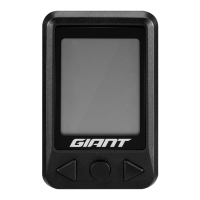

 To Next Page