DensiMat
ENGLISH
- 7 -
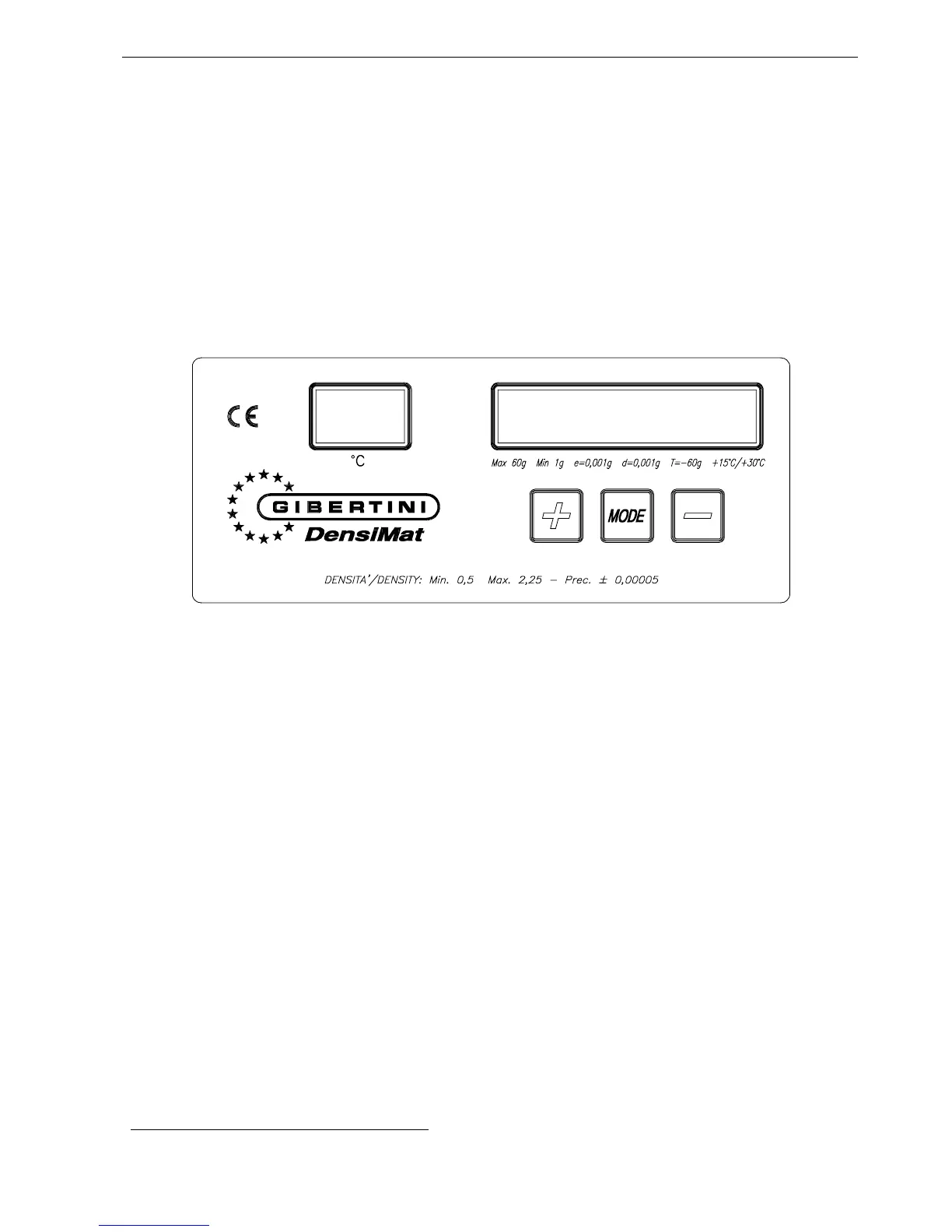
3.2 DENSIMAT KEYBOARD
The Densimat keyboard (fig. 4) has two displays and three keys. On the left display it
appears the temperature read by thermo probe; on the right display it appears:
a. specific gravity, with the parameters of standard functioning;
b. messages for user (see Chapter 6 - Appendix A: List of principal messages
visualised by Densimat);
c. this is selectable by means of three keys "MODE", " + " and " - ". The activated
functions through these keys are described in Chapter 7 - Appendix B: Selecting
options from the Densimat keyboard.
Figure 4
4. MEASUREMENTS WITH DENSIMAT
DENSIMAT allows to determine:
directly:
the specific gravity d
20/20
of a liquid
the density of a liquid at 20°C (by a simple calculation)
indirectly, through the tables
2
:
the degree Baumé, degree Babo, degree Brix and the degree Oechsle of a must;
the ASV (Alcoholic Strength by Volume) of wines, musts and spirit drinks;
the total dry extract of a must/wine.
The measurements must be carried out at exactly 20°C
N.B. Indications on the best conditions to carry out the measurements with Densimat
are indicated in Chapter 4. The behaviour of the instrument when switching it on and
the conditions for optimal measurement.
2
See R. Becchetti, "Methods of analysis of wines and spirit drinks", Gibertini Elettronica



 To Next Page